
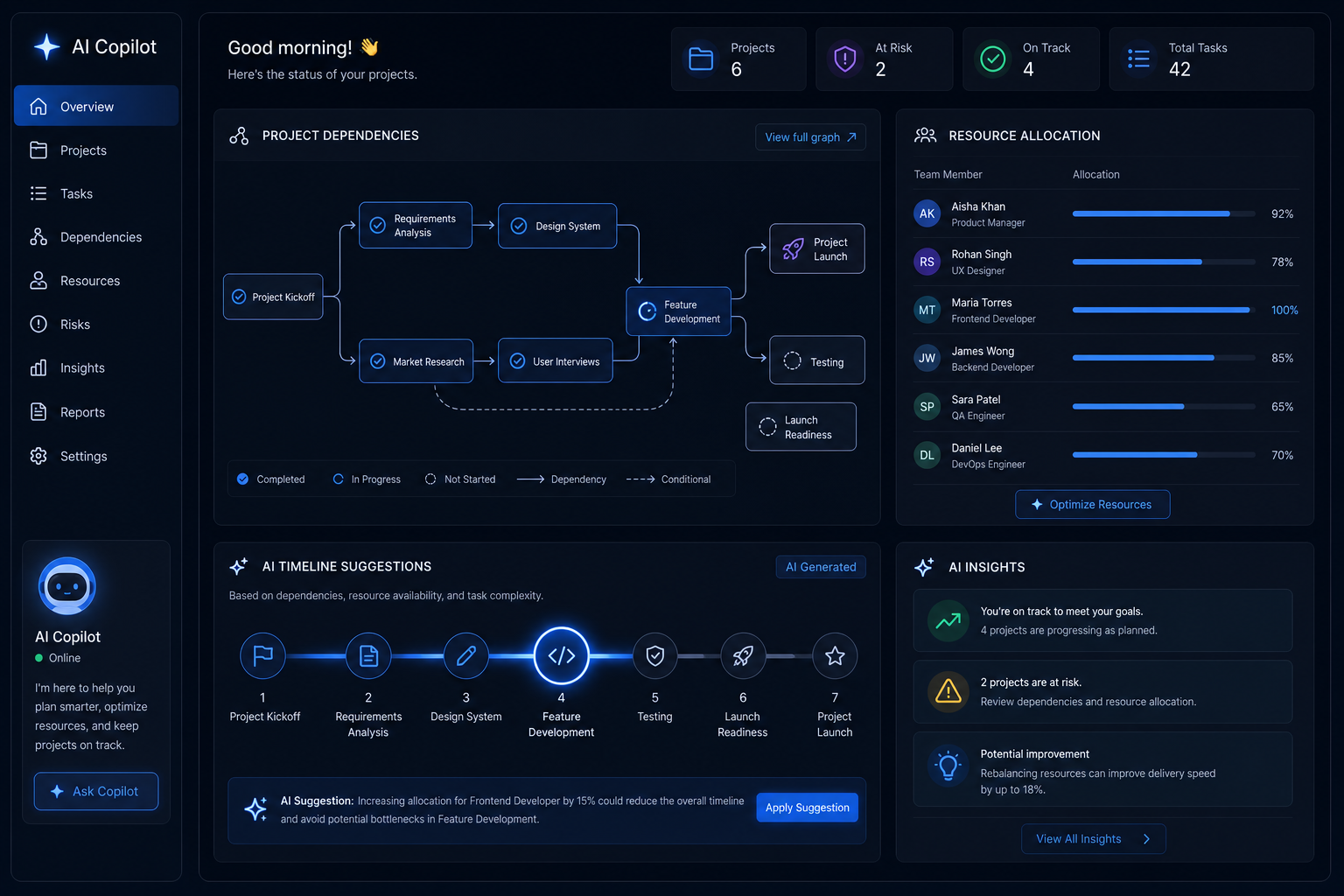
AI project scheduling has moved from buzzword to boardroom reality in 2026. Where teams once spent hours wrestling with Gantt charts, colour-coded spreadsheets, and calendar ping-pong, intelligent copilots now analyse dependencies, surface resource conflicts, and propose optimised timelines in seconds. If your planning process still relies on manual updates and gut instinct, this guide explains exactly what has changed — and why it matters for your team right now.
What Has Actually Changed in AI Project Scheduling?
Intelligent scheduling in 2026 is not simply a smarter calendar. Modern AI copilots ingest your entire project graph — tasks, assignees, deadlines, dependencies, budgets, and historical velocity data — and reason across all of it simultaneously. The key difference from older automation tools is context: today’s systems understand why a delay in one task ripples downstream, not just that it does.
According to Fortune Business Insights, the global AI in project management market is projected to grow from $4.14 billion in 2026 to $13.29 billion by 2034, a compound annual growth rate of 15.7%. That trajectory reflects genuine enterprise adoption, not speculative hype. Teams using AI scheduling tools are reporting measurable reductions in planning overhead and fewer missed milestones.
Three capabilities define the current generation of AI scheduling assistants:
- Dependency mapping: The copilot automatically identifies which tasks block others and flags circular dependencies before they cause delays.
- Resource constraint analysis: It cross-references team availability, skills, and workload to prevent over-allocation without manual hour-counting.
- Timeline conflict resolution: When two high-priority tasks compete for the same resource, the system suggests resequencing options ranked by impact on the critical path.
Why Manual Gantt Charts Are Struggling to Keep Up
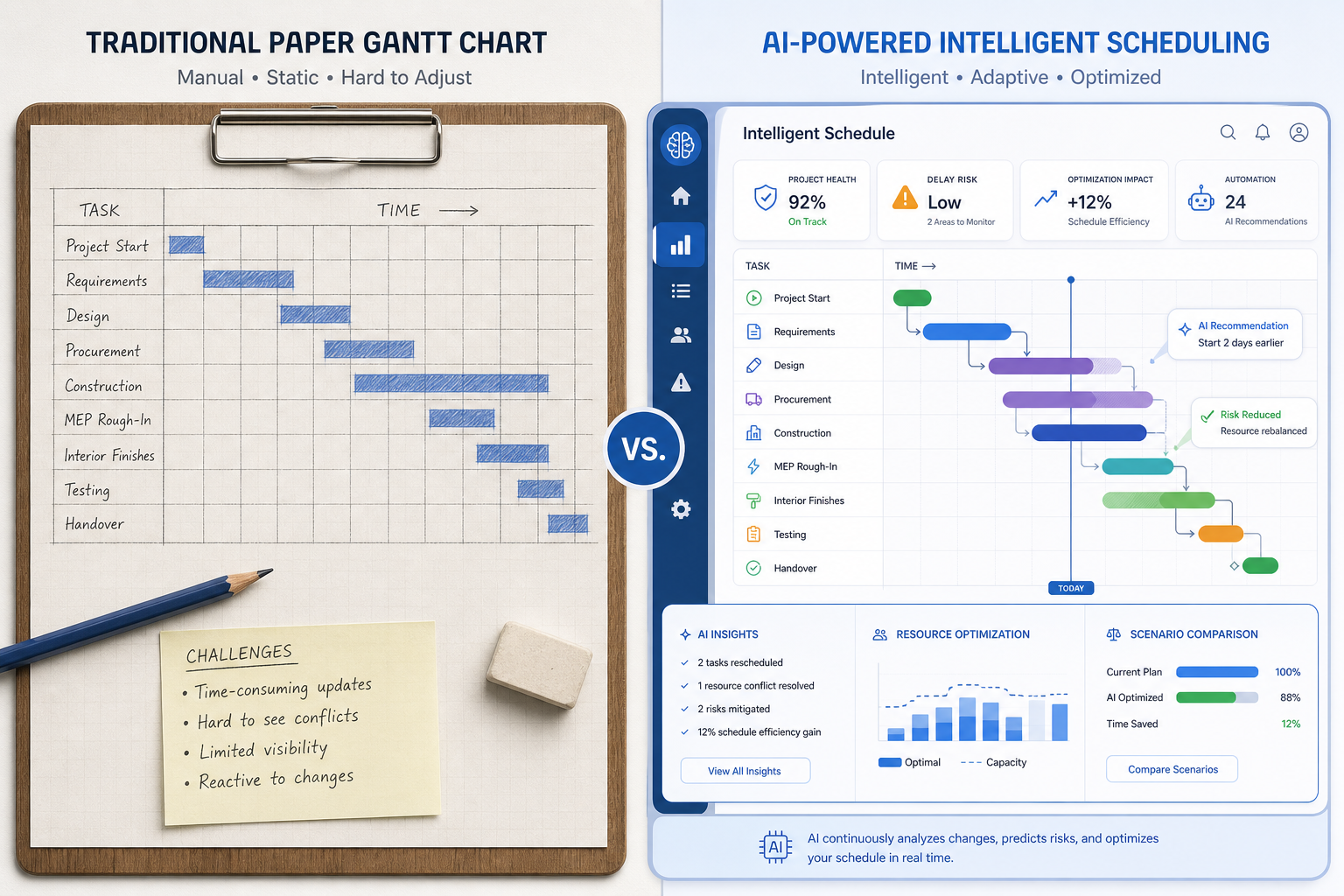
Gantt charts were designed in an era when project variables were relatively stable and teams were co-located. They are excellent at visualising a fixed plan — but project plans are never fixed. Scope changes, sick days, vendor delays, and shifting priorities mean your Gantt is often out of date the moment you publish it.
The real cost is not the chart itself but the maintenance burden. A project manager on a mid-sized software delivery team can easily spend 30–40% of their week updating schedules, chasing status updates, and manually recalculating the knock-on effects of each change. Automated project planning removes most of that rework loop by treating the schedule as a live model rather than a static document.
That said, Gantt charts are not disappearing entirely. AI scheduling tools increasingly use them as an output format — a visual layer generated from the underlying intelligent model — rather than as the planning tool itself. The chart becomes a dashboard, not the engine.
How AI Copilots Understand Project Dependencies
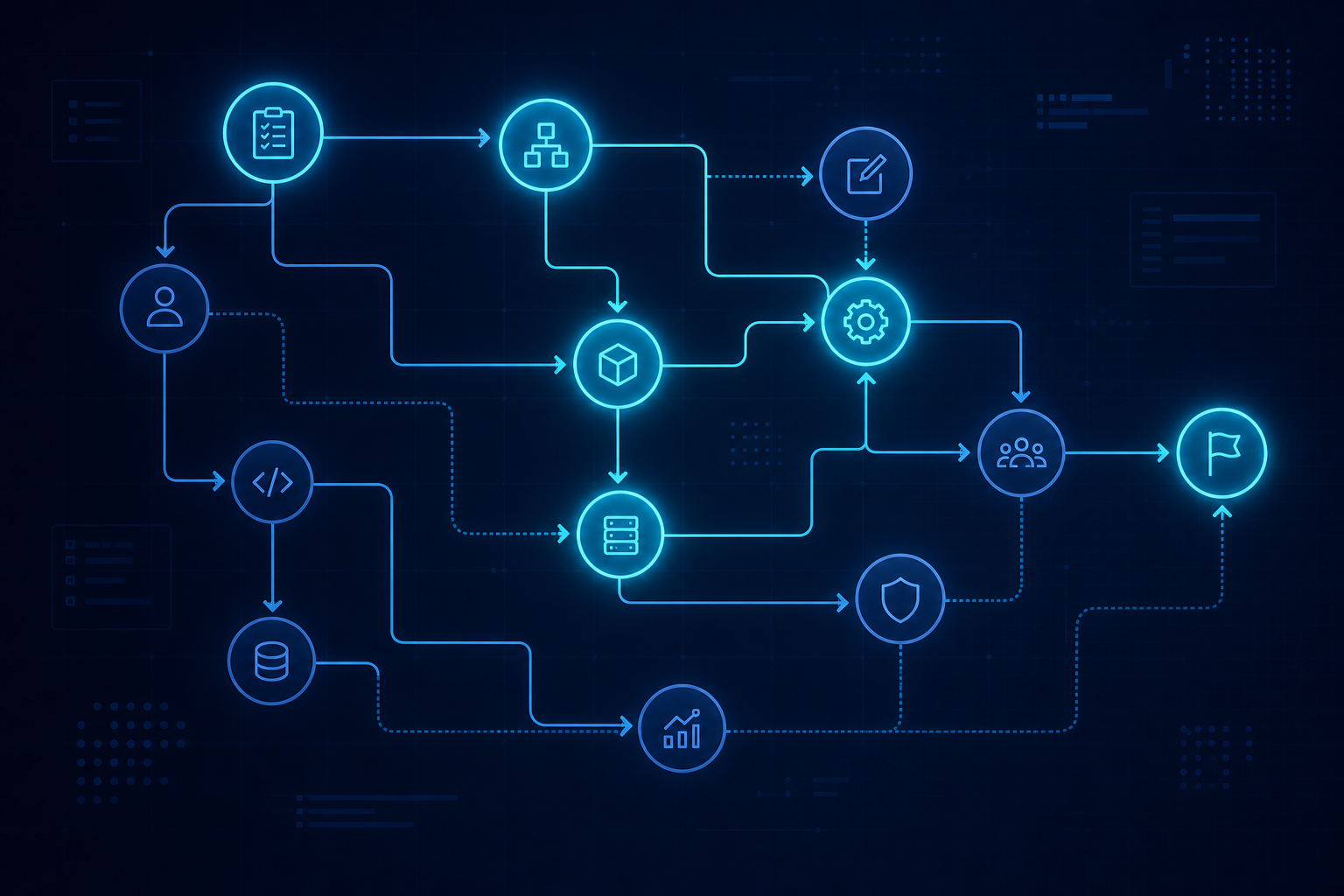
Dependency management is where intelligent scheduling genuinely earns its keep. Traditional tools require a project manager to define every finish-to-start, start-to-start, and finish-to-finish relationship by hand. Miss one, and downstream tasks drift silently until something breaks.
AI scheduling tools take a different approach. They can:
- Ingest a plain-language project brief and extract implied task relationships automatically.
- Cross-reference historical projects to detect dependency patterns your team typically uses.
- Flag when a newly added task creates a dependency loop or extends the critical path beyond the project deadline.
- Suggest parallel workstreams where the dependency graph permits, compressing the overall timeline without adding headcount.
Microsoft’s Copilot integration within the Microsoft 365 ecosystem, for example, can draft task lists with duration estimates and dependency logic from a project brief shared in Teams or Word — reducing the setup phase that used to eat the first day of any new engagement. For teams already working inside Microsoft 365, these capabilities slot into existing workflows rather than requiring a platform migration.
Resource Constraints: The Problem AI Scheduling Tools Solve Best
Resource management has always been the Achilles heel of manual planning. Allocating the right person to the right task at the right time, while respecting availability, skill requirements, and team fatigue, is a combinatorial problem that human planners approximate rather than solve. AI scheduling tools can evaluate thousands of allocation permutations in milliseconds and surface the option that best balances speed, cost, and risk.
Avoiding Over-Allocation Without Spreadsheet Gymnastics
One of the most immediate wins from automated project planning is the elimination of accidental over-allocation. A copilot that has visibility of every active project in your portfolio — not just the one you are currently planning — can tell you that your lead backend engineer is already at 90% capacity in the week you planned to assign them a critical integration task. It will then offer alternatives: reassign a lower-priority task, bring in a different team member with matching skills, or adjust the timeline to use that engineer the following week.
Skills Matching and Capacity Forecasting
Beyond simple availability, more advanced AI scheduling assistants now map tasks to skill profiles. If a task requires experience with a specific framework or technology, the system matches it to qualified team members rather than leaving allocation to tribal knowledge. Capacity forecasting extends this further, projecting resource bottlenecks weeks in advance so managers can act before the crunch hits rather than scrambling in the middle of a sprint.
Timeline Conflict Resolution in Practice
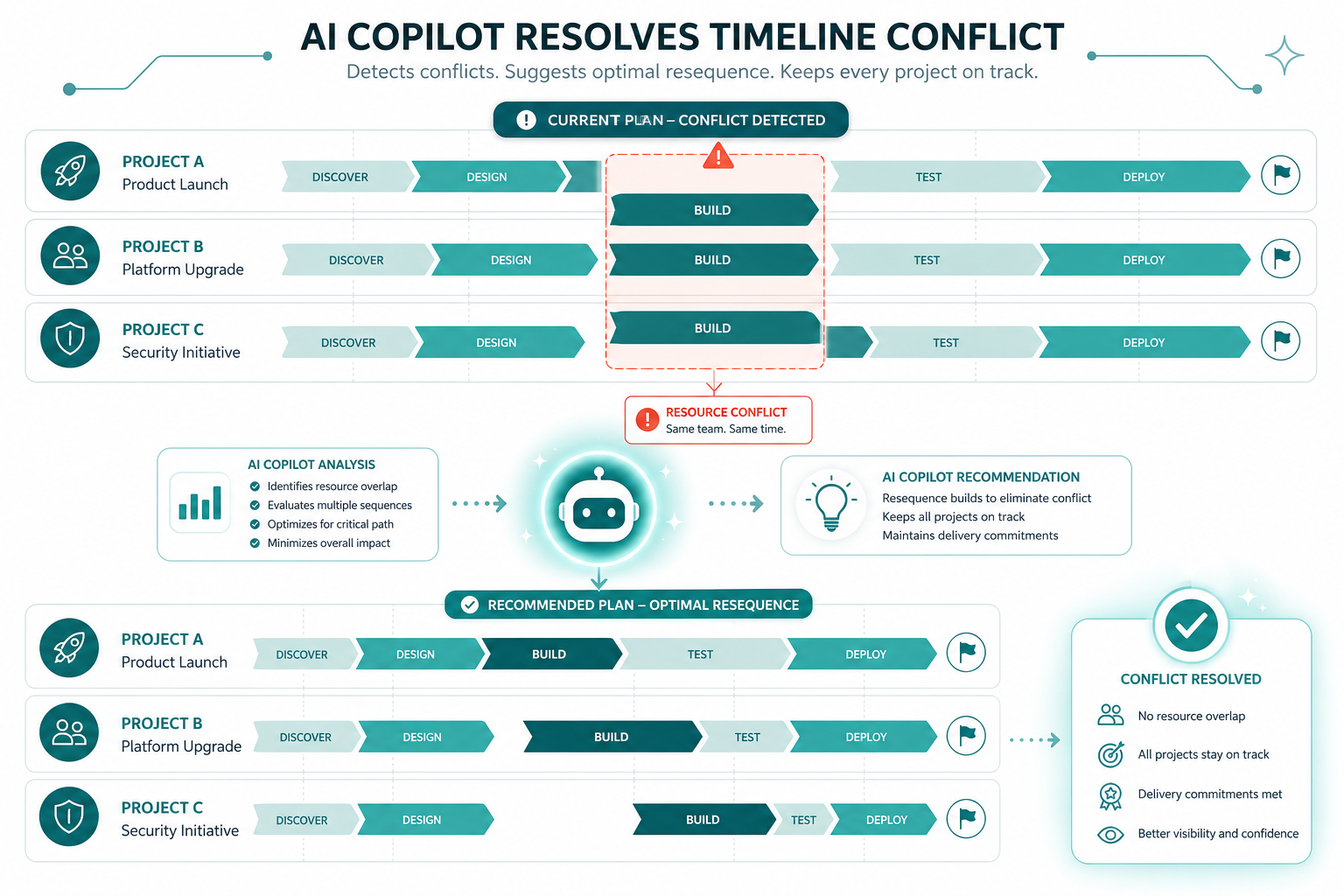
Automated project planning shines brightest when timelines collide — when two stakeholder-critical deliverables land in the same two-week window with overlapping resource needs. A traditional approach involves a meeting, a whiteboard, and a lot of negotiation. An AI scheduling copilot does the negotiation in the background and presents ranked options with their trade-offs modelled out.
For instance, if your Q3 product launch and a mandatory compliance review both require your senior technical writer during the same fortnight, the copilot might:
- Propose shifting the compliance review forward by three days, consuming buffer that was previously invisible.
- Suggest splitting the product launch documentation across two writers, reducing single-point dependency.
- Flag that accepting either option extends the overall project by two days but protects the compliance deadline, which carries regulatory risk.
This kind of scenario modelling — previously the preserve of expensive portfolio management software — is now available inside everyday work tools, making intelligent scheduling accessible to teams that could never justify enterprise project management licences.
AI Scheduling Tools Worth Knowing in 2026
The market for intelligent scheduling has matured quickly. Here are the categories worth evaluating:
Microsoft Copilot in Project and Teams
Microsoft’s Copilot integrations across Microsoft 365 Copilot — including Teams, Planner, and Project — allow users to generate draft schedules, summarise meeting actions into task lists, and identify scheduling conflicts directly within the apps they already use. The July 2026 release notes confirmed expanded scheduling features including meeting scheduling directly from chat and enhanced task dependency visualisation.
Specialised AI Project Management Platforms
Tools like Taskade, ClickUp AI, and Motion have built AI scheduling as a native feature rather than an add-on. They offer autonomous daily schedule generation, real-time rescheduling when tasks slip, and natural-language project setup. These platforms are particularly suited to smaller teams who want AI-first workflows without the overhead of enterprise tooling.
Embedded Copilots in Existing Tools
Many teams will find AI scheduling capabilities appearing inside tools they already pay for. Atlassian’s Rovo, Notion AI, and Monday.com’s AI features all offer varying degrees of automated project planning. The key question is not which tool has the best AI feature list, but which AI scheduling tools fit your existing data and workflow.
If your team uses Windows 11 and Microsoft 365, the recent changes to Excel Copilot are worth understanding — the retirement of the =COPILOT() function in September 2026 shifts formula automation toward different AI pathways, which affects how some teams build scheduling models in Excel.
Getting Started with AI Project Scheduling
Adopting intelligent scheduling does not require ripping out existing processes. A pragmatic rollout typically follows three stages:
- Audit your current scheduling pain points. Is the main problem dependency tracking, resource over-allocation, or timeline slippage? Knowing your biggest friction point helps you pick the right AI scheduling tool and measure impact clearly.
- Pilot on one project, not the whole portfolio. Run automated project planning alongside your manual process for a sprint or two. Compare outcomes, not just features.
- Feed the model good data. AI scheduling is only as accurate as the inputs it receives. Invest time in structuring task descriptions, skills tagging, and historical project data before expecting the copilot to produce reliable suggestions.
Workers using AI tools already save an average of 5.4% of their working hours each week, according to 2026 research tracking AI productivity gains. For project managers, whose time is disproportionately consumed by scheduling coordination, the savings can be considerably higher.
What AI Scheduling Cannot Replace
Intelligent scheduling handles the combinatorial complexity of planning better than any human can. What it does not handle — and should not — is stakeholder politics, strategic prioritisation, and the human judgment required when project goals shift. A copilot can tell you the optimal schedule given a set of constraints; it cannot tell you which constraints your leadership is willing to flex.
The project manager’s role is evolving, not disappearing. The best practitioners in 2026 are the ones who treat AI project scheduling as a force multiplier: they define the constraints, validate the outputs, and focus their energy on decisions that require context no algorithm has access to.
Frequently Asked Questions
What is AI-powered project scheduling?
AI project scheduling uses machine learning and natural language processing to analyse task dependencies, team availability, and project constraints — then automatically suggest or adjust timelines. Unlike static Gantt charts, it updates dynamically as conditions change, reducing manual replanning effort significantly.
How do intelligent scheduling tools handle resource conflicts?
Intelligent scheduling tools cross-reference all active projects and team member availability simultaneously. When a resource conflict is detected, they model multiple resolution options — reassigning tasks, adjusting sequences, or flagging under-resourced workstreams — and present these ranked by their impact on the critical path and project deadlines.
Can AI scheduling tools work with existing project management software?
Yes. Most modern AI scheduling tools integrate with platforms like Jira, Asana, Microsoft Project, and Monday.com via APIs or native plugins. Some, like Microsoft Copilot in Microsoft 365, are embedded directly inside familiar apps so teams do not need to migrate data or change tools entirely.
Is automated project planning suitable for small teams?
Absolutely. Smaller teams often benefit more immediately because they have fewer dedicated project managers and each person wears multiple hats. AI scheduling tools help small teams avoid over-allocation and missed dependencies without the overhead of formal project management processes or expensive enterprise software licences.
What data does an AI copilot need to produce accurate schedules?
At minimum, an AI scheduling copilot needs clearly defined tasks with duration estimates, team member availability and skill profiles, task dependencies, and project deadlines. The more historical project data you feed it — velocity, typical slippage rates, recurring bottlenecks — the more accurate and contextually relevant its suggestions become over time.
