
The PaperCut zero-day patch is not optional — it is urgent. On 27 August 2026, PaperCut Software confirmed that two critical vulnerabilities in every supported version of PaperCut NG and PaperCut MF are being actively exploited in the wild. Emergency patches were released within 24 hours for versions 25 and 26, and server administrators need to act before attackers do. This guide breaks down exactly what the vulnerabilities do, which patch you need, and how to deploy it with minimal disruption.
What Is the PaperCut Zero-Day and Why Is It Critical?
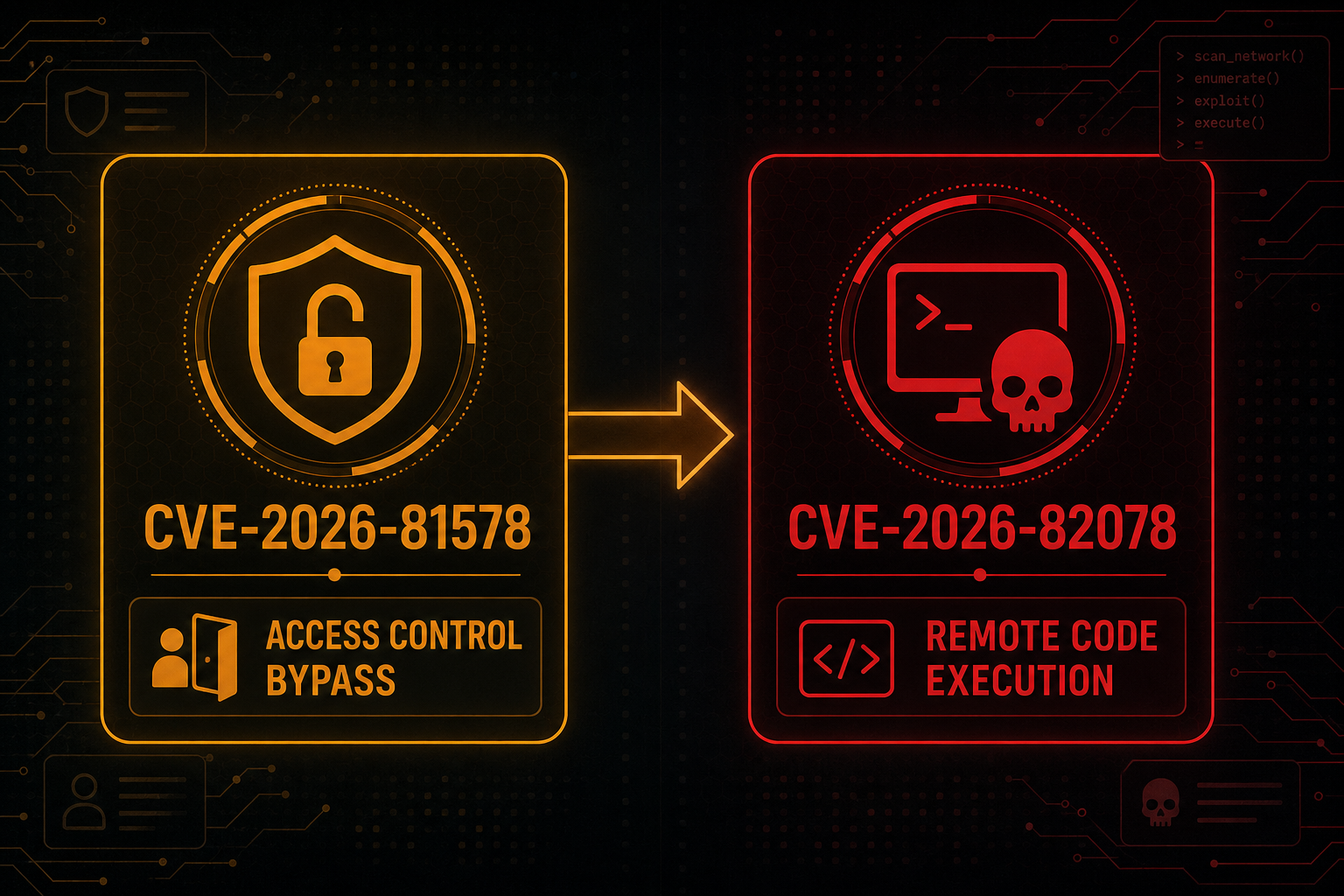
PaperCut NG and PaperCut MF are print management platforms used by universities, hospitals, enterprises, and government agencies worldwide — making them a high-value target. The two flaws disclosed on 27 August 2026 are tracked as CVE-2026-81578 (CVSS 8.8 — High) and CVE-2026-82078 (CVSS 9.4 — Critical), and both affect all NG and MF versions prior to the emergency releases.
- CVE-2026-81578 — An improper access control flaw in the PaperCut web management interface. Under specific conditions an unauthenticated attacker can bypass authentication controls and invoke privileged server functions remotely.
- CVE-2026-82078 — An unsafe dynamic class loading vulnerability. When chained with CVE-2026-81578, it enables pre-authentication remote code execution (RCE), giving an attacker full control of the print server.
A CVSS 9.4 rating places CVE-2026-82078 in the highest tier of critical vulnerabilities. The authentication bypass alone is dangerous; combined with arbitrary code execution, a compromised PaperCut server becomes a pivot point into the broader network — ideal for ransomware operators and data-theft groups.
Who Is Actively Exploiting the PaperCut NG MF Exploit?
PaperCut Software’s security response team confirmed active exploitation before the patches were released — making this a true zero-day event. Rapid7’s threat intelligence team corroborated in-the-wild attacks shortly after disclosure, noting that the authentication bypass can be leveraged to reconfigure the server, extract credentials stored in the print management database, and drop payloads. Threat actors have previously targeted PaperCut servers to deploy ransomware, and the same playbook is almost certainly in play here.
If your PaperCut server is internet-facing — or reachable from a compromised endpoint inside your network — you are at risk right now on an unpatched installation. The web management interface (default port 9191 for MF, 9191/9192 for NG) is the attack surface.
PaperCut Emergency Patch: Versions and What Each Fixes
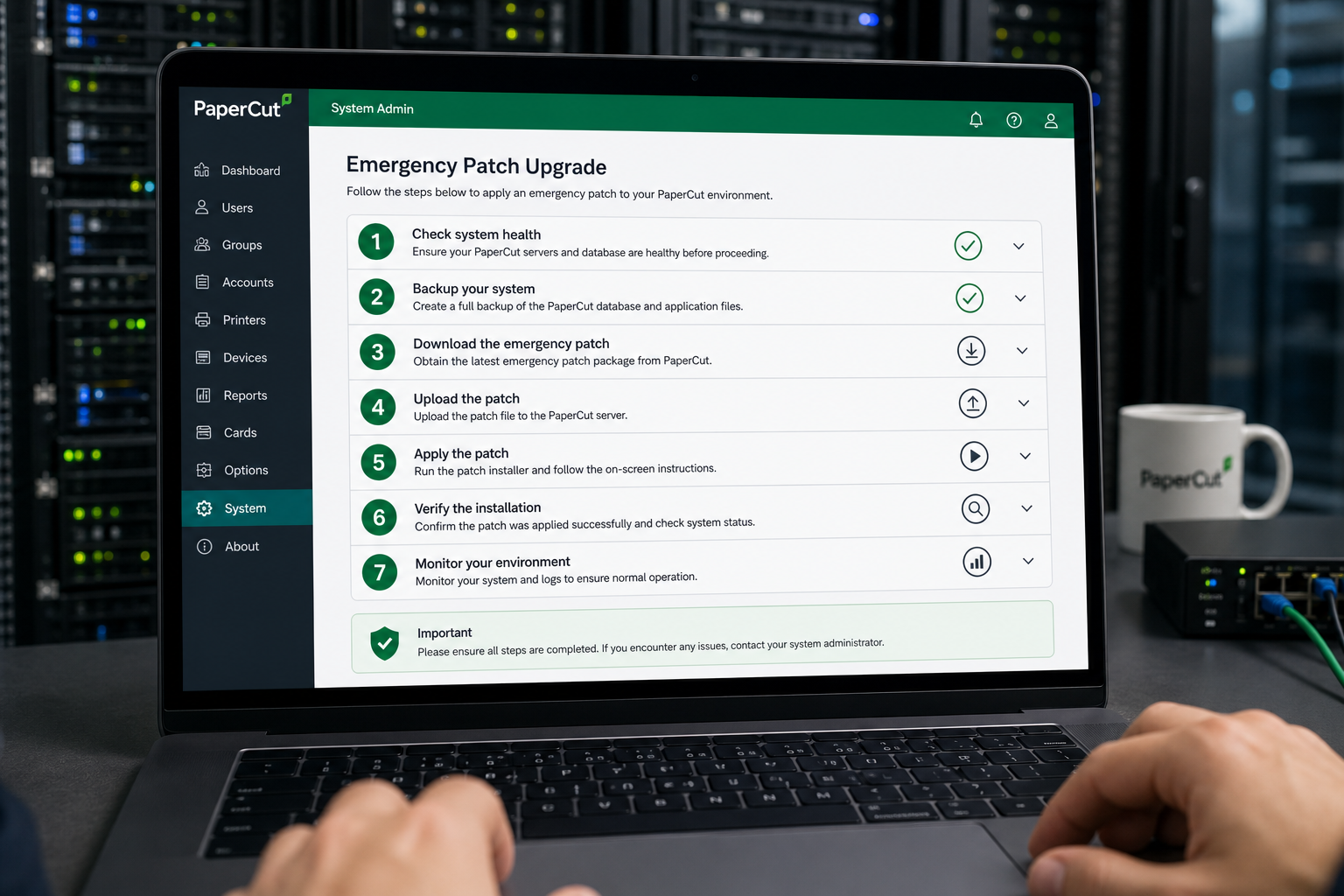
PaperCut released the PaperCut emergency patch in two waves on 28 August 2026. The following table summarises the patched releases:
- PaperCut MF 25.1.2 — Resolves CVE-2026-81578 (access control bypass) and CVE-2026-82078 (unsafe class loading / RCE). All MF v25.x installs should target this release.
- PaperCut MF 26.0.1 — Same dual fix for users already on the v26 branch.
- PaperCut NG 25.1.2 — Addresses both CVEs for the NG product line on v25.x.
- PaperCut NG 26.0.1 — Patch for NG users on the v26 branch.
Older versions (v23, v24, and earlier) are vulnerable and are not receiving direct hotfix releases — users on end-of-support branches must upgrade to v25.1.2 or v26.0.1. PaperCut has stated that all NG and MF versions prior to these releases should be considered compromised if exposed.
For authoritative details on both CVEs, see the official PaperCut security bulletin (27 Aug 2026) — the primary reference for patch files and release notes.
How to Apply the PaperCut Vulnerability Fix Without Downtime
Applying the PaperCut vulnerability fix is straightforward, but a structured approach keeps your print environment stable. Follow these steps:
- Back up first. Export your PaperCut configuration and database via Admin → Backup. Store the backup off the print server itself.
- Download the correct installer. Log in to the PaperCut customer portal and download the patch installer matching your current branch (v25 or v26) and product (MF or NG). Verify the SHA-256 checksum listed in the security bulletin before running anything.
- Schedule a low-traffic window. The upgrade service restart typically takes 2–5 minutes. For 24/7 environments, coordinate with facilities teams; the PaperCut Application Server can be taken down independently of the database server.
- Run the installer as administrator. The installer detects the existing install path and upgrades in place. It does not overwrite configuration files or the user/account database.
- Verify the build number. Post-upgrade, navigate to Admin → About and confirm the version string shows 25.1.2 or 26.0.1. Do not trust a visual check of the login page alone — attackers can serve spoofed pages on a compromised host.
- Restrict the admin interface. As a belt-and-braces measure, firewall port 9191 so only trusted management IPs can reach it. This does not replace patching but reduces your attack surface immediately.
- Review audit logs. After patching, check the PaperCut app log (located in the server’s logs folder) for any anomalous authentication events, unexpected admin account changes, or unfamiliar scheduled tasks — indicators of compromise before the patch was applied.
Indicators of Compromise: Was Your Server Already Hit?
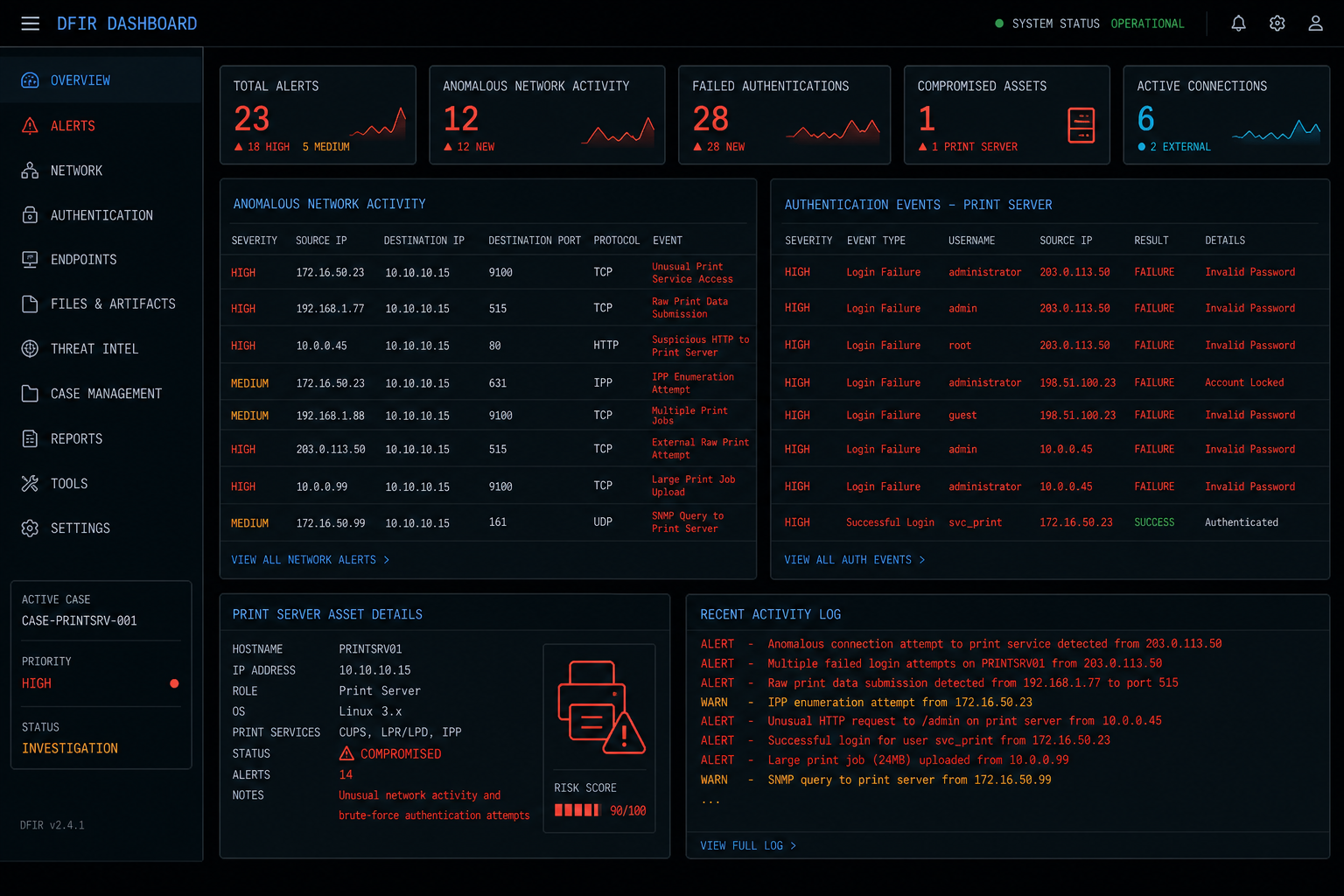
If there is any possibility that your server was exposed before you applied the PaperCut emergency patch, treat it as potentially compromised and investigate before returning it to production. Key indicators to hunt for include:
- New or modified admin accounts in the PaperCut admin portal with no corresponding change ticket.
- Unexpected outbound connections from the print server process (
pc-app.exeon Windows) to external IP addresses. - Scheduled tasks or startup items created after your last known-good state.
- Web shell files dropped in the PaperCut web server directory (commonly under
server/custom/web/). - Evidence of credential harvesting — look for access to the internal HSQLDB or connected external SQL server from unexpected sources.
If you find any of these indicators, isolate the server immediately, preserve a forensic copy of the logs, and engage your incident response process. Patching a compromised server removes the entry vector but does not evict an attacker who has already established persistence.
Broader Cybersecurity Lessons from the PaperCut NG MF Exploit
This incident reinforces several principles that matter beyond any single vendor patch cycle. Print management software is often overlooked in vulnerability management programmes — it runs as a privileged service, connects to Active Directory, stores user credentials, and frequently has a web interface exposed on the internal network. That profile makes it a prime lateral movement target.
- Patch management must include non-OS software. Windows Update does not patch PaperCut. A dedicated software inventory and patch workflow is essential.
- Principle of least exposure. Admin interfaces should never be accessible from the open internet. A VPN or management VLAN with firewall rules is a basic control that would have blunted the impact here.
- Threat intelligence subscriptions pay off. Organisations subscribed to vendor security advisories received the PaperCut bulletin the moment it was published — ahead of broad media coverage — and had hours more to act.
For a deeper look at how attackers chain software vulnerabilities to achieve persistence, our analysis of the Windows Defender kernel exploitation technique used in BTR Reforged is a relevant read. And if you want to shore up your endpoint layer while you address server-side threats, explore our licensed antivirus solutions — a second layer of defence that catches the malware payloads attackers deploy once they have a foothold.
FAQ: PaperCut Zero-Day Patch
Which PaperCut versions are vulnerable to the zero-day?
All versions of PaperCut NG and PaperCut MF prior to 25.1.2 and 26.0.1 are affected by CVE-2026-81578 and CVE-2026-82078. PaperCut has stated that every supported version branch is impacted — older branches such as v23 and v24 will not receive standalone hotfixes and must be upgraded to a patched release.
What does CVE-2026-82078 actually allow an attacker to do?
CVE-2026-82078 is an unsafe dynamic class loading vulnerability rated CVSS 9.4. When exploited — particularly in combination with the CVE-2026-81578 authentication bypass — it allows a remote, unauthenticated attacker to execute arbitrary code on the PaperCut server. In practice this means full server takeover: dropping malware, stealing credentials, or using the print server as a beachhead for wider network compromise.
Does applying the PaperCut emergency patch require a full reinstall?
No. The emergency patch is delivered as an in-place upgrade installer. It preserves your existing configuration, print queues, user accounts, and transaction history. A service restart of 2–5 minutes is typically all the downtime involved. Always back up before upgrading as a precaution.
Should I isolate my PaperCut server before patching?
If your server has been internet-facing or accessible from potentially compromised endpoints since before 27 August 2026, consider blocking external access to port 9191 immediately as a temporary measure while you prepare the patch. Full isolation is advisable only if you have active indicators of compromise — otherwise the priority is to patch as fast as possible, then investigate.
Where can I download the official PaperCut vulnerability fix?
Patched installers are available through the PaperCut customer portal after login. Release notes and SHA-256 checksums are published in the official PaperCut security bulletin. Never download patch files from third-party sites — verify the checksum against the bulletin before running any installer.
