
Updated November 2026. We’ve added CorelDRAW Graphics Suite 2026, Canva’s free Affinity app and current prices for both, and removed figures we couldn’t confirm.
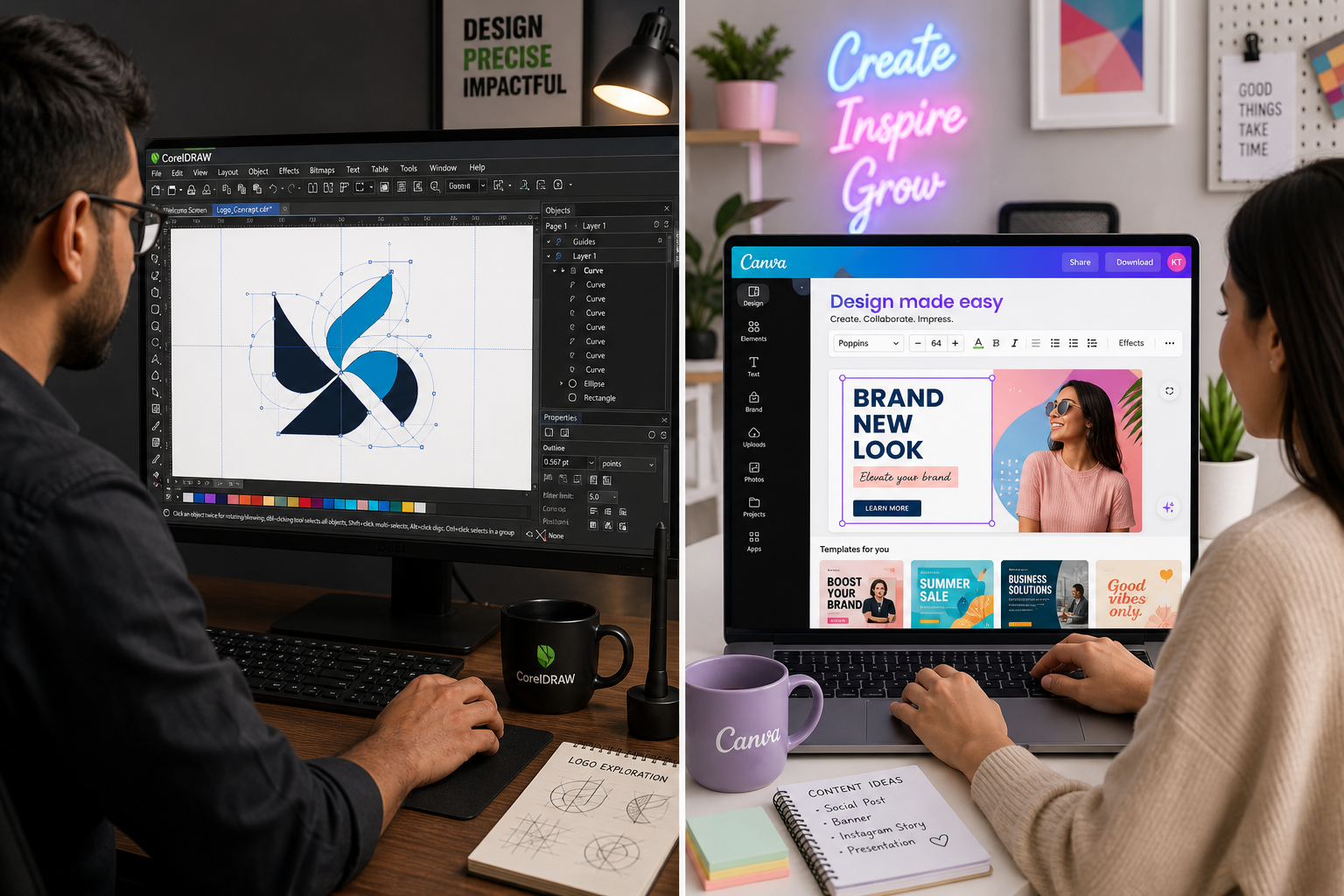
CorelDRAW vs Canva isn’t really a contest between equals. CorelDRAW is a professional vector design tool for logos, print, packaging and technical drawings, where you need exact control over every line. Canva is a quick, browser-based tool for social posts, presentations and marketing graphics, built around templates and teamwork. If your work ends up at a printer or on a sign, choose CorelDRAW. If it ends up on Instagram or in a slide deck, choose Canva. Many designers use both.
What CorelDRAW is: a professional vector design tool
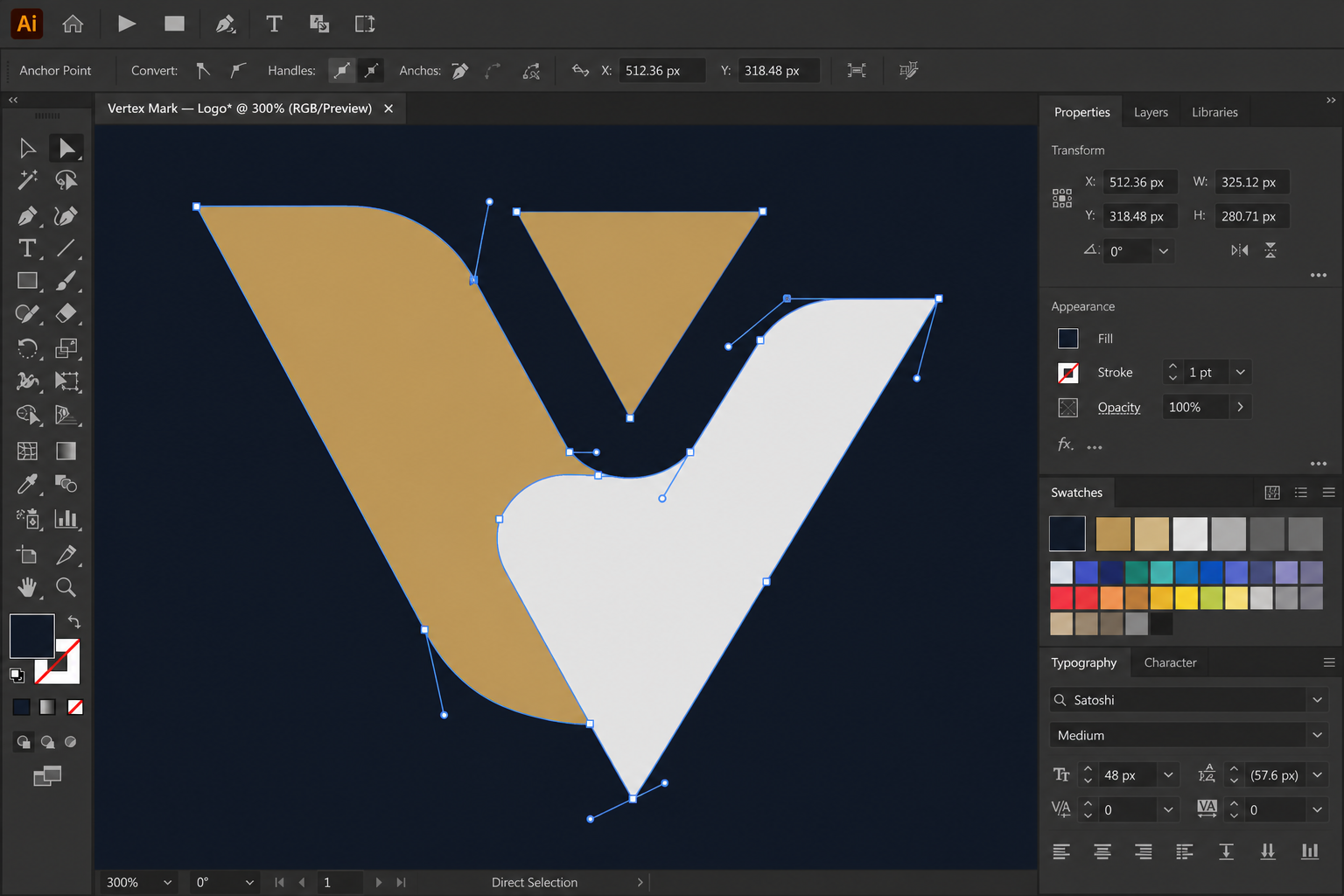
CorelDRAW Graphics Suite has been around since 1989. It’s a desktop app for Windows and Mac built around vector drawing, page layout and print output, and it comes with Corel PHOTO-PAINT for photo editing. The current version is CorelDRAW Graphics Suite 2026. According to TechRadar’s review, it adds a cleaner interface, an AI background remover and built-in image generation.
What it does well:
- Precise vector editing: full control over curves and individual points
- PowerTrace: turns photos and scans into editable vector artwork
- Multi-page layout: brochures, catalogues and other multi-page documents
- Print-ready output: CMYK and spot colours, colour profiles, bleed and crop marks
- Wide file support: CDR, AI, EPS, SVG, PDF, DXF and DWG, among others
- Typography: OpenType features, variable fonts and text on a path
That’s why it’s popular with print shops, sign makers, packaging designers and anyone who needs a logo to stay sharp from a business card to a billboard.
What Canva is: a fast design tool for everyone
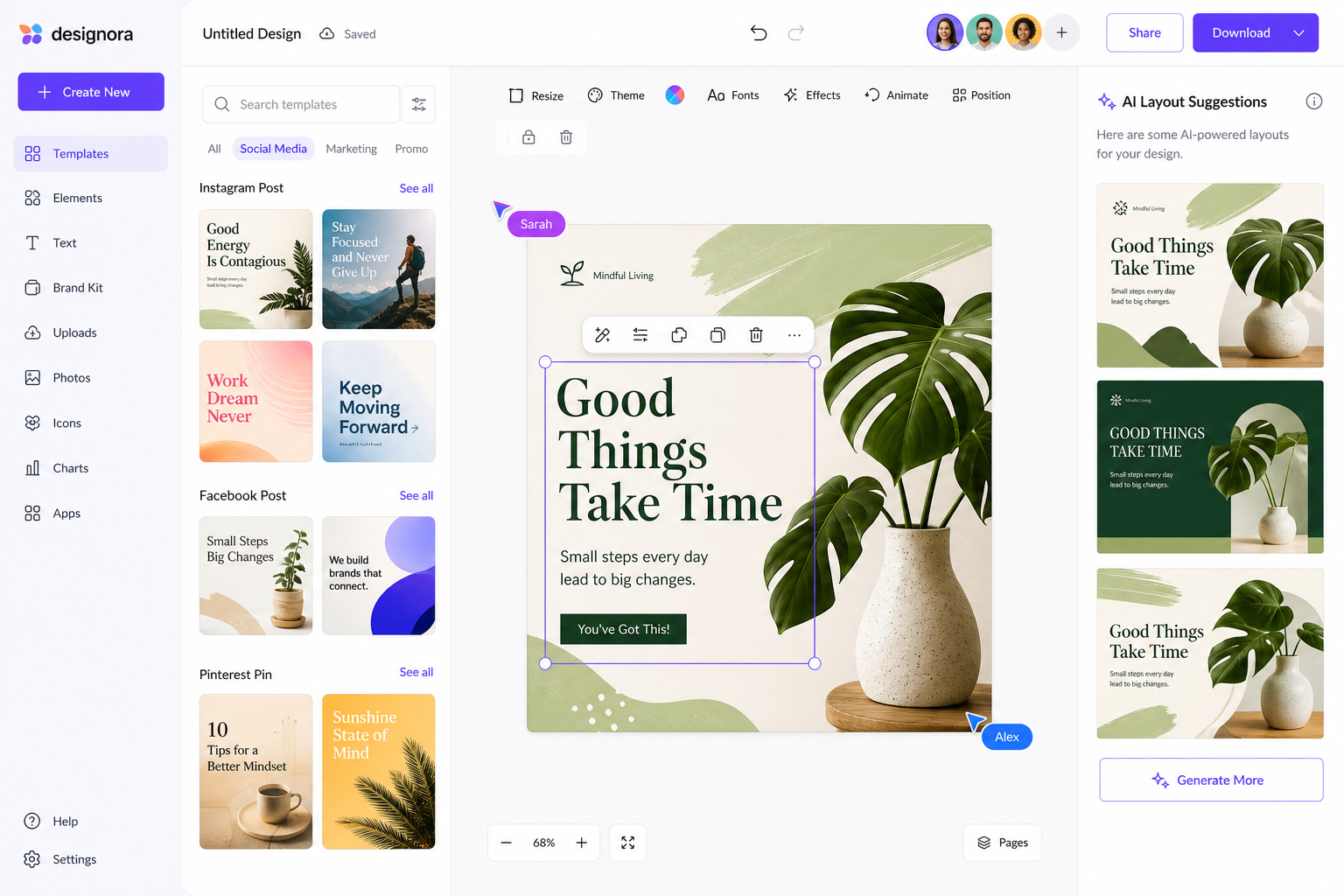
Canva launched in 2013 as a browser-based design tool and is now used by hundreds of millions of people. You start from a template or a blank page, drag in text, photos and graphics, and share or export the result. It runs in the browser and has apps for Windows, Mac, iOS and Android.
- Templates for social media, presentations, posters, documents and video
- AI tools such as Magic Design for layouts, Magic Edit for photos and Magic Write for text
- Brand Kit to keep colours, fonts and logos consistent across a team
- Real-time collaboration with comments, much like Google Docs
- Content Planner to schedule social media posts from inside Canva
Canva also owns Affinity, the professional design software. Since October 2025, Affinity has been one free app combining vector, photo and layout tools, as ProVideo Coalition reported. Its AI features need a paid Canva plan. That matters for this comparison: Canva users who need real vector editing now have a free professional option from the same company.
CorelDRAW vs Canva: design tool comparison
Vector editing: which is the better vector design tool?
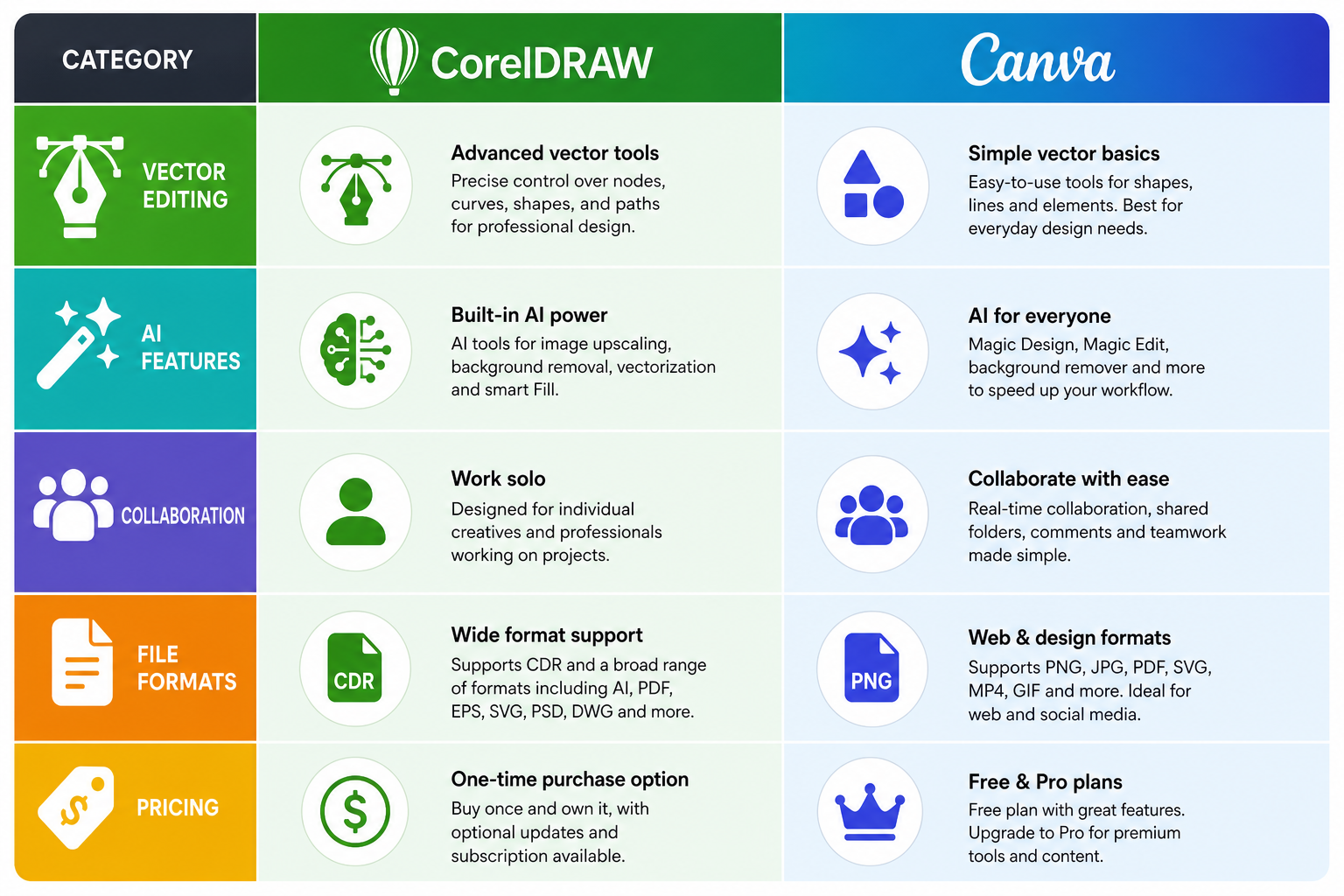
CorelDRAW wins clearly. You can draw and edit curves point by point, combine and cut shapes, and build a logo from scratch. Canva lets you resize, recolour and arrange shapes and SVG files, but you can’t edit the individual points of a path. For logos, icons and technical illustration, CorelDRAW is the better choice.
Learning curve
Canva takes minutes to learn. CorelDRAW takes weeks to learn well, because it has far more tools and settings. That time pays off on complex work, but it’s a real barrier for people who only need a quick social post.
AI features
Canva’s AI is designed for non-designers: generate a layout, rewrite text, remove a background or resize a design for another platform. CorelDRAW 2026 now has AI tools too, including background removal and image generation, but they sit inside a professional workflow rather than doing the design for you.
Collaboration
Canva was built for teams. Several people can edit the same design at once, leave comments and share a Brand Kit. CorelDRAW is mainly a single-user desktop app. Subscribers also get CorelDRAW Web in the browser, but teamwork isn’t its main strength.
File formats and print
CorelDRAW handles the formats print shops and manufacturers expect, including CDR, AI, EPS, DXF and PDF/X, with full control over colour profiles and bleed. Canva exports PNG, JPG, PDF, SVG, MP4 and GIF, and its print PDF option adds bleed and crop marks. For simple flyers that’s fine. For packaging, signage or anything with spot colours, CorelDRAW is far more capable.
CorelDRAW or Canva: who should choose which
Choose CorelDRAW if you are
- A freelance designer making logos, brand identities and print work
- A sign maker or large-format printer
- A packaging designer working with die lines, bleed and spot colours
- A technical illustrator. CorelDRAW Technical Suite adds tools for technical drawings and manuals.
Choose Canva if you are
- A marketing team producing lots of social posts, presentations and email graphics
- A small business owner doing your own design without a designer
- A content creator who needs thumbnails, posts and stories quickly
- A school, charity or club using the free plan for posters and events
Using both: a common workflow
Many designers don’t choose at all. They build the core brand assets, such as the logo, icons and illustrations, in CorelDRAW, then export them as SVG or transparent PNG files and upload them to Canva. The marketing team then uses those assets in Canva templates for everyday posts. You get CorelDRAW’s precision for the brand and Canva’s speed for the daily work. The CorelDRAW Graphics Suite product page lists the export formats it supports.
Pricing: CorelDRAW vs Canva
These are the main options in November 2026. Canva and Corel list prices in US dollars on their US sites, and prices in Europe differ.
- Canva Free: free, with templates, basic tools and 5 GB of storage
- Canva Pro: about $180 a year for one person, with premium content, AI tools, Brand Kit and 1 TB of storage
- Canva Business: about $250 per person per year, for teams
- Affinity by Canva: free
- CorelDRAW Graphics Suite 2026 subscription: $269 a year, according to TechRadar
- CorelDRAW Graphics Suite 2026 one-time purchase: $549, according to TechRadar
If you’d rather pay once for an earlier version, CorelDRAW Graphics Suite 2025 for Mac costs €64.90 for a lifetime licence on one device at Top Key Shop (price on 10 November 2026). The 2025 version has the same core vector, layout and print tools, without the newest 2026 AI features.
Verdict: CorelDRAW or Canva?
There’s no single winner here, because they’re built for different jobs. CorelDRAW is for precise vector work and print production. Canva is for fast, template-based content and teamwork. If you’re a Canva user who keeps hitting its vector limits, try the free Affinity app before paying for anything. If you’re a designer who works in print, CorelDRAW is still one of the strongest tools you can buy.
Looking at other creative tools? Our review of AI-built Photoshop alternatives covers photo editing options.
FAQ
Is CorelDRAW better than Canva for professional design?
For logos, packaging and print, yes. CorelDRAW has precise vector editing and print-ready output that Canva doesn’t offer. For social media and marketing content, Canva is usually faster.
Can Canva replace CorelDRAW for a freelance designer?
Not if your work involves logos, illustrations or print production, because Canva can’t edit vector paths. If you mostly make social posts and presentations, Canva may be all you need. For vector work, Canva’s free Affinity app is the closer alternative.
Does CorelDRAW have AI features?
Yes. CorelDRAW 2026 adds AI background removal and image generation, alongside long-standing tools like PowerTrace. Canva’s AI is broader and aimed more at non-designers.
CorelDRAW or Canva: which is better for teams?
Canva. It’s built for several people editing, commenting and sharing brand assets together. CorelDRAW is mainly a single-user desktop app.
Is Affinity really free?
Yes. Since October 2025, Affinity by Canva is a free app combining vector, photo and layout tools. The AI features inside it need a paid Canva plan.
