
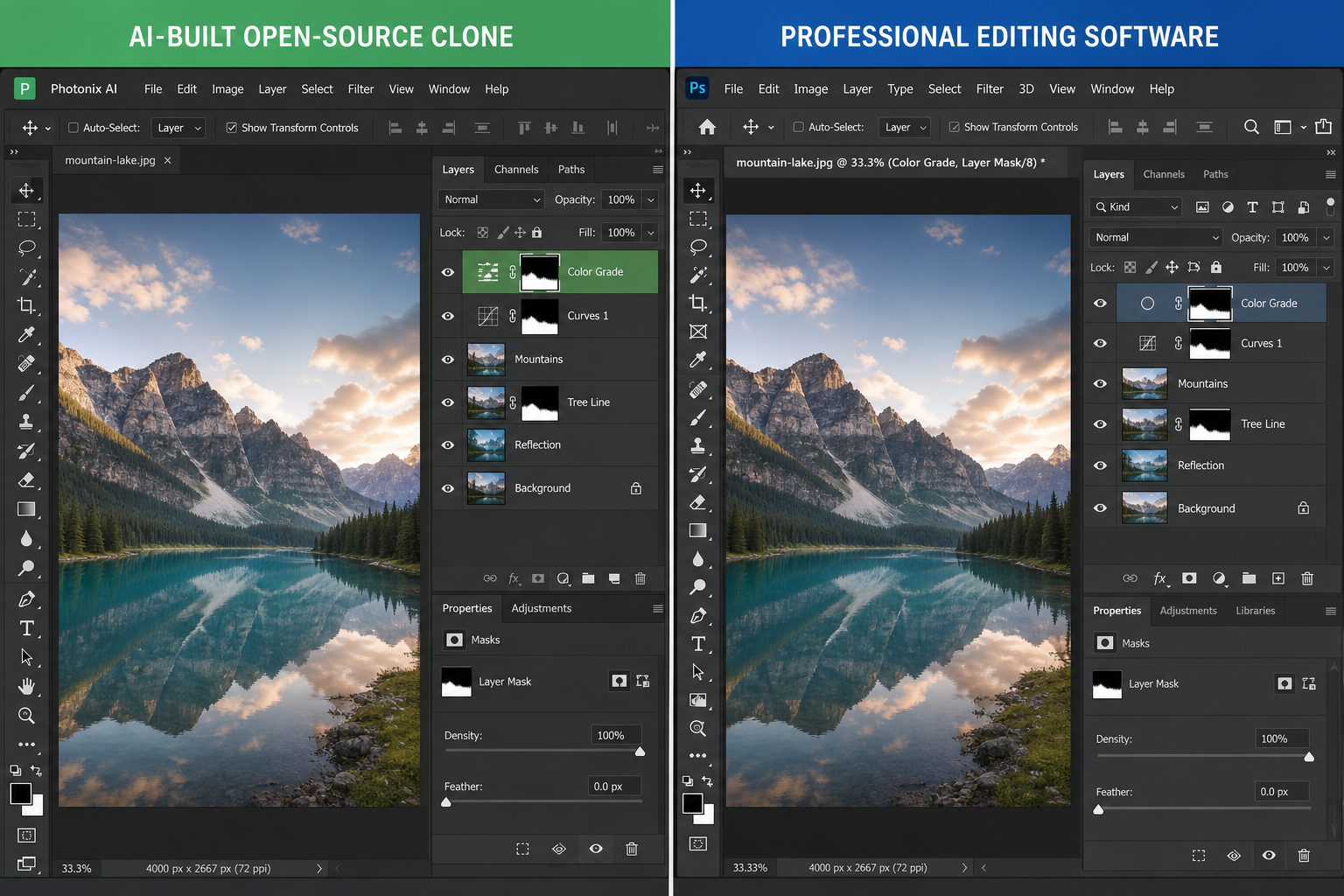
A new wave of Photoshop alternatives built entirely by AI reverse-engineering has started circulating online, and the honest answer is: some of it holds up for real editing work, and a lot of it is still a tech demo dressed up as a finished app. These clean-room clones can open layered files, run basic retouching tools, and even mimic a few AI features — but they are not yet a one-to-one replacement for professional workflows.
The story behind these tools is genuinely remarkable. A developer used a large language model to reverse-engineer working, open-source versions of Photoshop, Premiere, and Lightroom without copying Adobe’s code, producing original applications written from scratch. It’s one of the more interesting experiments in AI-assisted software development this year, and it raises a real question for photo editors, designers, and hobbyists: are these new Photoshop alternatives actually good enough to use, or just a neat proof of concept?
We dug into how these apps were built, tested the features that matter for day-to-day editing, and compared the experience against the paid software most professionals already rely on.
What Are the New AI-Built Photoshop Alternatives?
These AI-built Photoshop alternatives are free, open-source applications that an AI model generated by studying how Adobe’s software behaves, rather than by copying its code. The result is a set of independently coded tools — covering photo editing, video editing, and raw processing — that look and function similarly to Adobe’s Creative Cloud apps.
According to PetaPixel’s coverage of the project, the developer behind the effort used an AI coding model to produce entirely new source code, written in Rust, that replicates core functionality found in Photoshop, Premiere, and Lightroom. Because the code was generated independently rather than copied, the project is being distributed as free, open-source software — a notable shift from the usual landscape of Photoshop alternatives, which are typically either commercial (Affinity Photo) or community-maintained (GIMP).
From Reverse Engineering to Working Code
The process wasn’t magic. It involved studying publicly documented behavior, UI patterns, and file format specifications, then having the AI model write and iterate on code until the output matched expected functionality. This is a different approach from how most open-source Photoshop alternatives have historically been built — GIMP, for example, has been developed by human contributors since 1995. The AI-driven approach compresses years of manual development into a much shorter build cycle, but it also inherits the limitations of any first-generation software: rough edges, missing edge-case handling, and features that work in a demo but struggle under real production load.
Testing the Core Photoshop Alternatives Features
The core test for any of these Photoshop alternatives is simple: can you do real editing work in them, not just open a file and apply a filter? We focused on three areas that matter most to working editors.
Layers, Masks, and Selections
Basic layer management works reasonably well in the AI-built clone — you can stack layers, apply blend modes, and use layer masks for non-destructive edits. Selection tools are functional but noticeably less refined than Photoshop’s, particularly for fine detail work like hair or fabric edges. For quick composites and social content, this is usable. For commercial retouching where selection precision matters, it currently falls short.
Generative AI Tools
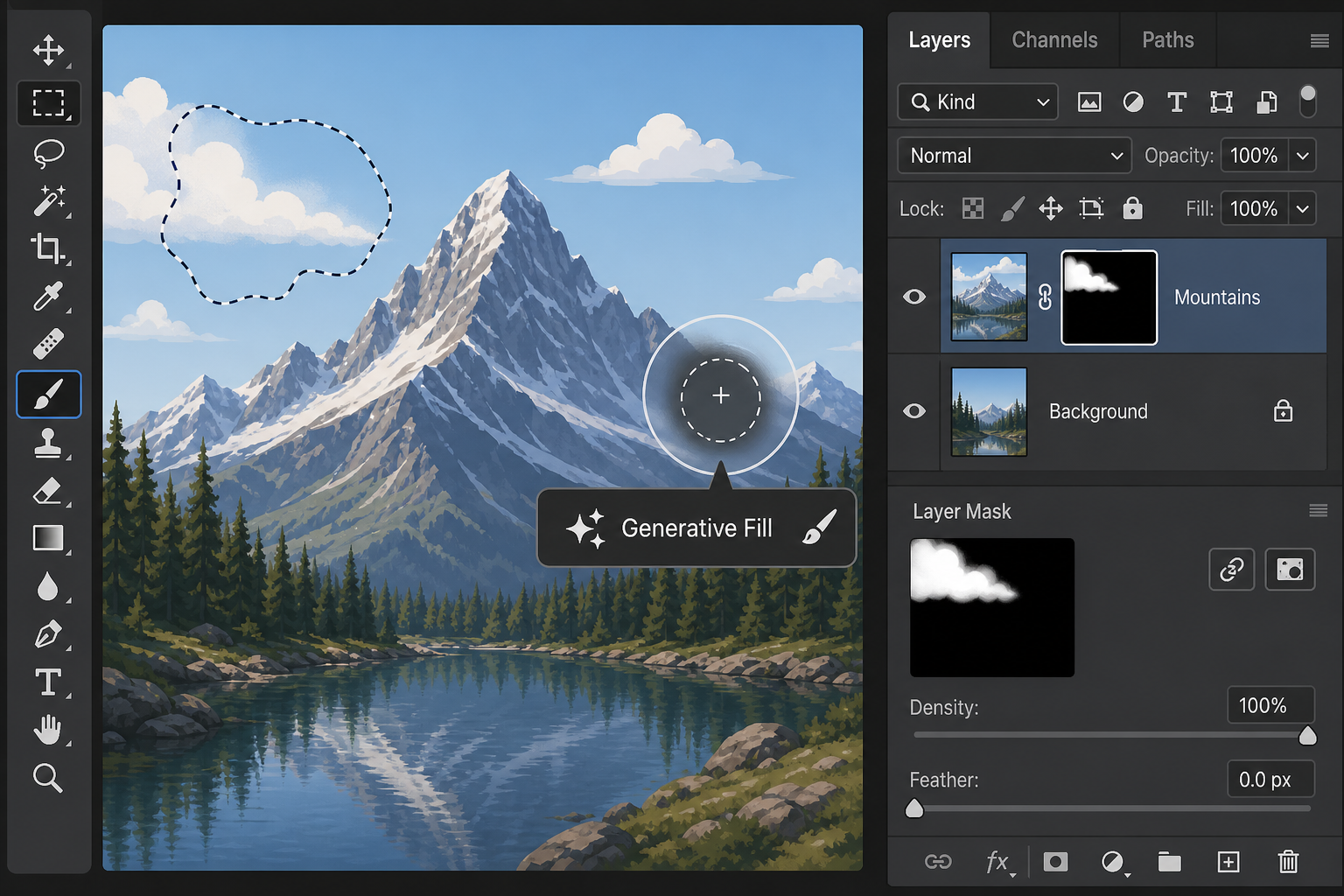
Generative fill-style features are present but inconsistent. Output quality varies significantly depending on the prompt and image content, and the results don’t yet match the context-aware fill that Adobe has refined over several release cycles. If generative editing is central to your workflow, this is the area where the gap between a true Photoshop alternative and a tech demo is widest.
File Compatibility with PSD
PSD compatibility is partial. Simple layered files open correctly, but documents with smart objects, complex adjustment layer stacks, or linked assets can lose fidelity. If you collaborate with other editors or need to hand off files to a client who uses Adobe software, this is a real practical limitation worth testing before you commit a project to it.
Where These Photoshop Alternatives Fall Short
The honest gaps are in stability, plugin support, and color management. None of the current AI-built clones have a plugin ecosystem, meaning specialized workflows built around third-party extensions simply aren’t possible yet. Color handling — especially soft-proofing and CMYK output for print — is also noticeably less mature than in established tools.
-
No plugin or extension ecosystem
-
Limited CMYK and print color management
-
Inconsistent generative AI output quality
-
Partial fidelity with complex PSD files
-
Smaller, newer user community for troubleshooting help
None of these are dealbreakers for casual use, but they matter a great deal if your income depends on consistent, predictable output.
Free Photoshop Alternatives vs. Paid Software: What’s the Real Trade-off?
The trade-off comes down to cost versus reliability. Free Photoshop alternatives — whether AI-built or community-maintained tools like GIMP — remove the subscription cost entirely, but they ask you to accept more rough edges, slower support, and occasional compatibility headaches.
Paid software, by contrast, bundles reliability, long-term file compatibility, and dedicated support into the price. For context, a one-year license for Adobe Creative Cloud currently runs €348.00 through Top Key Shop, while a simpler option like Photoshop Elements covers three years of use for a fraction of that, for editors who don’t need the full Creative Cloud suite. Neither of those figures is a knock against free tools — it’s just useful context when weighing a free, experimental Photoshop alternative against a mature, supported product.
Who Should Actually Use These Photoshop Alternatives
These AI-built Photoshop alternatives make the most sense for hobbyists, students, and anyone experimenting with image editing who doesn’t yet need production-grade reliability. They’re a genuinely interesting way to learn core concepts — layers, masks, curves, selections — without a financial commitment.
They’re a harder sell for working designers, photographers delivering client work, or anyone who needs guaranteed file compatibility and consistent color output. For that audience, the current generation of AI-rebuilt software is worth watching, not yet worth depending on.
A Practical Way to Decide
-
If you’re learning the basics of photo editing, try a free or AI-built alternative first — there’s little financial risk.
-
If you need generative AI tools that actually work predictably, stick with established software for now.
-
If client deliverables or print output are involved, prioritize tools with mature color management and file support.
-
If budget is the main obstacle, compare entry-level paid options like Photoshop Elements before ruling out Adobe entirely.
Getting the Full Photoshop Experience When You Need It
When a project genuinely needs the depth of Adobe’s tools — precise selections, reliable generative fill, full plugin support, and dependable PSD compatibility — there’s no real substitute yet. Our guide to Photoshop’s AI Assisted Editor covers how to use Adobe’s own generative tools efficiently, which is worth a look if you’ve been testing alternatives and want to see what a more mature AI-editing workflow looks like by comparison. You can also browse Photoshop license options if you decide the paid route makes more sense for your work.
FAQ
Are free Photoshop alternatives safe to use for client work?
It depends on the project. For simple edits and social content, most free Photoshop alternatives are fine. For client work involving complex files, print output, or tight color accuracy, the gaps in compatibility and color management can create real problems, so test thoroughly before committing.
Can AI-built Photoshop alternatives open PSD files?
Yes, but with limitations. Basic layered PSD files generally open correctly, while files with smart objects, complex effects, or linked assets may lose some fidelity. Always check a sample file before relying on one for a real project.
Do these AI-rebuilt apps include generative AI tools like Photoshop’s?
They include generative fill-style features, but output quality is inconsistent compared to Adobe’s more refined generative tools. This is currently one of the biggest gaps between AI-built Photoshop alternatives and the paid original.
Is GIMP considered one of the AI-built Photoshop alternatives?
No. GIMP is a long-standing, human-developed open-source project that predates this new wave of AI-generated clones. It’s a separate, more mature Photoshop alternative with its own strengths and a much longer development history.
What programming language were these new Photoshop alternatives written in?
Reporting on the project indicates the AI model generated original source code in Rust, rather than reusing any existing Adobe code, which is part of why the resulting apps could be released as open source.
Should beginners start with a free alternative or paid Photoshop software?
Beginners can reasonably start with a free alternative to learn core editing concepts without financial risk. Once you need reliable file compatibility, plugins, or professional-grade generative tools, upgrading to established paid software usually pays off.
