
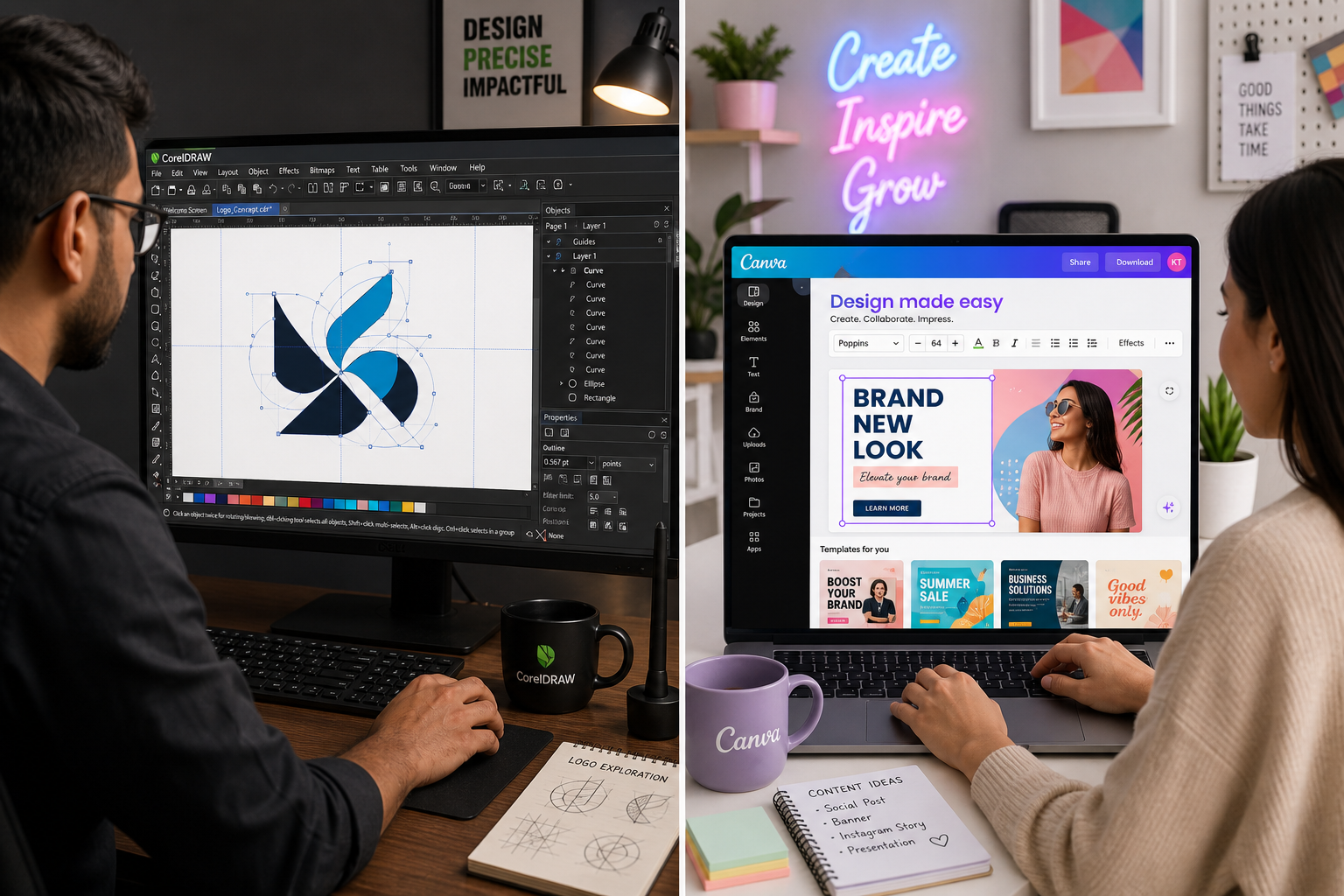
CorelDRAW vs Canva is one of the most Googled design debates of 2026 — and for good reason. CorelDRAW is a battle-hardened professional vector design tool with over 35 years of refinement, while Canva has become the go-to AI-assisted platform for teams that need polished results without a steep learning curve. Choosing between them isn’t just a matter of features; it’s about matching the tool to the work, the workflow, and the budget. This guide breaks down exactly where each application excels and where it falls short, so freelancers and agencies can make a confident decision.
What Is CorelDRAW? A Professional Vector Design Tool
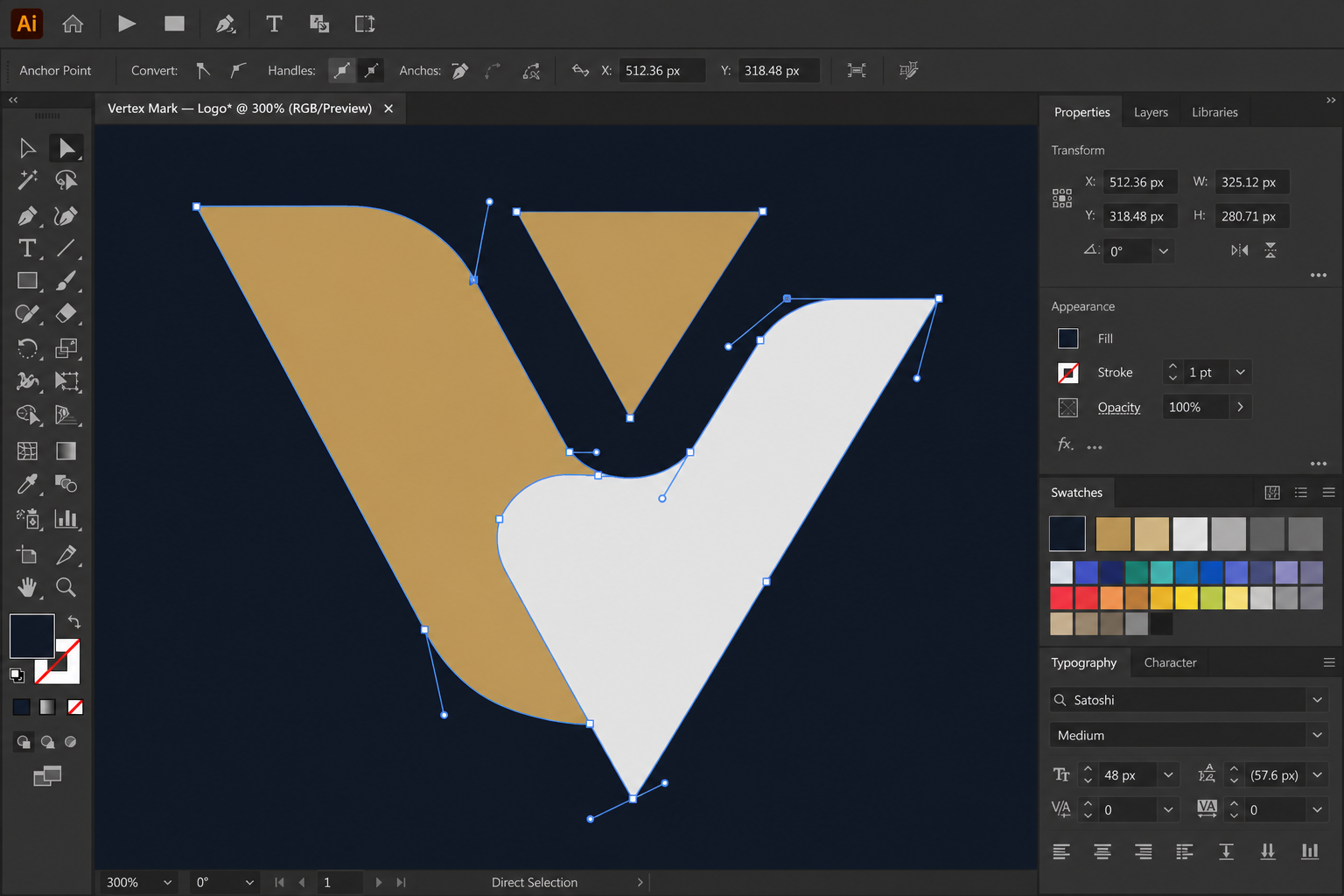
CorelDRAW Graphics Suite is a comprehensive desktop-first design platform built around precision vector editing, typography control, page layout, and photo editing. First released in 1989, it has evolved into a suite that rivals Adobe Illustrator in raw capability while offering Windows users a native, deeply integrated experience. The 2025 release added improved curve handling, faster export for complex files, and expanded CorelDRAW Web — a cloud-based companion that brings many desktop tools to the browser.
- Node-level vector editing — manipulate individual anchor points with surgical precision
- PowerTrace (AI tracing) — convert raster images to clean vector art automatically
- Multi-page layout — design brochures, catalogues, and multi-page documents natively
- Wide format support — CDR, AI, EPS, SVG, PDF/X, DWG and dozens more
- Typography tools — advanced OpenType feature support, variable fonts, and text fitting
- Corel PHOTO-PAINT — bundled photo editing suite, removing the need for a separate app
For print shops, sign-makers, packaging designers, technical illustrators, and branding agencies, CorelDRAW remains an industry benchmark. Its precision makes it indispensable when a logo must scale from a business card to a billboard without any quality loss — the hallmark of true CorelDRAW vector editing.
What Is Canva? The AI-Assisted Design Tool for Everyone
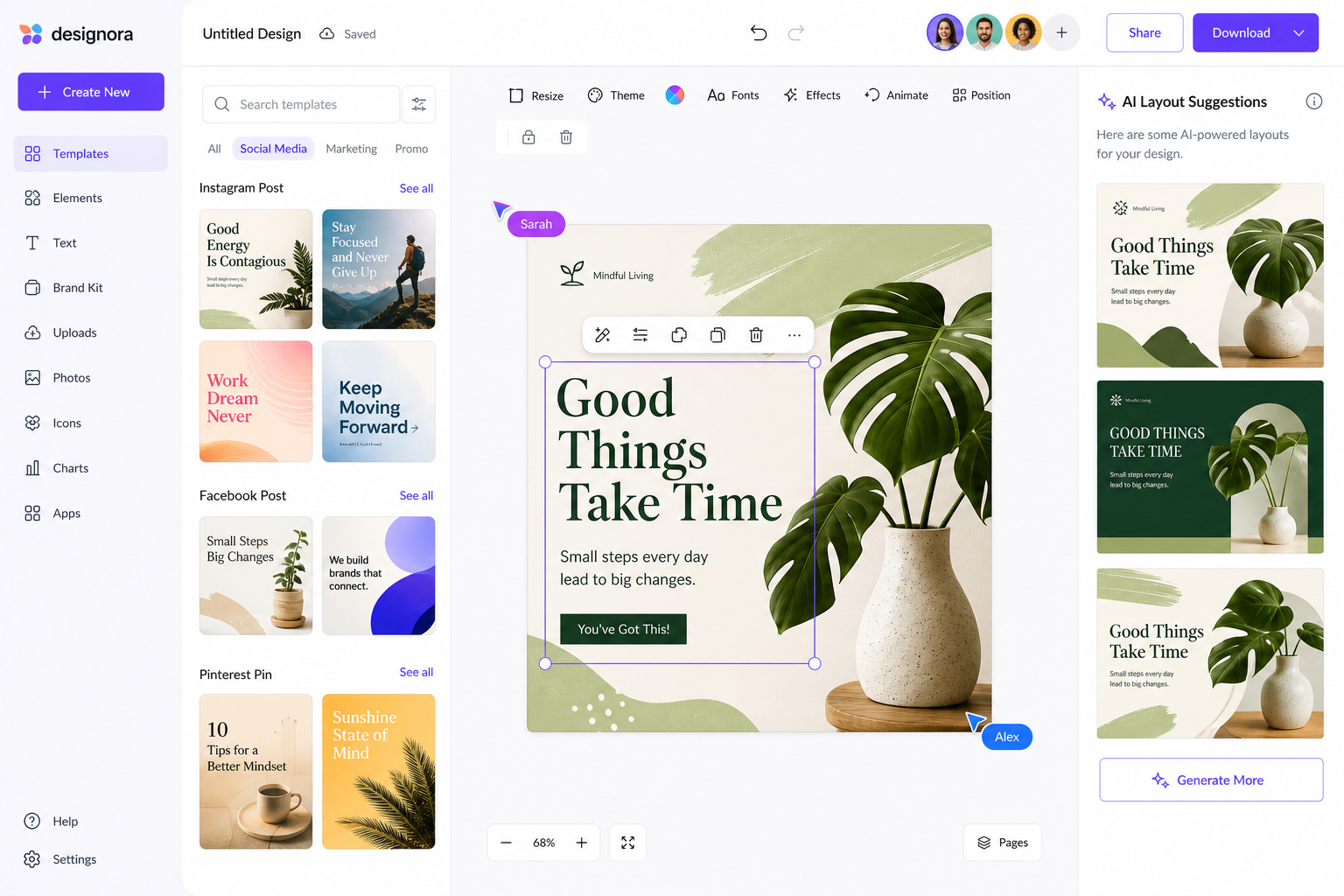
Canva launched in 2013 as a browser-based template platform and has since grown into a 170-million-user ecosystem with AI-powered tools baked in at every level. Its 2025 and 2026 feature sets lean heavily into generative AI: Magic Design generates layouts from a text prompt, Magic Edit makes object-level changes in photos, and Magic Write assists with copywriting inside designs. Canva operates almost entirely in the browser (with mobile apps), requires no installation, and is built around drag-and-drop simplicity.
- Template library — 1 million+ templates spanning social media, presentations, print, and video
- Magic Design (AI) — generate complete layouts from a brief description
- Brand Kit — lock colours, fonts, and logos for consistent team output
- Real-time collaboration — multiple users edit simultaneously, similar to Google Docs
- Content Scheduler — publish social posts directly from the platform
- Video and presentation tools — basic motion graphics and slide decks without leaving Canva
Canva Pro costs approximately $15 USD per month (billed annually) and Canva Teams starts at around $10 per person per month for groups of three or more, making it accessible for small marketing departments and solo creators alike.
CorelDRAW vs Canva: Head-to-Head Design Tool Comparison
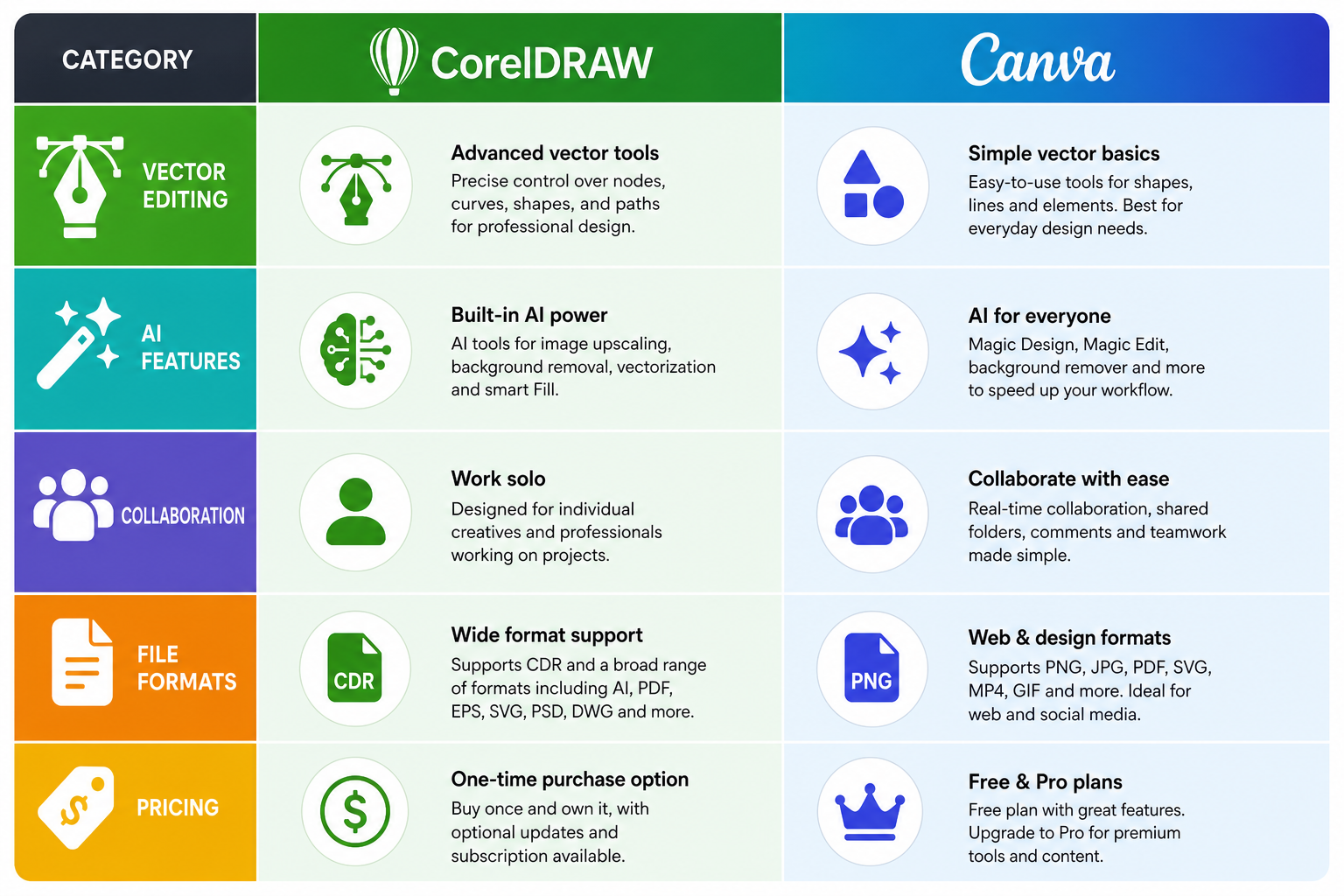
A direct design tool comparison reveals sharp differences across five dimensions that matter most to professional users.
Vector Editing Depth: CorelDRAW vs Canva
CorelDRAW wins here by a wide margin. Its Bézier, pen, and shape tools give designers node-level control that Canva simply cannot match. Canva does allow basic shape editing and SVG uploads, but there is no true vector node editing — you cannot reshape an imported SVG path inside the canvas. For logo construction, technical illustration, or any work that demands custom paths, CorelDRAW is the clear choice for a vector design tool.
Learning Curve
Canva is approachable within minutes. Its drag-and-drop interface, contextual menus, and AI suggestions guide new users naturally. CorelDRAW has a steep learning curve — mastering its toolset typically takes weeks of deliberate practice. That investment pays dividends for complex projects, but it’s a genuine barrier for non-designers or teams without dedicated creative staff.
AI Features: How CorelDRAW or Canva Stacks Up
This is where the CorelDRAW or Canva debate has shifted most noticeably in recent years. Canva’s AI suite is deep, consumer-friendly, and baked into every workflow. CorelDRAW’s AI (PowerTrace, Smart Selection, AI-powered vector conversion) is powerful but more targeted — it assists professionals rather than replacing the need for design skill. If AI-generated starting points and automated resizing are your priority, Canva leads. If AI-assisted precision on complex artwork is the goal, CorelDRAW holds its own.
Collaboration and Cloud
Canva is cloud-native and built for teams — simultaneous editing, shared brand kits, and commenting are core features. CorelDRAW offers CorelDRAW Web and cloud asset storage but remains primarily a single-user desktop application. Agencies running distributed teams will find Canva’s real-time collaboration far smoother out of the box.
File Compatibility and Output
CorelDRAW supports an enormous range of formats including CDR, AI, EPS, SVG, DXF, DWG, PDF/X-4, and many more — critical for pre-press and print workflows. Canva exports to PNG, JPG, PDF, SVG, MP4, and GIF. For print-ready production files with bleed marks, crop marks, and ICC colour profiles, CorelDRAW is far more capable. Canva’s PDF export has improved significantly but still lacks the granular control that print professionals expect.
Who Should Choose CorelDRAW as Their Vector Design Tool?
CorelDRAW is the right vector design tool for anyone whose work demands precision, file-format flexibility, and output that will be reproduced at scale — physically or digitally. Specifically:
- Freelance graphic designers who produce logos, brand identities, and print collateral
- Sign-makers and large-format printers who need files that hold quality at any size
- Packaging designers who work with die lines, bleed, and spot colour
- Technical illustrators using CorelDRAW Technical Suite for engineering drawings
- Agencies with dedicated design teams producing complex, bespoke deliverables
At TopKeyShop, a lifetime licence for CorelDRAW Graphics Suite 2025 for Mac is available from just €64.90, or the CorelDRAW Technical Suite 2025 for Windows from €69.90 — both with lifetime activation and fast email key delivery. Compared to a subscription model, a one-time licence delivers significant long-term savings for committed professionals.
Who Should Choose Canva?
Canva shines when speed, templates, and collaboration outweigh the need for bespoke vector precision. It suits:
- Marketing teams who produce high volumes of social media assets, presentations, and email headers
- Small business owners who handle their own design without a dedicated designer
- Content creators and influencers who need branded thumbnails, posts, and stories quickly
- Non-profits and educators using the free tier effectively for event materials
- Agencies running large-scale social media management where speed and consistency beat bespoke craft
Can You Use Both? The CorelDRAW vs Canva Hybrid Workflow
Many agencies and freelancers in 2026 use a hybrid approach — this design tool comparison doesn’t have to end in an either/or verdict. A common workflow is to build primary brand assets (logos, icons, vector illustrations) in CorelDRAW, export them as SVGs or high-resolution PNGs, then import those assets into Canva for rapid social and marketing production. This gets the best from both worlds: CorelDRAW’s precision for the brand foundation, and Canva’s speed and collaboration for execution. The official CorelDRAW Graphics Suite product page documents export options that make this handoff seamless, including SVG and transparent PNG outputs that import cleanly into Canva’s editor.
Pricing: CorelDRAW vs Canva at a Glance
Pricing is a decisive factor in any CorelDRAW or Canva decision. Here is a realistic summary for 2026:
- Canva Free — unlimited templates, basic features, 5 GB storage, no cost
- Canva Pro — approx. $15/month (billed annually), AI tools, Brand Kit, 1 TB storage
- Canva Teams — approx. $10/person/month (min. 3 users), collaboration and admin features
- CorelDRAW Graphics Suite 2025 for Mac — from €64.90 lifetime via TopKeyShop
- CorelDRAW Technical Suite 2025 for Windows — from €69.90 lifetime via TopKeyShop
- CorelDRAW subscription (direct from Corel) — approximately $249/year
A lifetime licence from TopKeyShop pays for itself in under four months compared to the annual subscription price — a compelling case for professionals who know CorelDRAW is their primary vector design tool.
Verdict: CorelDRAW vs Canva in 2026
In the CorelDRAW vs Canva debate, there is no single winner — only the right tool for the job. CorelDRAW is for professionals who need uncompromising vector precision, broad file compatibility, and a desktop-grade toolset. Canva is for teams and individuals who prioritise speed, accessibility, AI-powered shortcuts, and cloud collaboration. Freelancers and agencies who invest the time to master both gain a genuine competitive edge: CorelDRAW for the craft, Canva for the scale.
FAQ
Is CorelDRAW better than Canva for professional design?
For complex, precision-driven professional design — logos, packaging, large-format print — CorelDRAW is significantly more capable than Canva. It offers node-level vector editing, a comprehensive format library, and print-production features that Canva cannot replicate. Canva excels for template-based and AI-assisted marketing content where speed matters more than bespoke precision.
Can Canva replace CorelDRAW for a freelance designer?
For most freelancers whose work centres on brand identity, technical illustration, or print production, Canva cannot fully replace CorelDRAW. Its vector editing is too limited for custom path work. However, freelancers focused on social media content, presentations, and marketing materials may find Canva sufficient — especially at the Pro tier with its expanded AI tools and Brand Kit.
Does CorelDRAW have AI features like Canva?
Yes, CorelDRAW includes AI-powered tools including PowerTrace (AI-assisted bitmap-to-vector conversion), Smart Selection, and AI-driven fill and colour suggestions. However, Canva’s AI suite — Magic Design, Magic Edit, and Magic Write — is broader and more consumer-facing. Canva currently leads on the sheer volume and ease of AI-assisted shortcuts available to non-experts.
Which is better for teams: CorelDRAW or Canva?
Canva is better designed for team collaboration out of the box. Its real-time multi-user editing, shared Brand Kits, and commenting tools make it ideal for distributed marketing teams. CorelDRAW is primarily a single-user desktop application, though CorelDRAW Web and shared cloud libraries partially address team workflows. Agencies with dedicated individual designers often prefer CorelDRAW; teams with mixed skill levels tend to gravitate toward Canva.
Is a lifetime CorelDRAW licence worth it in 2026?
For regular users, a lifetime licence delivers significant savings. CorelDRAW’s annual subscription costs approximately $249/year; a lifetime key from TopKeyShop starts from €64.90, meaning the licence pays for itself in less than four months of subscription equivalent. As long as your operating system remains supported, a lifetime licence gives you permanent access to a professional-grade vector design tool without ongoing fees.
