
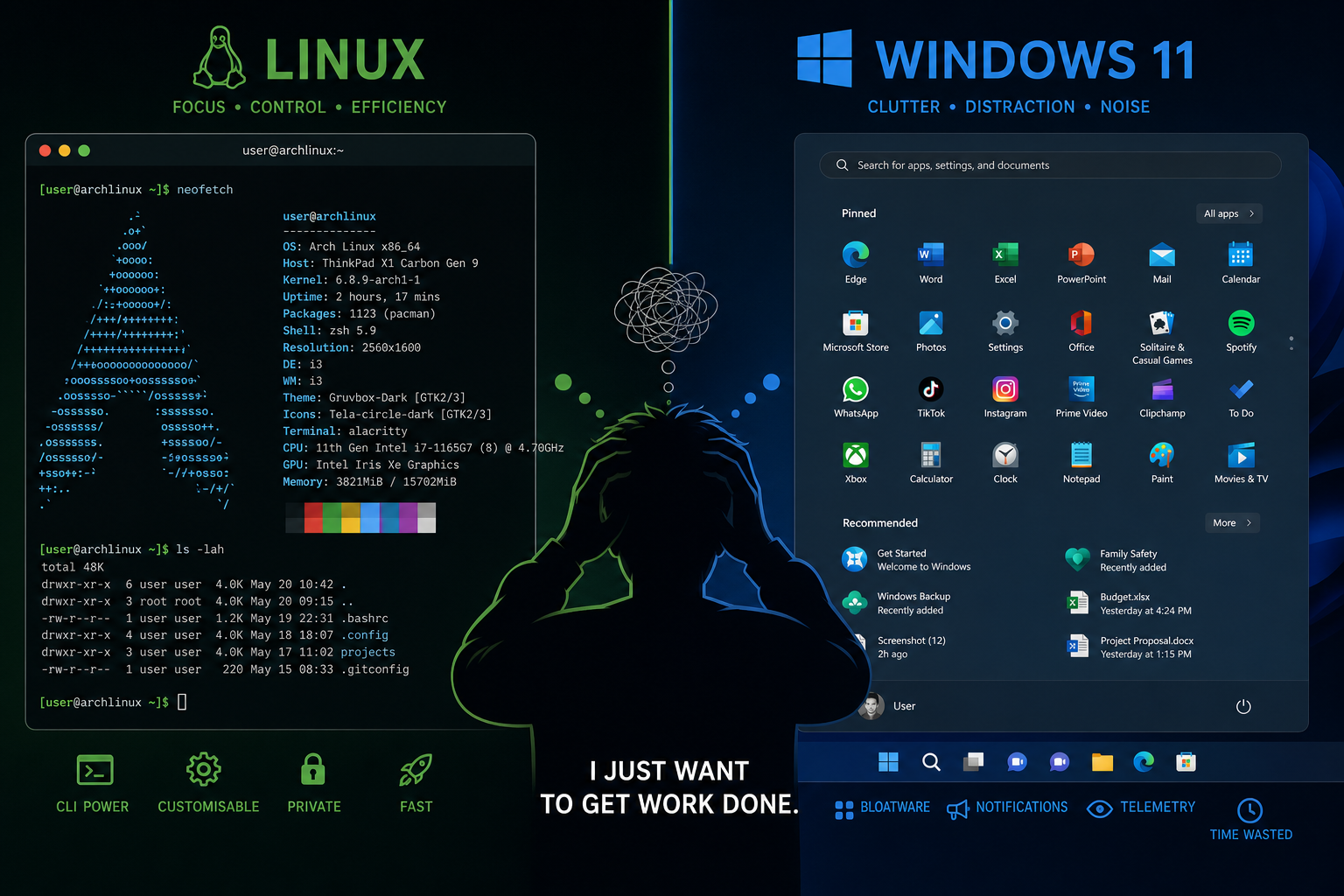
Windows 11 problems are not a myth — they are a daily reality for anyone arriving from a Linux background. When a 30-year Linux veteran recently documented his first extended session with Microsoft’s latest OS, the findings sparked a debate across the tech community: is Windows 11 genuinely ready for power users, or does the Linux comparison expose cracks that Microsoft has quietly ignored? The short answer, backed by real user data, is that the friction is real — and it starts the moment you boot up.
Why the Windows vs Linux Debate Keeps Resurfacing
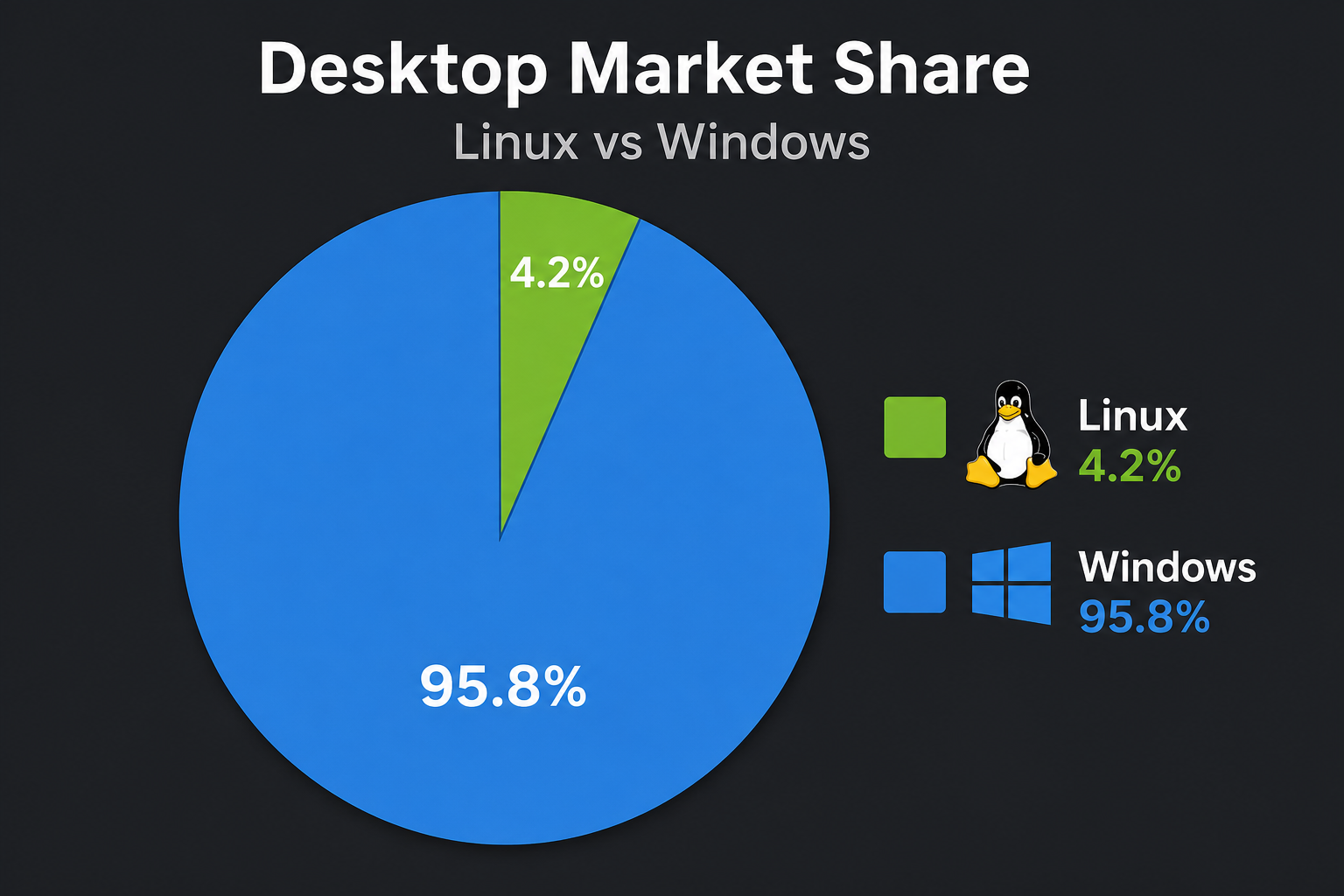
Linux holds roughly 4.2% of the global desktop OS market as of early 2025, according to Wikipedia’s usage share of operating systems data — a small slice, but one that punches far above its weight in influence. The developers, sysadmins, and power users who live inside a terminal every day are disproportionately vocal, and when they test Windows 11 and dislike what they find, the whole community hears about it. ZDNet’s recent first-hand report — After 30 years with Linux, I gave Windows 11 a chance — and found 9 clear problems — is the latest, and arguably most detailed, entry in that ongoing conversation.
The Windows vs Linux story is not simply about which OS runs faster benchmarks. It is about philosophy: Linux defaults to user control, while Windows 11 increasingly defaults to Microsoft’s preferences. Those two defaults collide hard when a seasoned Linux user sits down at a Windows machine.
The 9 Windows 11 Issues That Shocked a Linux Power User
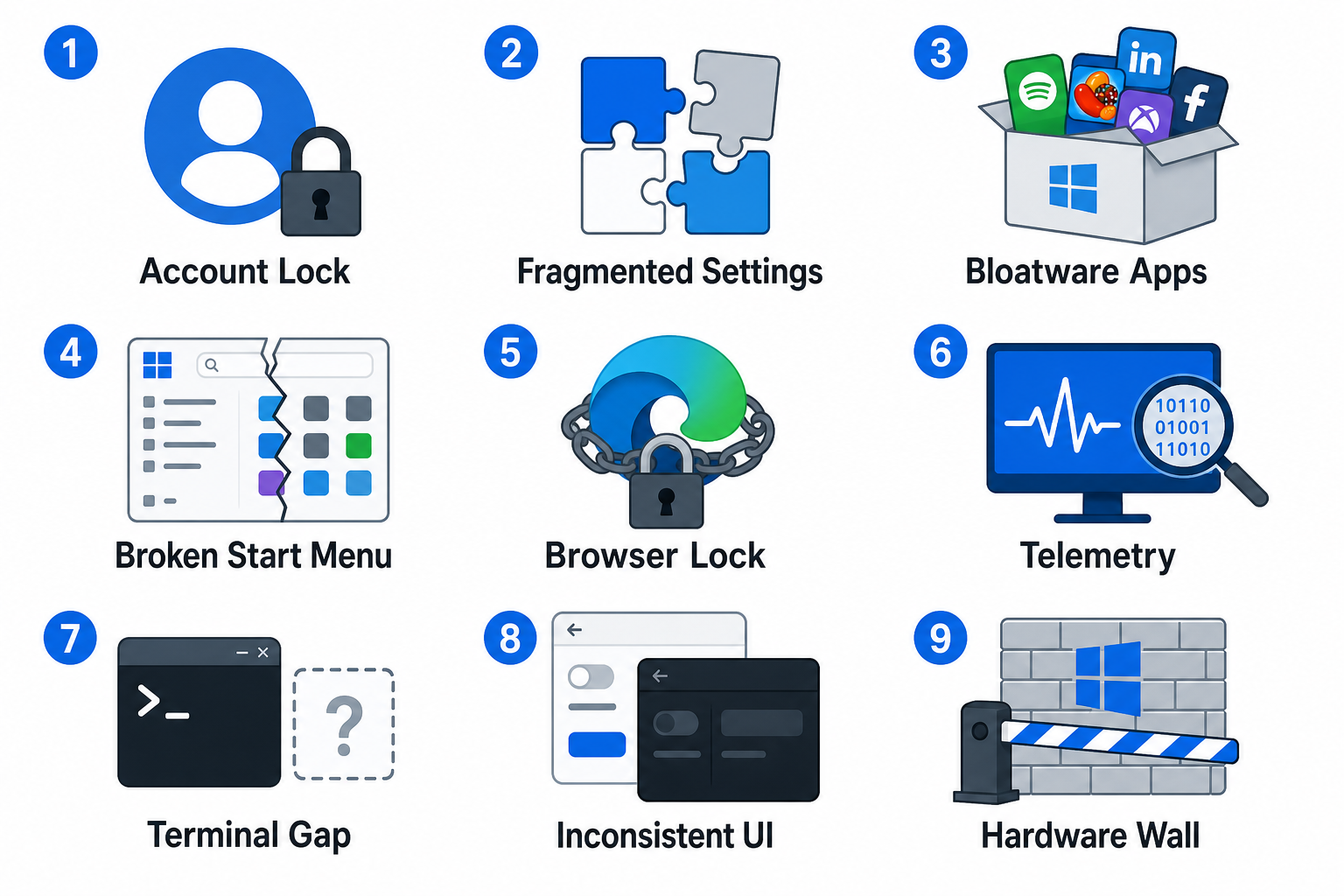
Below is an independent analysis of the friction points that consistently surface when experienced Linux users stress-test Windows 11. These are not niche complaints — they are structural design choices that affect anyone who values efficiency and control.
-
Forced Microsoft Account at Setup
Windows 11 Home makes creating a local account during setup genuinely difficult. You are funnelled toward a Microsoft account login before you can even reach the desktop. On Linux, you choose your username and password and you are done — no cloud account required. This single friction point signals to power users that the OS views their machine as a Microsoft service endpoint, not a personal computer.
-
A Fragmented Settings Experience
Windows 11 splits configuration across two separate interfaces: the modern Settings app and the legacy Control Panel. In 2025, both still coexist. A Linux comparison here is almost unfair — distributions like Fedora or Ubuntu have consolidated system settings into one coherent panel for years. On Windows, you frequently land in a Control Panel dialogue that looks like it was designed in 2007, because it essentially was.
-
Bloatware and Pre-Installed Apps
Out of the box, Windows 11 ships with apps most users will never touch: a Candy Crush stub, a TikTok shortcut, third-party widgets, and more. Linux users are accustomed to a clean install that contains exactly what they asked for. Every unwanted tile in the Start Menu is a small but cumulative signal that the OS is not fully yours.
-
The Redesigned Start Menu Removes Power
Windows 11 replaced the flexible live-tile Start Menu with a static launcher that offers less customisation than its predecessor. Linux desktop environments — GNOME, KDE Plasma, XFCE — let users reshape their launcher however they like. The Windows 11 issues here are not about aesthetics; they are about removing a workflow that power users had built over years.
-
Aggressive Default Browser Enforcement
Changing the default browser in Windows 11 is a multi-step process that requires setting individual file-type associations rather than a single toggle. On Linux, a single command or one settings dialogue handles it. This is arguably the most cited Windows 11 issue in the Linux community — it reads less like an oversight and more like a deliberate friction tactic to keep users on Edge.
-
Telemetry You Cannot Fully Disable
Windows 11 collects diagnostic data by default, and even on the lowest privacy setting, some telemetry still transmits. Linux is transparent by design: you can audit exactly what leaves your machine because the source code is open. For security-conscious users, this Windows vs Linux difference is not a minor quibble — it is a fundamental trust issue.
-
Terminal Tooling Still Lags Behind
Microsoft has made genuine progress with Windows Terminal and PowerShell 7, and WSL2 (Windows Subsystem for Linux) has become a solid bridge. But the native command-line ecosystem in Windows still lacks the depth and interoperability of a proper Linux shell. Package managers like apt, dnf, or pacman are decades more mature than winget. Power users who spend hours in the terminal notice this immediately.
-
Inconsistent UI Across the OS
Windows 11 introduced the Fluent Design language with rounded corners and translucent panels — but it applied it unevenly. Open File Explorer, then open a legacy dialogue box, and you will see two completely different design generations side by side. In the Linux comparison, distributions that ship a consistent GTK or Qt theme feel more polished precisely because they do not carry 30 years of UI debt.
-
Hardware Requirements That Exclude Working Machines
TPM 2.0 and a supported CPU are hard requirements for Windows 11. Millions of perfectly capable machines from 2017–2019 are locked out. Linux runs on nearly any hardware — including 10-year-old laptops. With Windows 10 support ending in October 2025, this has driven a measurable migration: StatCounter data from mid-2025 shows Windows 11 holding around 49–50% of the Windows desktop market, suggesting a large population of users is still resisting the upgrade or moving elsewhere.
Is the Linux Comparison Fair to Windows 11?
In several ways, no — and intellectual honesty demands we say so. Windows 11 excels at hardware compatibility for gaming, broad peripheral support, and mainstream software availability. The Windows vs Linux gap has narrowed significantly in gaming thanks to Valve’s Proton layer, but AAA titles with anti-cheat still favour Windows. For a typical home user who wants to play games, use Adobe Creative Cloud, or run niche business software, Windows 11 is still the path of least resistance.
The Windows 11 issues catalogued above are specifically acute for users who expect control, transparency, and efficiency — the power-user demographic that Linux has historically served best. Recognising which category you fall into is the starting point for any honest OS decision.
What Power Users Actually Do: Dual Boot or Clean Install?
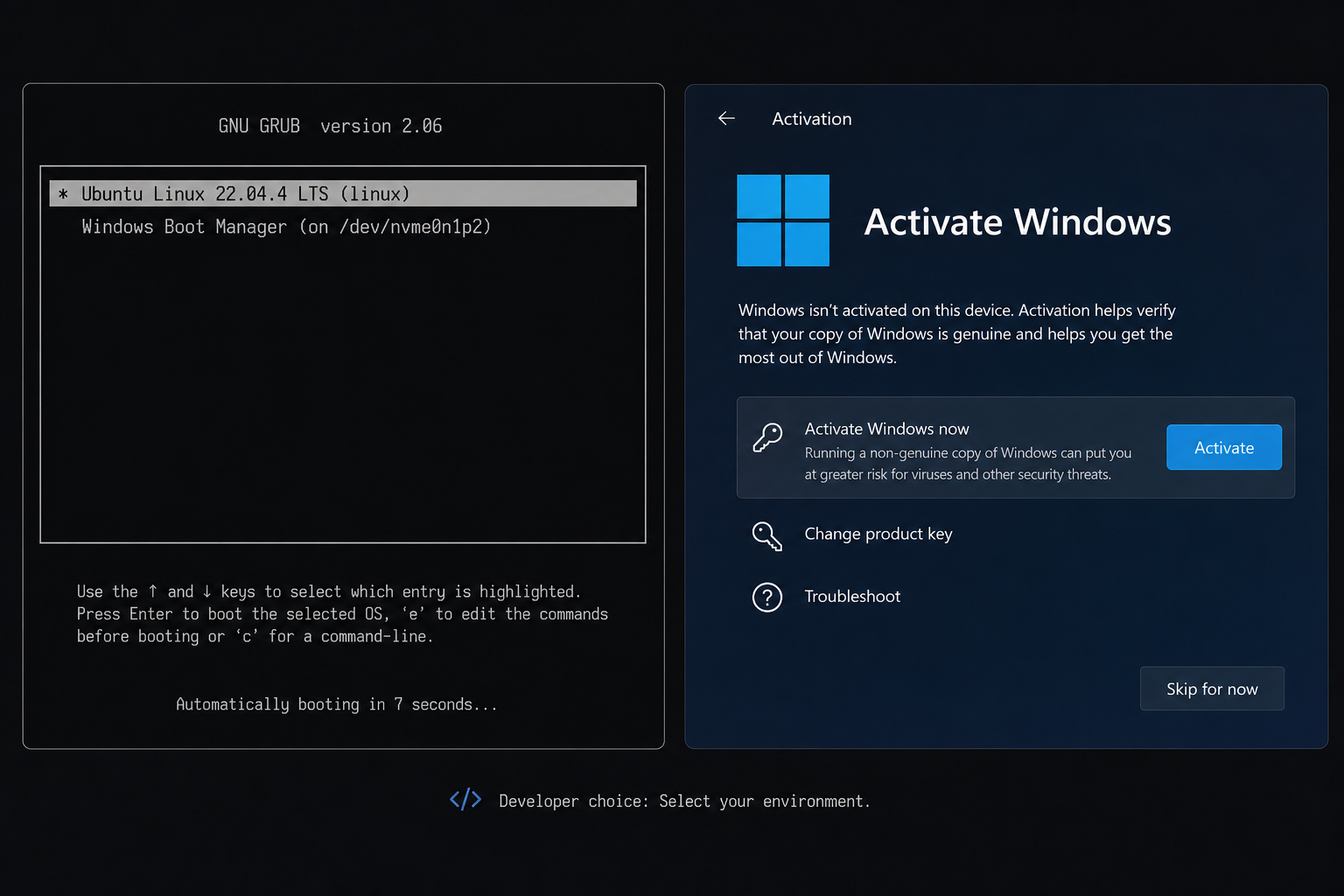
Many experienced Linux users who need occasional Windows access choose a dual-boot configuration rather than committing fully to either OS. This gives you the best of both worlds: Linux for daily development and terminal work, Windows 11 for gaming or specialist software. If you are considering a clean Windows 11 install — whether as a primary OS or a dual-boot partition — having a genuine, properly licensed key matters. A counterfeit key exposes you to activation failures, blocked updates, and potential security vulnerabilities.
Top Key Shop offers genuine Windows 11 Home Retail and Windows 11 Pro + Office 2024 bundles at competitive prices, with instant email delivery and free 24/7 activation support — useful precisely because Windows 11 activation can trip up even experienced users on first install.
Windows 11 Problems: Can Microsoft Fix Them?
Some of the Windows 11 issues above are being addressed — slowly. Microsoft has committed to reducing bloatware in enterprise images, Windows Terminal is maturing rapidly, and WSL2 has made the Linux comparison less stark for developers. But the structural tension between Microsoft’s business model (advertising, data, cloud lock-in) and the power user’s desire for a clean, controllable OS is unlikely to resolve itself any time soon.
The Linux comparison will keep being made precisely because Linux keeps improving in areas where Windows 11 stagnates. Desktop Linux adoption is still small, but the vocal community of users who test both platforms provides a useful stress test that benefits everyone — it pressures Microsoft to improve, and it gives newcomers a detailed, honest map of what to expect.
Should You Switch from Linux to Windows 11?
If your workflow demands it — specific software, gaming, corporate IT environments — then Windows 11, properly licensed and cleanly installed, is a capable OS despite its friction points. Go in with eyes open: expect to spend time disabling defaults, reconfiguring the Start Menu, and possibly installing a third-party shell or PowerToys to reclaim the efficiency you are used to.
If your workflow does not demand it, the Windows 11 issues documented here are real enough that staying on Linux is a perfectly rational decision. The ZDNet report that inspired this article puts it plainly: the problems are not showstoppers for casual users, but for a 30-year Linux veteran, they represent a fundamentally different relationship between user and machine — one where the OS is less a tool and more a platform owned by its publisher.
Frequently Asked Questions
What are the biggest Windows 11 problems for Linux users specifically?
The most common friction points in the Linux comparison are the forced Microsoft account setup, fragmented settings across two UI generations, limited terminal tooling compared to Linux shells, and aggressive telemetry that cannot be fully disabled. These issues matter more to power users than to casual Windows adopters because they directly interrupt established workflows.
Can I run Linux apps on Windows 11?
Yes — Windows Subsystem for Linux 2 (WSL2) allows you to run a full Linux kernel inside Windows 11, giving you access to Linux command-line tools, package managers, and many GUI apps. It does not fully replicate native Linux performance for all workloads, but for development tasks it is a credible bridge between the two environments.
Is Windows 11 faster or slower than Linux?
On comparable hardware, Linux generally has a lighter memory footprint and faster boot times on older hardware. Windows 11 can match or exceed Linux performance on modern, well-supported hardware, particularly for gaming. The Windows vs Linux performance gap depends heavily on the specific workload: Linux wins on servers and terminal-heavy tasks; Windows 11 wins on gaming and mainstream consumer software.
Does Windows 11 support dual boot with Linux?
Yes. You can install Windows 11 and a Linux distribution side by side on the same drive, with a bootloader (typically GRUB) letting you choose at startup. The main consideration is installing Windows 11 first, since its bootloader can overwrite a pre-existing GRUB installation. Many developers run this configuration daily to get the best of both platforms.
Is it worth buying a Windows 11 licence if I mostly use Linux?
If you need Windows 11 occasionally — for gaming, specialist software, or client deliverables — a genuine retail key is worth having. It ties to your hardware, survives reinstalls, and keeps you on the right side of Microsoft’s update and security policies. A bundled Windows 11 + Office licence from a reputable key retailer is often the most cost-effective route for occasional-use scenarios.
