
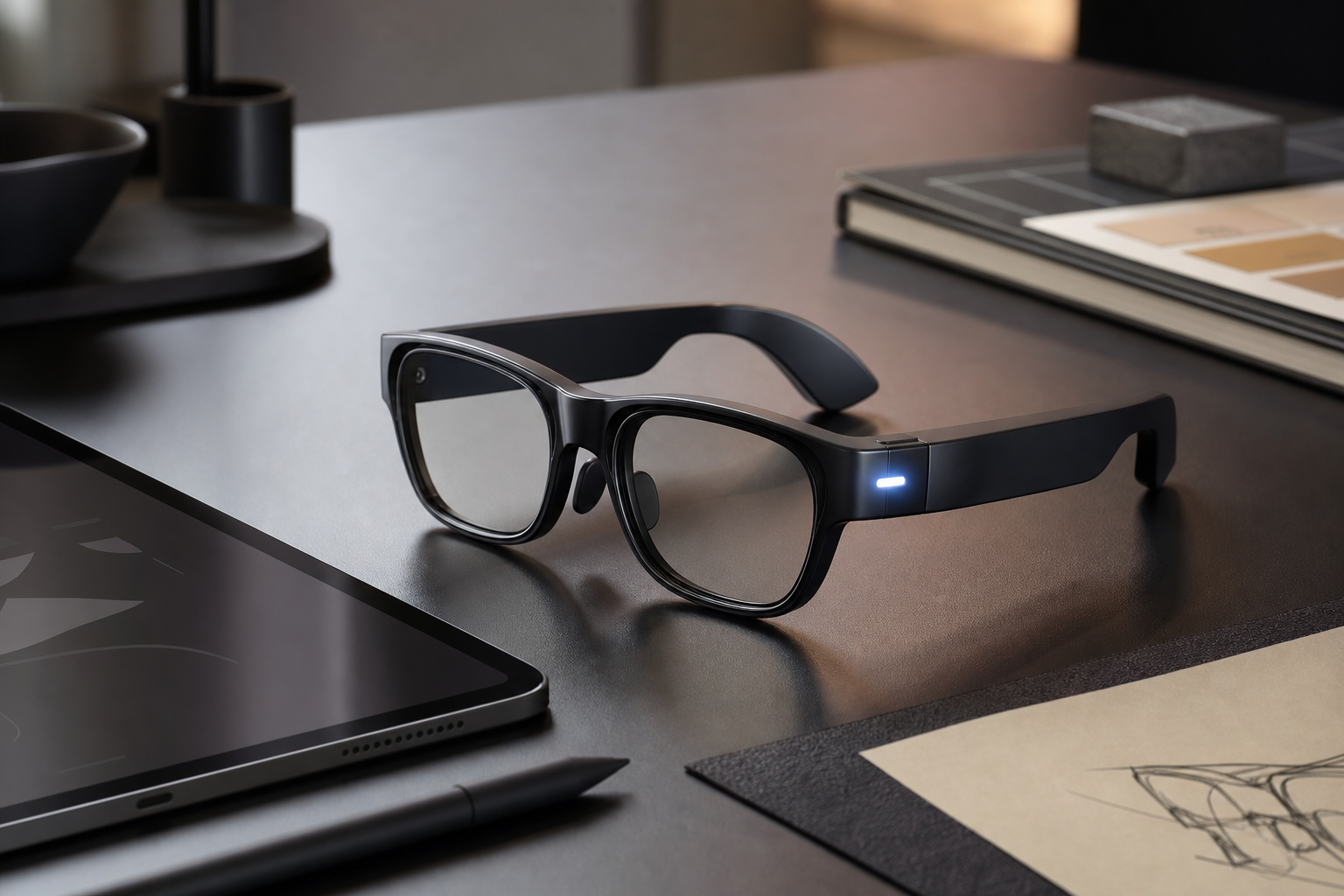
Smart glasses solve their camera privacy problem only when hardware and software work together — a visible recording light alone isn’t enough, but paired with short recording windows, on-device processing, and clear bystander cues, it closes most of the gap. That combination is what separates a genuinely privacy-respecting design from a pair of glasses that simply hopes nobody notices the lens.
For designers and creative professionals, this isn’t an abstract debate. If you shoot reference footage, prototype AR interfaces, or simply wear a pair of smart glasses around clients and collaborators, you’re already navigating the tension between capturing the world and respecting the people in it. This guide breaks down where the design currently fails, what’s being tried to fix it, and what to actually look for before you buy a pair.
Why Smart Glasses Create a Unique Surveillance Problem
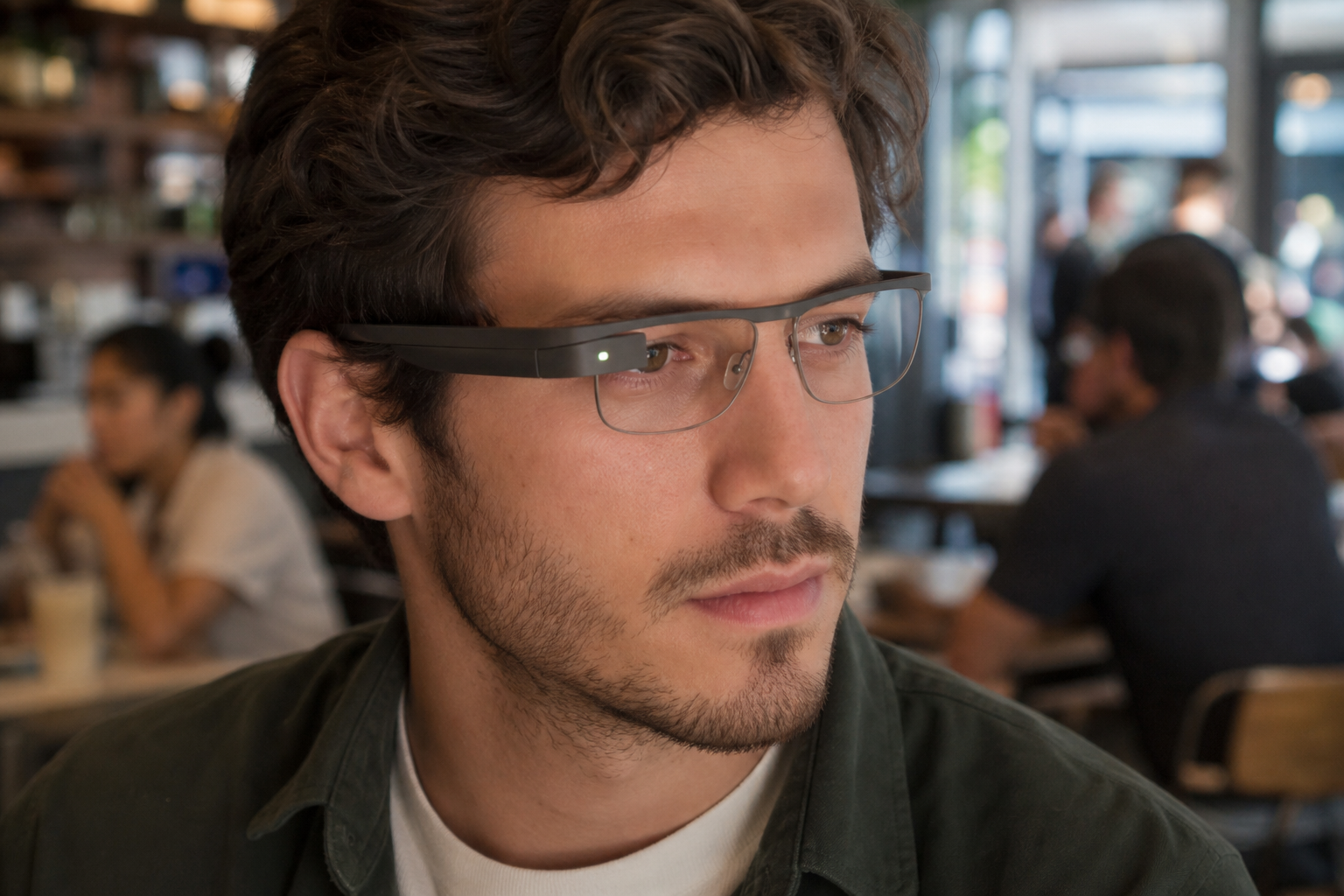
Smart glasses are different from phones because the camera is worn, always pointed forward, and nearly invisible to the people around the wearer. A phone held up to record is an obvious social signal; a pair of glasses that looks like ordinary eyewear removes that signal entirely.
Academic researchers flagged this exact issue with Ray-Ban Stories back when it launched, noting that the camera’s small LED indicator was easy to miss, cover, or simply ignore in a crowd — meaning bystanders often had no real way to know they were being recorded. That same structural problem persists across most consumer smart glasses on the market today, regardless of brand.
-
The recording indicator is small, easily obscured by lighting or angle, and unfamiliar to most bystanders.
-
There’s no audible cue, unlike a phone’s shutter sound in many regions.
-
Facial recognition and AI overlays can now run in real time, turning a casual glance into a data-gathering act.
-
Footage is frequently uploaded to cloud services by default, extending the privacy exposure well past the moment of capture.
The Consent Gap in Public Spaces
Traditional privacy law assumes you know when you’re being recorded — that assumption breaks down with smart glasses. Courts and regulators are still catching up, and as Forbes has reported, the growing adoption of AI-powered smart glasses is actively colliding with the social contract that used to govern when and how people expect to be observed in public.
How Smart Glasses Cameras Actually Work Today
Most smart glasses on the market capture short clips or photos triggered by a button, voice command, or gesture, then process or upload that footage almost immediately. The camera itself is rarely “always recording” in the way people fear — but the ambiguity around when it’s active is precisely the design failure.
Some manufacturers have added louder capture indicators, brighter LEDs, or short vibration cues for the wearer. These are incremental improvements, not solutions — an LED the size of a grain of rice still fails the basic test of informing a stranger across a room that they’re on camera.
Where Current Designs Fall Short
-
Indicator visibility: LEDs are often too dim, too small, or positioned where they’re blocked by the frame angle.
-
No standardized signal: Every brand uses a different light color, blink pattern, or position, so bystanders can’t learn to recognize any of them reliably.
-
Silent operation: Unlike phone cameras in several countries, most smart glasses have no mandatory shutter sound.
-
Default cloud sync: Captured footage often uploads automatically, meaning the privacy exposure isn’t limited to the moment of recording.
Design Solutions That Preserve Both Function and Privacy
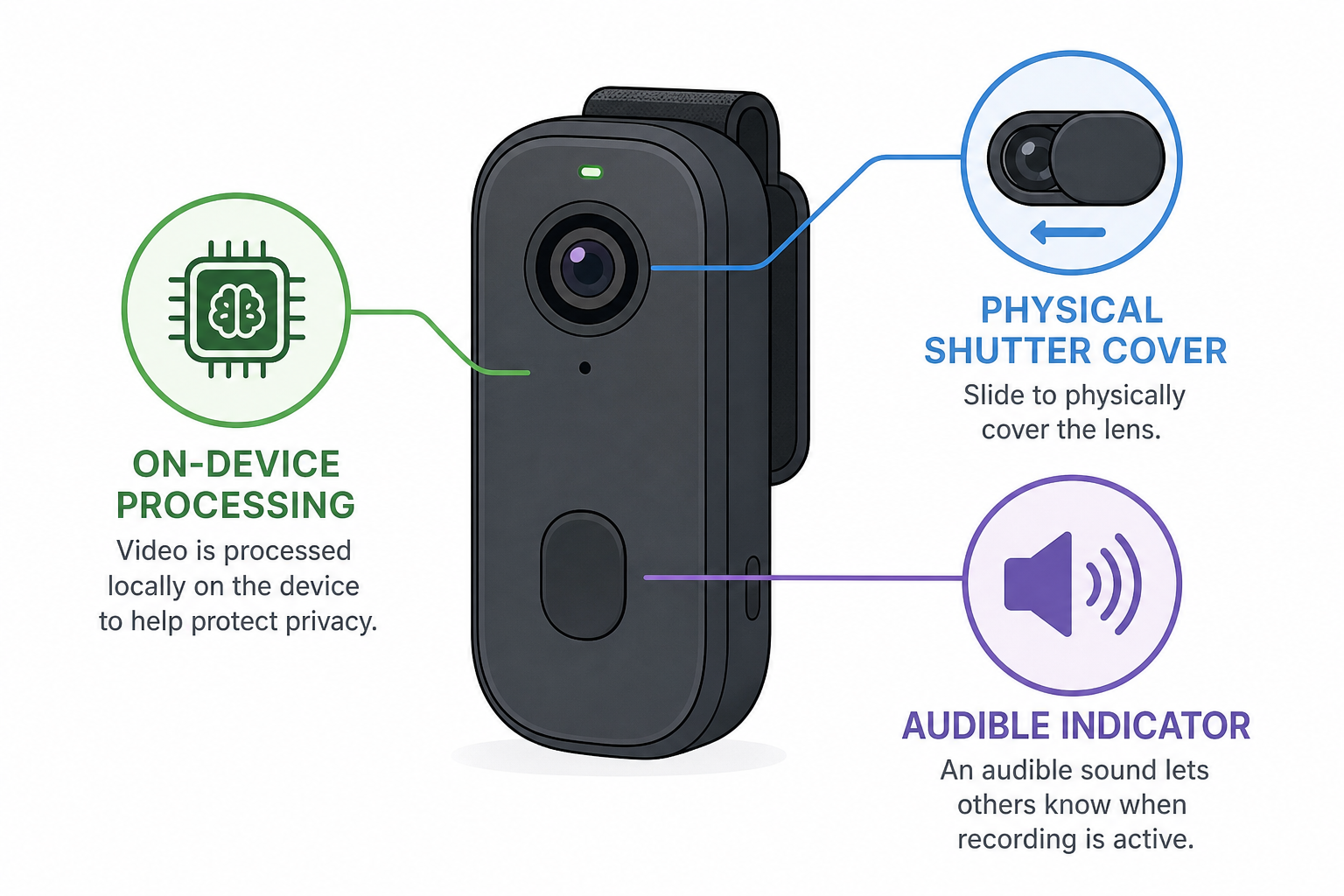
The most promising smart glasses designs treat privacy as a feature to engineer, not a disclaimer to bury in the terms of service. Several approaches are gaining traction among hardware teams and researchers working on this problem.
Hardware-Level Fixes
-
Larger, brighter, unmissable indicator lights positioned where they’re visible from multiple angles, not just head-on.
-
Mandatory audible shutter sounds that can’t be silenced by the wearer, similar to laws already enforced on smartphone cameras in some countries.
-
Physical camera shutters or covers that visibly close over the lens when not actively recording — a design borrowed from webcam privacy covers that became standard on laptops.
-
On-device processing that analyzes and discards footage locally rather than defaulting to cloud upload, reducing how long sensitive footage exists at all.
Software and Policy-Level Fixes
Hardware alone can’t solve a problem that’s partly social. Software design choices matter just as much:
-
Short, capped recording windows by default (a few seconds) rather than open-ended capture.
-
On-screen or haptic confirmation to the wearer every time recording starts, reducing accidental captures.
-
Automatic blurring of faces detected in the background unless the subject opts in.
-
Clear, geofenced restrictions in sensitive locations — bathrooms, changing rooms, medical facilities — enforced at the firmware level rather than left to user honesty.
This is the same “privacy by design” thinking that data protection frameworks like GDPR have pushed for years: build the safeguard into the product itself, rather than relying on a policy nobody reads. It’s a principle worth understanding if you design products, interfaces, or physical devices — the same logic that reduces surveillance risk in smart glasses applies directly to any camera-equipped or sensor-equipped wearable you might design or evaluate for clients.
What Designers and Creative Professionals Should Actually Look For
If you’re evaluating smart glasses for fieldwork, client shoots, or wearable prototyping, a few practical checks go a long way before you commit to a device.
-
Check indicator visibility in real conditions — test the LED in bright daylight and from the side, not just head-on in a demo video.
-
Confirm whether the shutter sound can be disabled — if it can, that’s a red flag for how seriously the brand treats bystander consent.
-
Read the data policy on cloud uploads — look specifically for whether footage is processed on-device or sent to a server by default.
-
Ask about facial recognition features — some smart glasses ship with real-time identification add-ons that raise the stakes considerably.
-
Consider the context you’ll use them in — client offices, public shoots, and shared studio spaces all carry different consent expectations.
Why This Matters Beyond the Device Itself
Designers are often the ones building the next wave of wearable and AR interfaces, which means the privacy decisions made today become the defaults everyone inherits tomorrow. A recent industry analysis found that concerns over unclear recording indicators and default cloud syncing were among the most cited criticisms of camera-equipped smart glasses from privacy researchers and reviewers alike — feedback that hardware teams are only beginning to act on.
If your own creative workflow depends on tools that touch sensitive client data — video, reference photography, biometric mockups — it’s worth applying the same scrutiny to your software stack. Keeping your editing and design tools properly licensed and updated, with a reputable antivirus solution protecting the device you edit on, closes an obvious gap that’s easy to overlook while you’re focused on hardware-level privacy questions.
Building Privacy-Conscious Habits Around Smart Glasses
Good design reduces risk, but habits matter too. Wearers of smart glasses can do a few simple things to close the trust gap that current hardware doesn’t fully solve:
-
Verbally announce recording in group settings, even if the device has an indicator light.
-
Avoid wearing recording-capable smart glasses in changing rooms, restrooms, or other clearly private spaces, regardless of what the firmware allows.
-
Review and delete cloud-synced footage regularly rather than letting it accumulate indefinitely.
-
Disable facial recognition features unless you have a specific, consented use case.
None of this replaces the need for better hardware design — but until indicator standards and privacy-by-default settings become industry-wide norms, wearer behavior is doing a lot of the work that the product itself should be handling.
Where Smart Glasses Design Is Headed
Expect the next generation of smart glasses to lean harder into on-device AI processing, precisely because it reduces both privacy exposure and cloud costs. Expect regulators, too, to start treating unclear recording indicators the same way they’ve historically treated hidden cameras — as a compliance issue, not just a UX one. Until that shift is complete, the burden of protecting bystanders sits with a mix of design choices, transparency, and reasonable wearer judgment.
If you’re exploring AI-assisted creative tools that touch similar questions around data handling and automation, our breakdown of AI icon generator design tools covers how AI features are reshaping creative workflows — many of the same transparency principles apply.
FAQ
Can someone wearing smart glasses record you without your knowledge?
In most cases, yes — technically. Many smart glasses have a small recording indicator light, but it’s often too dim or small to notice from a distance, which is exactly why privacy researchers consider this a design failure rather than a solved problem.
Do smart glasses always upload footage to the cloud?
Not always, but many models default to cloud sync unless the wearer changes the setting. On-device processing is becoming more common as a privacy-first alternative, but it isn’t yet the industry standard.
Are smart glasses legal to wear in public?
Generally yes, but recording other people without consent can run into wiretapping or surveillance laws depending on your location, especially in places with two-party consent recording rules. The legal picture is still evolving as regulators catch up with the technology.
What should I look for if privacy is my main concern?
Prioritize a bright, clearly visible recording indicator, a mandatory (non-disableable) shutter sound, on-device rather than cloud-default processing, and a manufacturer that publishes a clear data retention policy.
Why don’t smart glasses have a louder privacy warning built in?
Largely because manufacturers have prioritized subtlety and style over bystander transparency. It’s a design trade-off, not a technical limitation — audible shutter sounds and brighter indicators are both entirely feasible with current hardware.
Is facial recognition common in consumer smart glasses?
It’s not standard yet, but some AI-enhanced models are beginning to add real-time identification features, which significantly raises the privacy stakes and is a key area regulators are watching closely.
