
What Is Causing the Windows Defender Quick Scan Crash?
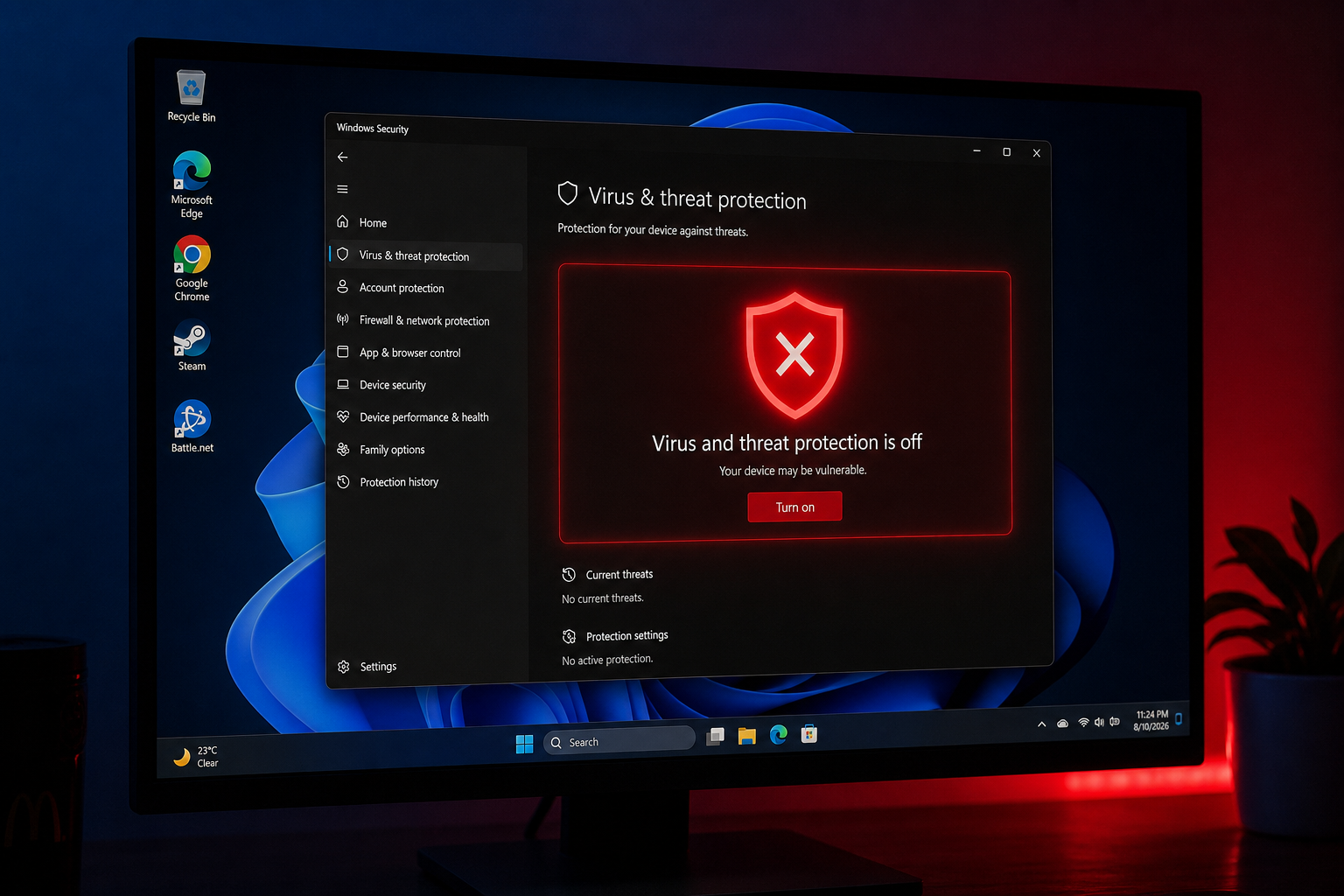
The Defender quick scan crash that surfaced on August 18, 2026, is directly caused by a faulty security intelligence update that Microsoft pushed to Windows PCs worldwide. Specifically, a bad definition update shipped before version 1.457.236.0 introduced a logic error inside the MsMpEng.exe scanning engine — the core process responsible for running both quick and full antivirus scans. The moment a scan kicks off, the corrupted definition triggers an unhandled exception, and the Defender Threat Service terminates within seconds. Windows Security Centre then flags real-time protection as inactive, leaving the machine fully exposed until the service is manually restarted or the system reboots.
Multiple IT administrators and home users first noticed the problem simultaneously and began reporting it to Microsoft on August 18, 2026. The pattern was unmistakable: scans would begin normally, progress for a few seconds, and then silently stop — often accompanied by a Windows Security notification warning that the threat service had stopped. The culprit was quickly traced back to the security intelligence definition package rather than a full Windows cumulative update, which is why standard Windows Update rollback procedures alone could not resolve it.
How to Spot a Defender Scan Fix Is Needed on Your System
You may need a Defender scan fix if you notice any of the following warning signs on your Windows 10 or Windows 11 machine. Check for these symptoms before attempting repairs:
- A quick scan or full scan starts and abruptly stops within the first 10–30 seconds with no result shown.
- The Windows Security app displays a yellow or red shield warning that “Virus & threat protection” requires attention.
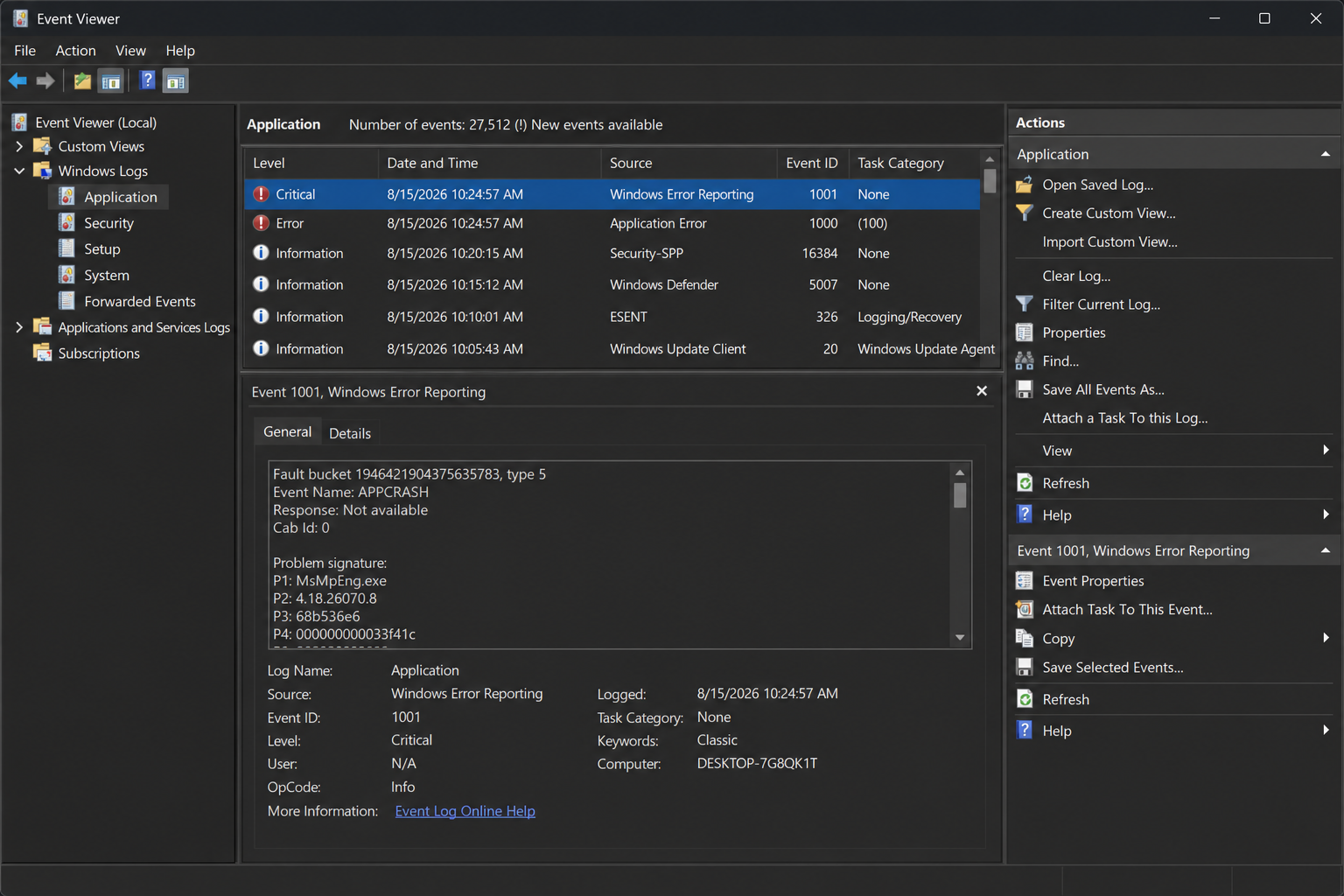
- Event Viewer logs show a critical error from the Windows Defender source, referencing MsMpEng.exe or Sensendr.exe.
- The Defender Threat Service is listed as stopped in Services (services.msc) even though you did not disable it.
- Scheduled automatic scans no longer run at their configured times.
- Real-time protection toggles off automatically and cannot be re-enabled through the Windows Security UI.
If you are seeing two or more of these symptoms together, it is highly likely the August 2026 bad definition update is responsible for your Defender not scanning correctly.
The Official Three-Step Fix for the Windows Defender Crash
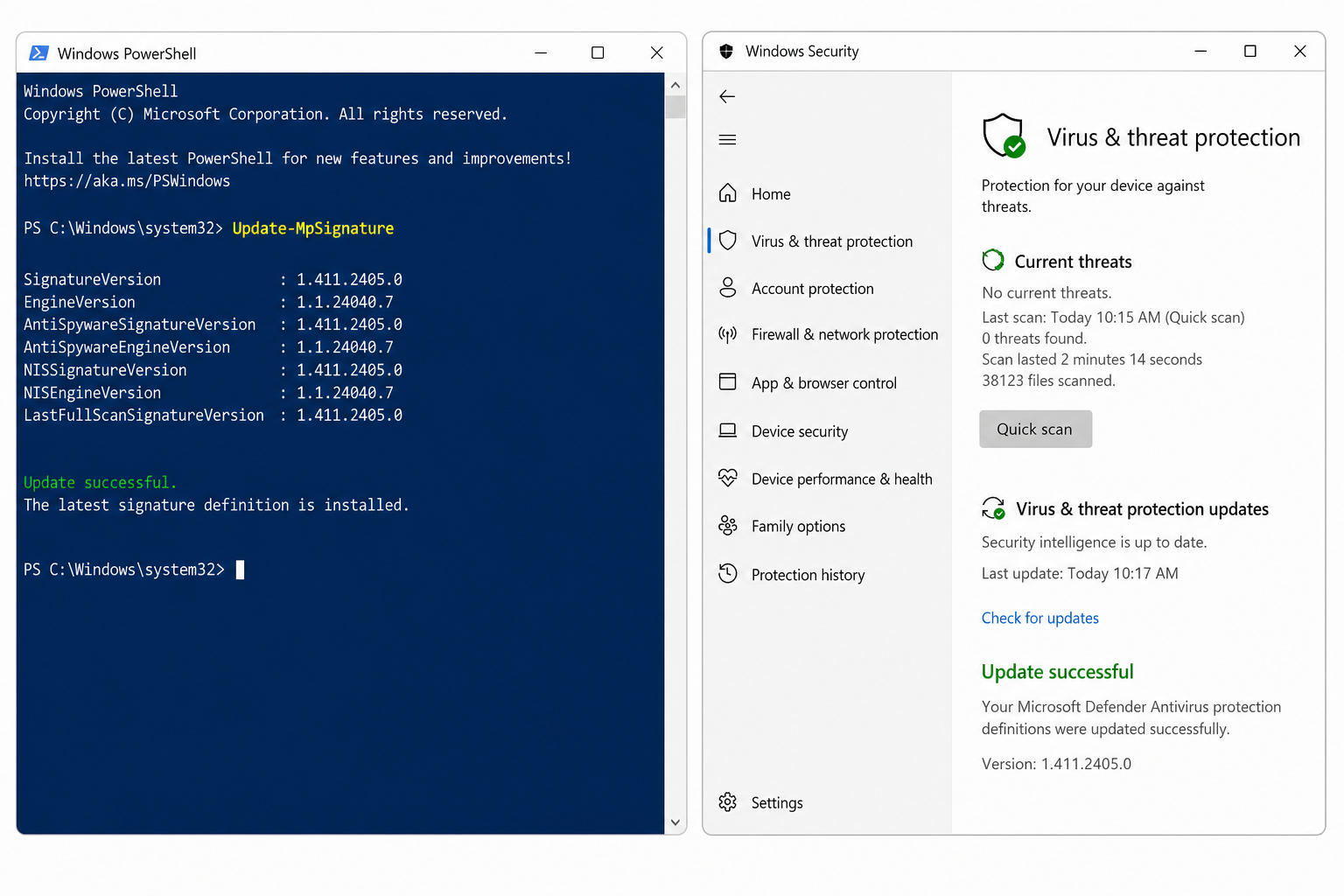
Microsoft confirmed the Defender quick scan crash and issued an updated security intelligence package — version 1.457.236.0 and above — that fully resolves the problem. The fix does not require a full OS patch or a system restart beyond what Windows Update normally asks for. Follow these three steps in order:
Step 1 — Run Windows Update to Pull the Latest Definitions
Open Settings → Windows Update → Check for updates. Windows Update is the primary delivery channel for security intelligence updates. Allow all pending updates to download and install. After installation, verify that the Security Intelligence version listed inside Windows Security → Virus & threat protection → Virus & threat protection updates shows 1.457.236.0 or a higher number. As of August 26, 2026, Microsoft’s official update portal confirms the latest version is 1.457.346.0 (engine 1.1.26070.7, platform 4.18.26070.9), so aiming for any release above 1.457.236.0 is safe.
Step 2 — Force a Manual Definition Update via PowerShell
If Windows Update does not automatically pull the fix — which can happen when the Threat Service is crashed and Windows Update’s Defender integration is in a degraded state — use PowerShell as Administrator to force an immediate definition update:
- Right-click the Start button and choose Windows PowerShell (Admin) or Terminal (Admin).
- Type
Update-MpSignatureand press Enter. This directly instructs Windows Defender to contact Microsoft Update and fetch the latest security intelligence package. - Once the command completes, run
Get-MpComputerStatus | Select AntivirusSignatureVersionto confirm the version number has advanced past 1.457.236.0.
This PowerShell route bypasses the graphical interface entirely and is the fastest path to a Defender scan fix when the Security app is unresponsive.
Step 3 — Restart the Defender Threat Service and Retest
After the definition update installs, restart the Windows Defender service to clear any in-memory crash state:
- Open Services (press Win + R, type
services.msc). - Scroll to Microsoft Defender Antivirus Service, right-click, and choose Restart.
- Return to Windows Security and run a fresh quick scan. It should now complete without crashing.
For most users, the scan completes fully within 60–90 seconds on an SSD-based system, confirming the fix is working. The Windows Defender crash issue is resolved at this point.
Why Defender Not Scanning Leaves You More Exposed Than You Think
When Defender is not scanning, Windows silently switches off real-time protection — and the gap can persist for hours or even days before a user notices. During that window, any downloaded file, USB-connected drive, or browser-based script executes without being checked against Defender’s malware database of over 1.3 billion known threat signatures. That is not a theoretical risk: ransomware, trojan droppers, and zero-day exploits are designed to exploit precisely these brief unprotected windows.
Beyond the crash itself, this incident reinforces a broader truth about relying on a single layer of security. Windows Defender is a solid first line of defence, but it has known architectural limitations — Microsoft itself quietly updated its own messaging in mid-2026 to no longer describe Defender as providing “all the protection you need.” You can read more about those limitations in our in-depth look at Windows Defender’s limitations and why layered security now matters.
Should You Switch to a Third-Party Antivirus After the Defender Crash?
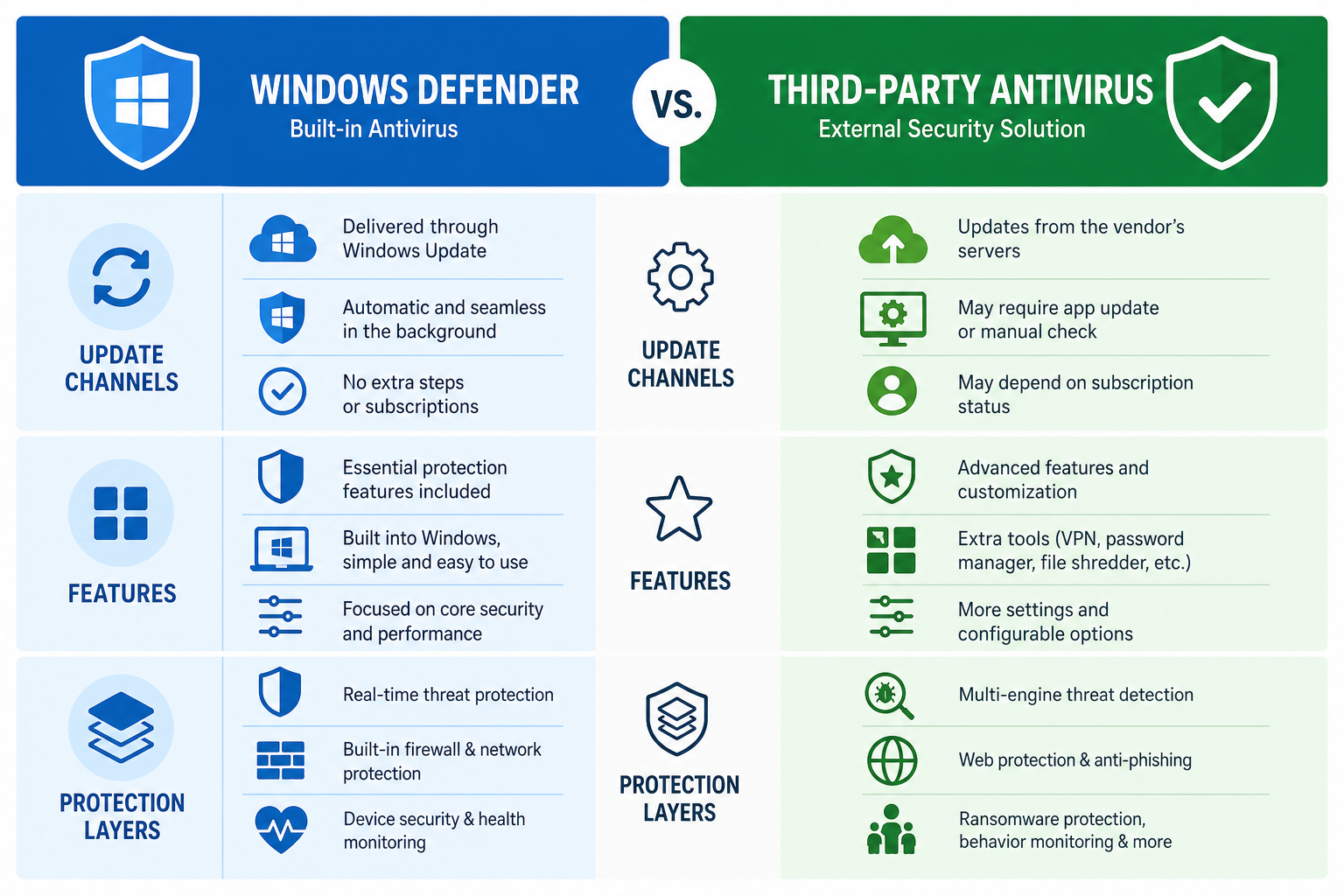
The Windows Defender crash has prompted many users to reconsider their security stack, and that is a perfectly reasonable response. A dedicated commercial antivirus typically ships definition updates through its own independent channel, meaning a bad Microsoft intelligence update cannot take your entire security layer offline in the same way. Third-party tools also tend to offer behavioural heuristics, sandboxing, web shields, and ransomware rollback features that go beyond what built-in Windows protection provides.
If you want a dependable backup — or an outright replacement — while you wait for your Windows Defender scan fix to propagate, TopKeyShop offers genuine licensed antivirus solutions at competitive prices. Browse the full antivirus category to find options that suit your needs and budget. For a lightweight yet powerful option, Avast Pro Antivirus is available for a single device for just €11.90 — a small price for uninterrupted protection. If you prefer a globally recognised name, McAfee AntiVirus covers one Windows PC for a full year at €10.90.
Keeping Windows Defender Healthy Long-Term
This incident is a reminder that even built-in security tools need active maintenance. Here are practical habits to prevent a Defender scan fix situation from catching you off guard again:
- Enable automatic Windows Updates: Most Defender definition updates arrive silently through Windows Update — keeping automatic updates on means you also get corrective patches faster.
- Check your security intelligence version weekly: Open Windows Security, go to Virus & threat protection updates, and glance at the version number. Anything more than a week old deserves a manual refresh.
- Monitor Event Viewer: Set up a custom view in Event Viewer filtering for Windows Defender errors (source: Windows Defender, event IDs 1006, 1007, 1008, and 5007). A weekly five-minute check can surface silent failures before they become a problem.
- Run a scheduled full scan monthly: Quick scans check the most common malware locations; a monthly full scan covers the entire drive, catching threats that slip through.
- Keep a second-opinion scanner: Tools like Malwarebytes Free (on-demand only) can serve as a verification layer if Defender behaves unexpectedly.
- Stay on a supported Windows version: Defender receives its best support on fully updated Windows 10 (22H2) and Windows 11. Running an out-of-support build limits the intelligence updates you can receive.
For a broader view of the improvements Microsoft has shipped to Windows security throughout 2026, check out our article on Windows 11 quality improvements since March 2026 — it puts this month’s hiccup into useful context.
FAQ
What version of the security intelligence update fixes the Defender quick scan crash?
The Defender quick scan crash is resolved by upgrading to Security Intelligence Update v1.457.236.0 or any later version. As of August 26, 2026, the most recent release from Microsoft is v1.457.346.0. Install it via Windows Update or by running Update-MpSignature in an elevated PowerShell window.
Will restarting my PC fix the Windows Defender crash on its own?
A restart temporarily clears the crashed Defender service, allowing real-time protection to resume. However, if your security intelligence version remains below v1.457.236.0, the Defender scan fix will not hold — the next scan attempt will crash again. You must update the definitions first, then restart the service.
Is my PC infected if Defender was not scanning for several hours?
A gap in active scanning does not automatically mean an infection occurred, but the risk is elevated — especially if you downloaded files, browsed untrusted sites, or plugged in an external drive during the unprotected window. Run a manual full scan (not just a quick scan) immediately after applying the Defender scan fix to check the entire drive thoroughly.
Why is Defender not scanning even after the update?
If Defender is not scanning after updating definitions, the in-memory crash state may persist. Restart the Microsoft Defender Antivirus Service via services.msc as described in Step 3 above. If the service still fails to start, temporarily disabling any conflicting third-party security software and running sfc /scannow in an elevated Command Prompt can repair corrupted system files that prevent Defender from loading correctly.
Should I use a third-party antivirus instead of relying solely on Defender?
Security professionals widely recommend layered protection. Windows Defender handles many common threats well, but episodes like the August 2026 Windows Defender crash illustrate the risk of having a single, Microsoft-controlled security layer. A third-party antivirus with an independent update channel adds meaningful resilience. Our antivirus category has licensed options starting from under €11 per year.
For the full technical background on this issue and community-sourced confirmations, the detailed report at Born City’s Windows Defender crash write-up is a valuable reference. Microsoft’s own official page for tracking the latest security intelligence updates for Microsoft Defender Antivirus lets you verify your current version at any time.
