

Office suite AI integration has crossed a major threshold. A new open-source tool called OfficeCLI now lets AI agents read, write, and fully edit Microsoft Office files — Word documents, Excel spreadsheets, and PowerPoint presentations — without any manual human intervention. If you work with Office files at scale, this changes everything about how document workflows can be designed and run.
What Is OfficeCLI and Why It Matters for Office AI Agents
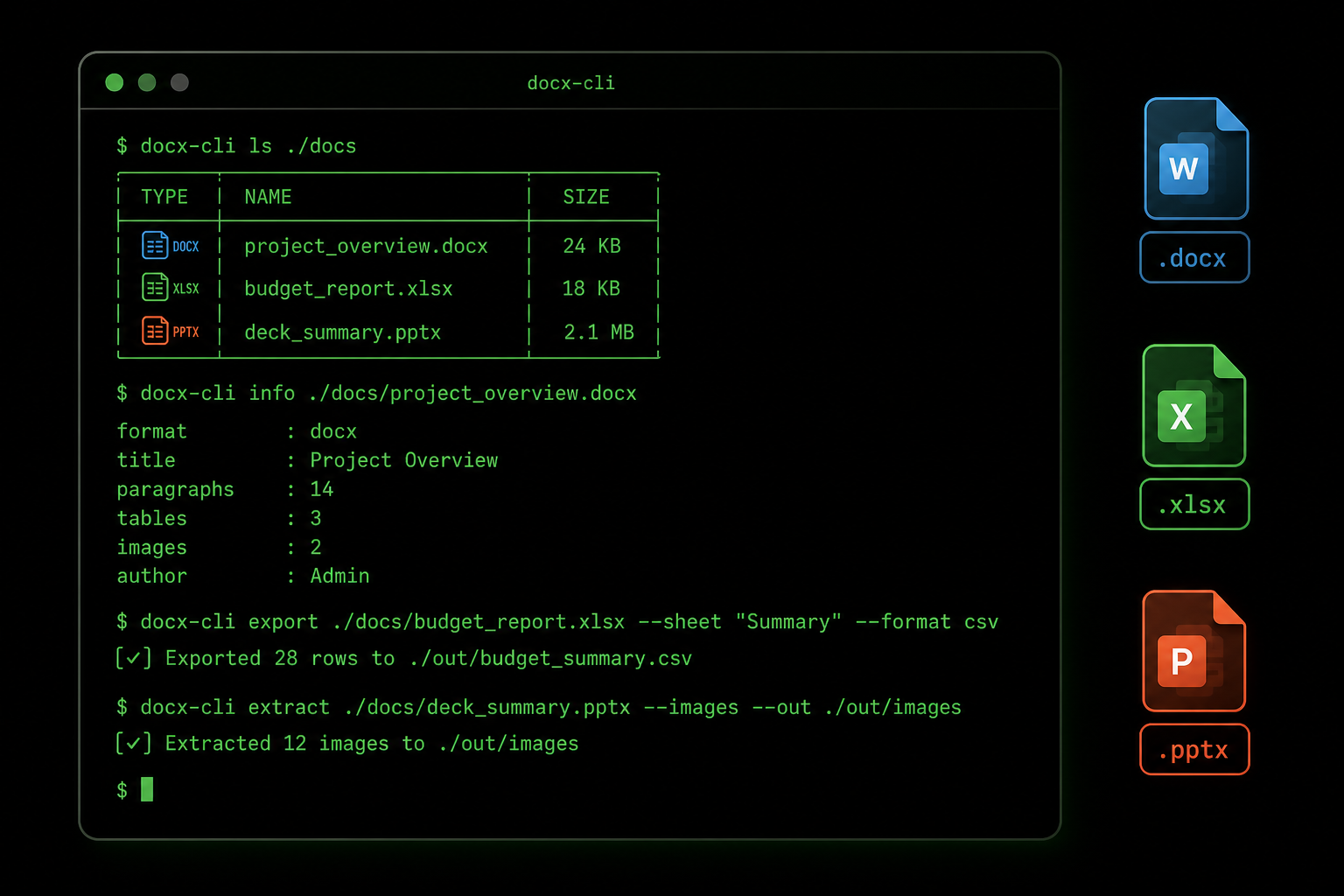
OfficeCLI, published on GitHub by iOfficeAI, bills itself as the first CLI-native Office suite built specifically for AI agents. Rather than relying on a human to open an application and click through menus, it exposes programmatic command-line interfaces for the three most common Office formats: .docx, .xlsx, and .pptx. An AI agent can call these commands directly inside an automated pipeline, making decisions and edits on the fly — no desktop GUI required.
Within days of its Hacker News debut, OfficeCLI attracted more than 10,800 stars on GitHub, signalling that developers and AI engineers had been waiting for exactly this kind of bridge between large language models and real-world document formats. The enthusiasm is well-founded: the ability to programmatically interact with Office files is one of the last meaningful gaps between AI agents and genuine office-productivity automation.
How AI Office Automation Works in Practice
The core idea is straightforward. Traditional automation tools — VBA macros, COM automation, or even Python libraries like python-docx — required a developer to write bespoke scripts for every task. OfficeCLI wraps these capabilities behind a clean, agent-friendly CLI that an LLM can invoke as a tool call. The agent receives an instruction in natural language, translates it into a command, runs it, checks the output, and proceeds — all without human sign-off.
- Word (.docx): Read document text and structure, insert or replace paragraphs, update headings, apply styles, and extract metadata.
- Excel (.xlsx): Read and write cell values, formulas, and named ranges; create or rename sheets; generate summary tables from raw data.
- PowerPoint (.pptx): Read slide content, replace text placeholders, update charts, add or remove slides, and re-order slide decks.
Because each operation is a discrete CLI command, it fits naturally into tool-use frameworks popularised by models like GPT-4o and Claude. The agent treats Office file manipulation the same way it treats web searches or database queries — just another tool in its toolkit.
Real-World Use Cases for Automate Office Files Workflows
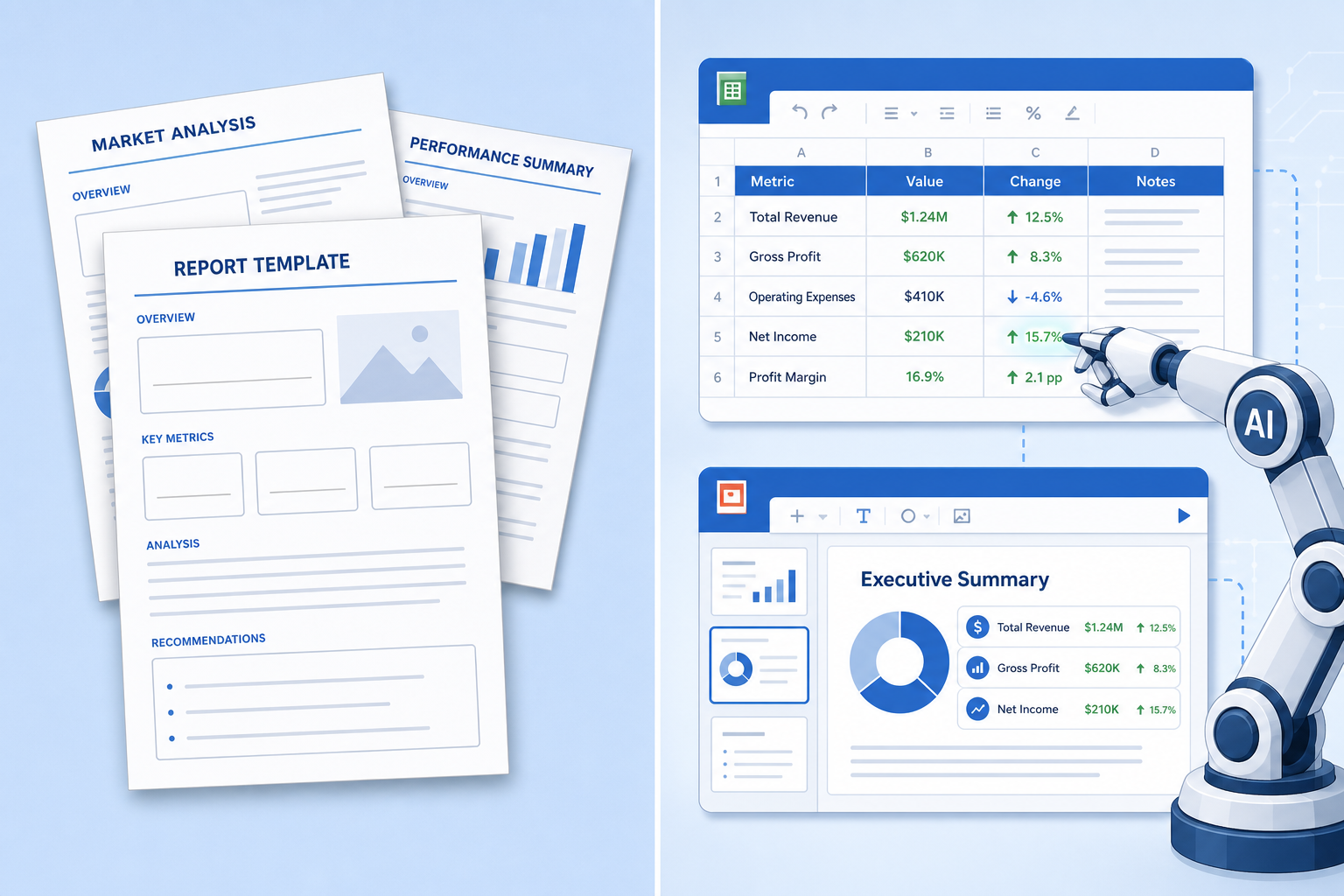
The practical applications span almost every industry that runs on documents, which is to say nearly all of them. Here are the scenarios where automate Office files capabilities deliver the most immediate value.
Automated Report Generation
Finance teams, marketing departments, and operations managers spend enormous time producing weekly or monthly reports that follow an identical template. An AI agent equipped with OfficeCLI can pull data from an API or database, populate an Excel template, produce a summary slide deck, and email it — all on a schedule. What took hours now takes seconds.
Bulk Document Processing
Legal, HR, and compliance teams regularly handle hundreds of near-identical contracts or forms. Office AI agents can scan each document for specific clauses, flag anomalies, replace boilerplate text, and produce a processed version — a task that would otherwise require a paralegal or junior analyst.
Data Extraction and Transformation
Organisations that receive supplier data in Excel format can now instruct an AI agent to normalise column headers, strip formatting inconsistencies, and merge multiple sheets into a single clean output — automatically, as files arrive.
Presentation Building at Scale
Sales teams that tailor decks for each prospect can use an AI agent to clone a master template, substitute company-specific data, update charts, and save a personalised version — all before the sales rep even sits down for the call.
Office Suite AI Integration vs. Microsoft’s Own Copilot
It is worth distinguishing OfficeCLI-style AI Office automation from Microsoft’s own Copilot features. Microsoft 365 Copilot is a subscription-based AI assistant embedded inside the Office applications themselves — it is interactive, user-facing, and designed for one person to use at a time inside a GUI. OfficeCLI occupies a fundamentally different space: it is a programmatic, server-side tool designed for agents running in the background, processing files in bulk, and requiring no user interface whatsoever.
The two approaches complement rather than compete with each other. A business might use Copilot for day-to-day interactive document drafting while deploying OfficeCLI-powered agents for nightly batch processing jobs. Importantly, OfficeCLI does not require a Microsoft 365 subscription — it works on the open Office XML formats directly, which means it can run on any server, in any cloud environment, at effectively zero per-document cost.
For a deeper look at how Microsoft itself is evolving its AI automation capabilities, the Microsoft Power Automate 2025 release plan outlines the platform’s move toward generative AI-powered, self-healing document workflows.
Why a Permanent Office Licence Makes Sense in an AI-Driven World

Here is a practical consideration that often gets overlooked in discussions about AI Office automation: the underlying Office suite still matters. OfficeCLI works directly with Open XML file formats and does not depend on a running Office installation — but in many enterprise environments, staff still open and review the files that agents produce. That means Word, Excel, and PowerPoint need to be installed and properly licensed on the machines where humans do final review and approval.
As AI handles more of the routine generation work, the cost calculus shifts. Why pay a recurring Microsoft 365 subscription fee when your AI agent is doing the heavy lifting and your staff only need to review the output? A one-time, permanent Office 2021 Professional Plus licence — available at TopKeyShop for just €15.90 — gives you the full desktop suite without an ongoing subscription. For teams automating document workflows with AI agents, this is the economically rational choice.
If you are still weighing the options, our detailed comparison of lifetime Microsoft Office licence pricing versus Microsoft 365 breaks down the true long-term cost of each model — worth reading before you commit either way.
Enabling Advanced Office Features for AI-Generated Files
One area where office suite AI integration introduces new considerations is macro security. AI agents can generate .docx and .xlsx files that contain macros or complex formulas. When a human opens those files in the desktop application, Office may block execution by default — the same protection that guards against malicious macro-laced attachments.
Understanding how macro trust settings work is therefore increasingly relevant for teams that use AI agents to produce Office files. Our guide on how to enable macros in Microsoft Office safely covers every scenario, from Trust Center configuration to handling files downloaded from external locations — essential reading if your AI workflows involve macro-enabled Office documents.
Security and Governance Considerations
Any time an automated process gains write access to business-critical documents, governance matters. Office AI agents operating through a CLI introduce a different risk surface than a human clicking through an application. Here are the key considerations organisations should address before deploying OfficeCLI or similar tools in production.
- Access control: Restrict which directories the agent can read from and write to. Use least-privilege principles — an agent processing invoices should not have access to HR folders.
- Audit logging: Log every file operation the agent performs. This creates an audit trail for compliance and makes it far easier to diagnose issues when an agent produces unexpected output.
- Output validation: Do not let agents write directly to production file stores without a validation step. A secondary check — another agent, a schema validator, or a human reviewer — reduces the risk of silent errors propagating.
- Version control: Keep previous versions of files the agent modifies. Office’s native versioning or a simple Git-backed storage layer provides a rollback option if something goes wrong.
- Data classification: Files containing personally identifiable information or commercially sensitive data require additional handling rules — ensure the agent pipeline complies with GDPR, HIPAA, or whatever framework applies to your organisation.
Getting Started with OfficeCLI: A Practical Overview
OfficeCLI is free and open-source, published under a permissive licence on GitHub (iOfficeAI/OfficeCLI). Getting it running in a basic pipeline involves three steps.
- Install the package via pip or your preferred Python package manager. The project ships with clear dependency documentation and works on Linux, macOS, and Windows server environments.
- Connect it as a tool in your AI agent framework — whether that is LangChain, LlamaIndex, CrewAI, or a custom tool-use implementation around the OpenAI or Anthropic APIs.
- Define the task scope — specify which files the agent is allowed to read and write, write clear system prompts describing the expected output format, and run test cases on non-production documents before going live.
The project’s README includes working examples for common tasks including generating a formatted Excel report from a JSON data source and updating a PowerPoint template with live data — a useful starting point for teams new to this kind of AI Office automation.
The Bigger Picture: AI Office Automation and the Future of Knowledge Work
OfficeCLI is a single tool, but it represents a broader inflection point. For years, AI assistants could understand documents — they could read and summarise content when prompted. What they could not do reliably was act on documents at scale: create, modify, and organise files as part of a continuous, unsupervised workflow. That capability is now arriving in earnest.
The implications reach beyond individual productivity. Entire business processes that currently require knowledge workers to act as intermediaries — formatting data exports, building management reports, customising contract templates — become candidates for full automation. The role of knowledge workers does not disappear, but it shifts toward the higher-order tasks: defining what the agents should do, reviewing what they produce, and acting on the insights those documents surface.
For teams and businesses ready to lean into this shift, making sure your foundational Office infrastructure is solid and cost-efficient is the right starting point. A permanently licensed, subscription-free Office suite means your review-and-approval layer costs nothing per document — and lets your AI agent layer scale freely.
FAQ
Does OfficeCLI require Microsoft Office to be installed?
No. OfficeCLI works directly with Open XML file formats (.docx, .xlsx, .pptx) without needing a Microsoft Office installation on the server. However, if human reviewers need to open the files produced by AI agents, they will need Office installed on their own machines.
How is OfficeCLI different from python-docx or openpyxl?
Libraries like python-docx and openpyxl require a developer to write bespoke Python scripts for each task. OfficeCLI wraps similar low-level capabilities behind a consistent CLI interface that AI agents can call as a tool without any task-specific scripting. It is designed for agent-driven automation, not developer-written scripts.
Is office suite AI integration secure enough for sensitive business documents?
Security depends entirely on how you implement and govern the pipeline. OfficeCLI itself does not phone home or transmit files — all processing is local. The key controls are access restriction, audit logging, and output validation before files reach production storage. Treat it with the same rigour you would apply to any automated process that writes to business file stores.
Can I use Office 2021 as the desktop layer for reviewing AI-generated files?
Yes — Office 2021 Professional Plus fully supports the Open XML formats that AI agents produce via tools like OfficeCLI. A permanent, one-time licence is cost-effective for review-only workloads where AI handles the generation and humans handle the sign-off.
What AI frameworks work with OfficeCLI?
OfficeCLI integrates with any framework that supports tool or function calling — including LangChain, LlamaIndex, CrewAI, AutoGen, and direct implementations using the OpenAI or Anthropic tool-use APIs. Because it is CLI-based, it can also be invoked by any orchestration layer that can execute shell commands.
