
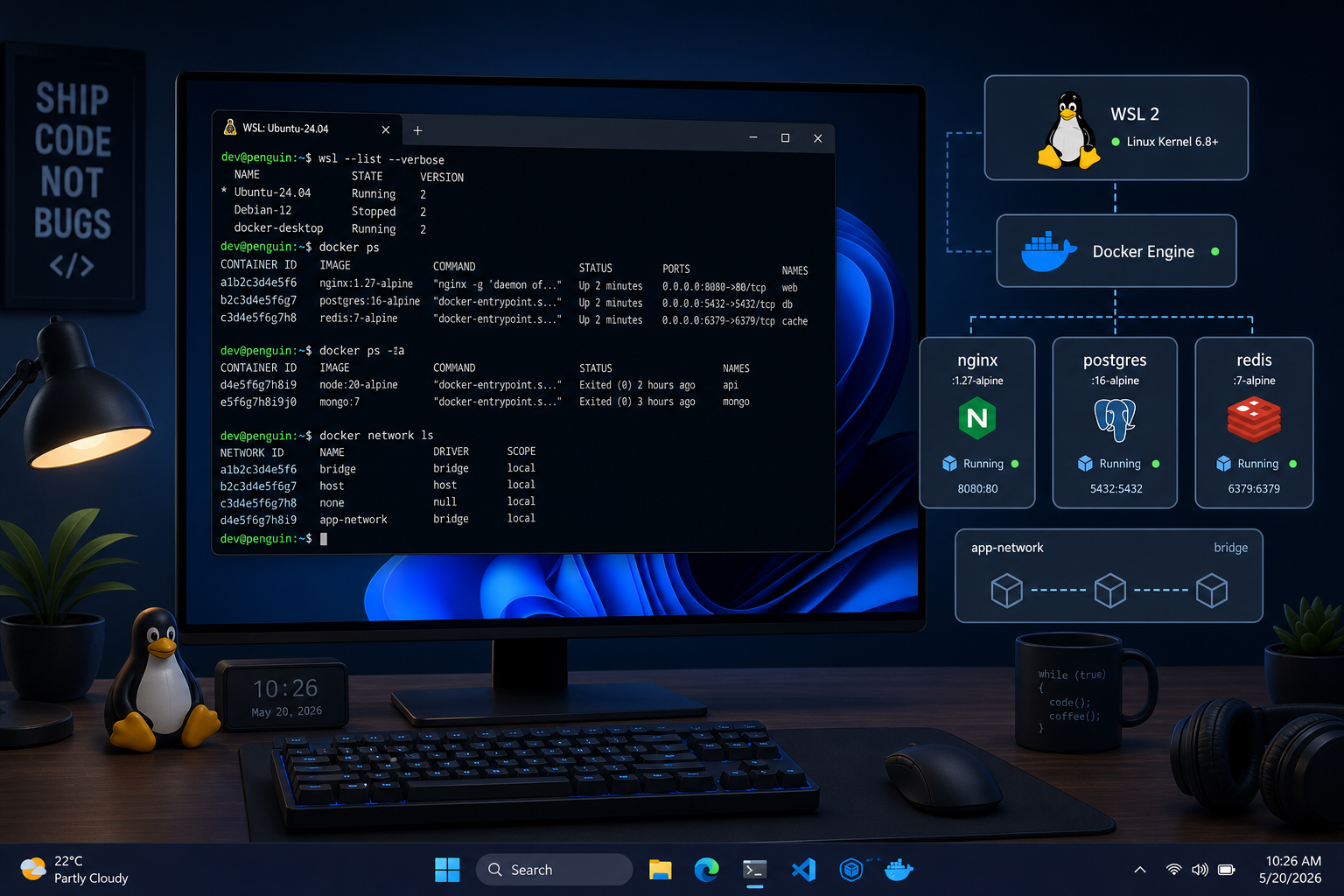
WSL containers are now available on Windows 11, and they represent the most significant shift in Windows developer tooling in years. Microsoft’s native Linux container runtime — released into public preview on 29 June 2026 — lets you build, run, and manage Linux containers directly inside the Windows Subsystem for Linux, with no Docker Desktop licence, no background service hogging RAM, and no compatibility workarounds needed. If you have ever wrestled with Docker Desktop on Windows, this is the news you have been waiting for.
What Are WSL Containers, Exactly?
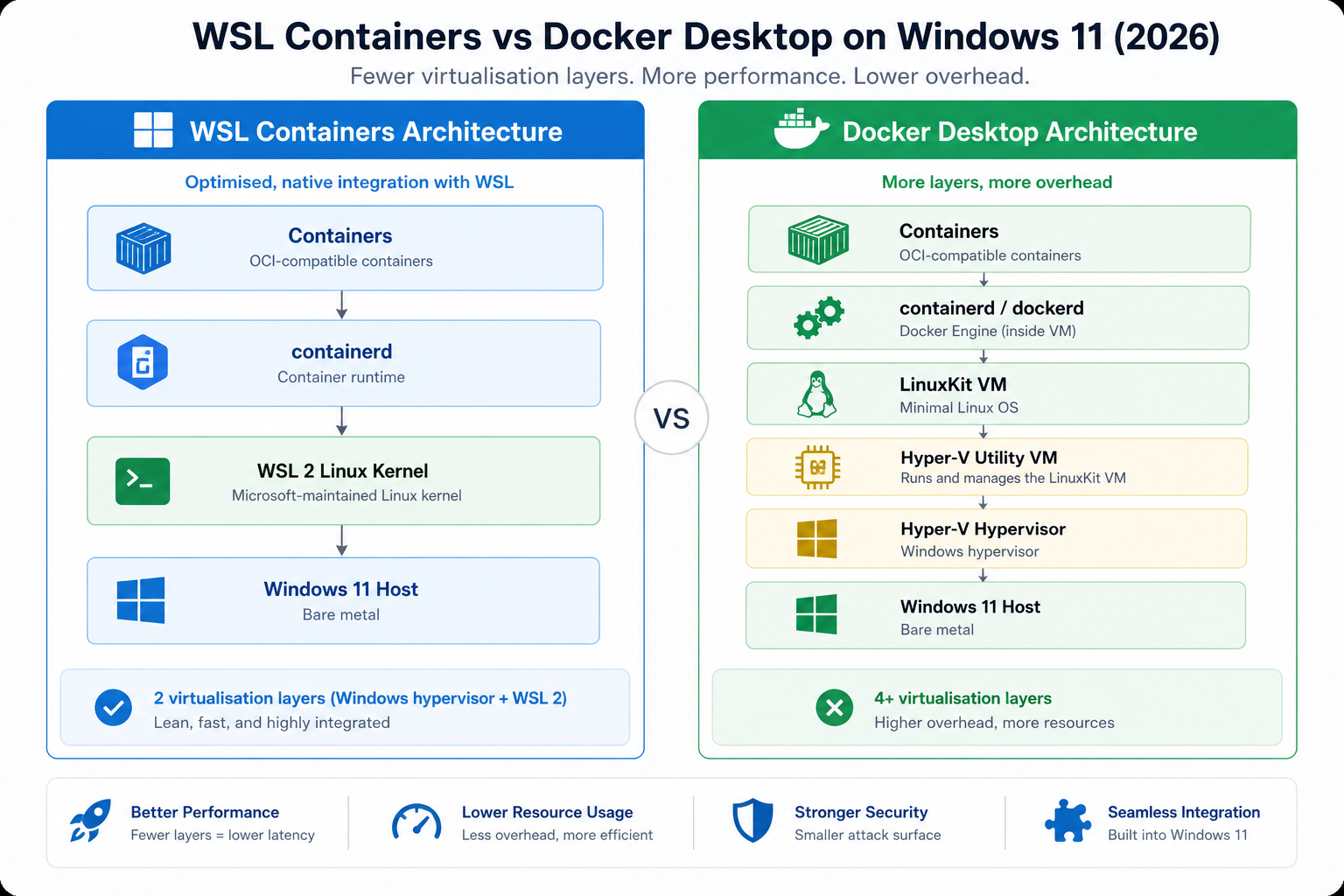
WSL containers are a new feature built directly into the Windows Subsystem for Linux. They add a built-in container CLI — wslc.exe — and an API that lets Windows applications spin up Linux containers as first-class workloads. Think of it as Microsoft quietly absorbing the one big reason many developers kept a Mac around or ran a dedicated Linux box. The runtime sits inside WSL itself, uses Hyper-V for isolation, and integrates with the Windows file system, networking stack, and VS Code — no third-party daemon in sight.
Announced at Microsoft Build 2026 and shipping to public preview days later, WSL containers signal that Microsoft is serious about making Windows the default developer platform, not just a compatible one. For a deeper technical breakdown of the earlier native container runtime experiments that led here, our post on the Windows 11 Linux container runtime covers the WSL2 groundwork in detail.
WSL Containers vs Docker Desktop: Key Differences
Docker Desktop is not going away overnight, but WSL containers change the value proposition on Windows 11 significantly. Here is how the two stacks compare across the areas that matter most day-to-day.
- Licensing: Docker Desktop requires a paid subscription for businesses above a certain size. WSL containers ship free with Windows 11 — no per-seat fee, no annual renewal.
- Resource overhead: Docker Desktop runs its own Linux VM under the hood. WSL containers integrate directly into the WSL runtime, meaning one fewer virtualisation layer and lower idle memory consumption.
- CLI compatibility:
wslc.exeuses a Docker-compatible CLI syntax, so existing scripts and Compose files need minimal adjustment. Muscle memory is preserved. - Windows integration: WSL containers expose a plugin API, allowing Windows applications to launch containers programmatically — something Docker Desktop never natively offered at the OS level.
- Enterprise readiness: Microsoft has positioned WSL containers as enterprise-ready from the start, with Hyper-V-backed isolation that satisfies most corporate security policies.
The bottom line: for Linux containers on Windows 11, WSL containers are now the lowest-friction path from code to container.
How the Docker-Compatible CLI Works
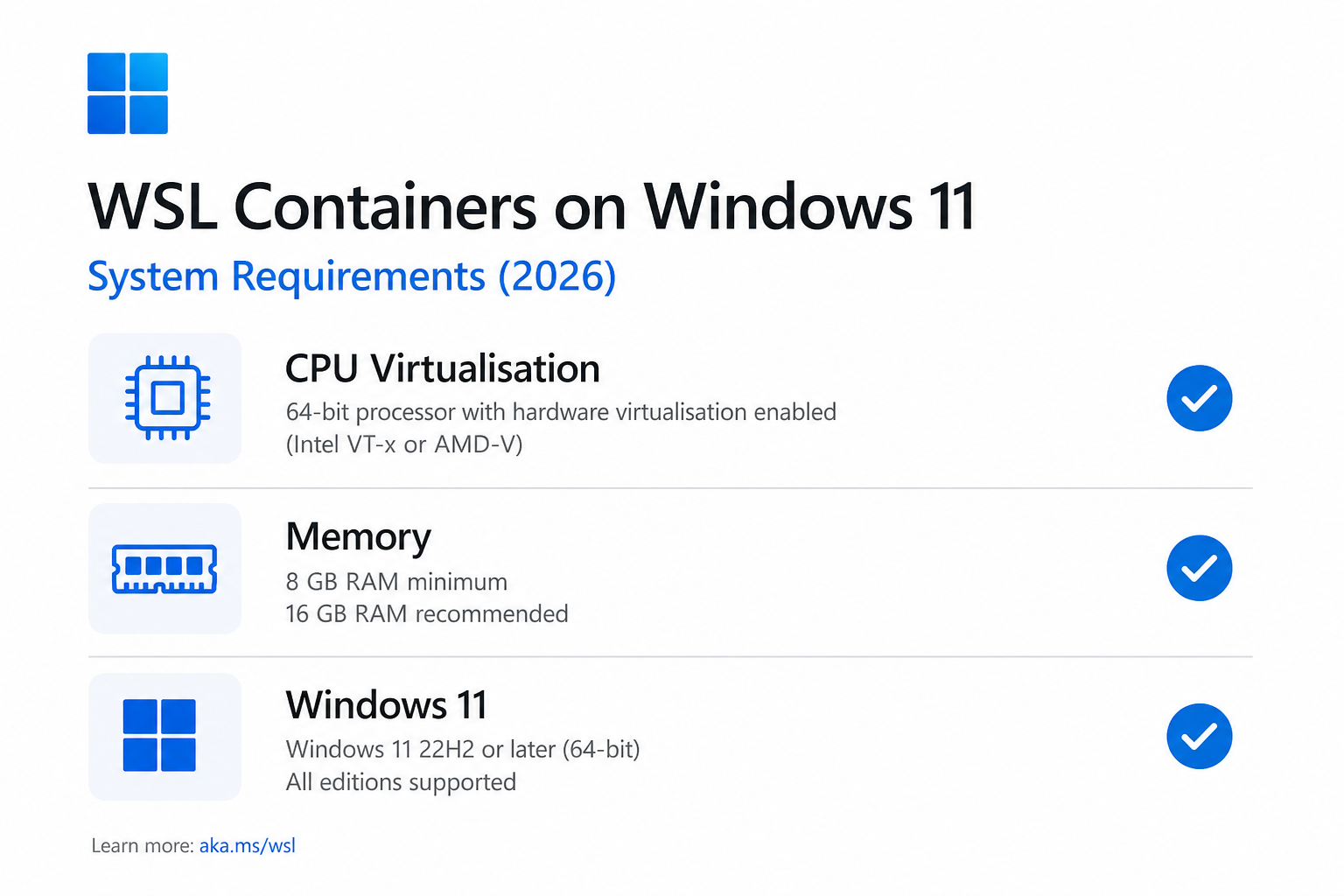
The new wslc.exe command is the entry point for Linux containers on Windows. Its syntax mirrors Docker closely by design. Commands like wslc run, wslc build, and wslc ps behave as you would expect, reducing the learning curve to near zero for anyone already comfortable with the Docker CLI. According to the official Microsoft Developer Blog announcement, WSL containers also expose a plugin API that lets Windows applications run Linux containers as part of native workflows — opening the door to deep IDE and CI/CD integration that was previously impossible without a separate daemon.
Compose file support means that teams migrating existing multi-service projects from Docker Desktop can do so without rewriting orchestration logic. That alone removes one of the biggest practical barriers to switching.
Linux Containers Windows: System Requirements
WSL containers are not a universal drop-in — there are prerequisites worth checking before you dive in.
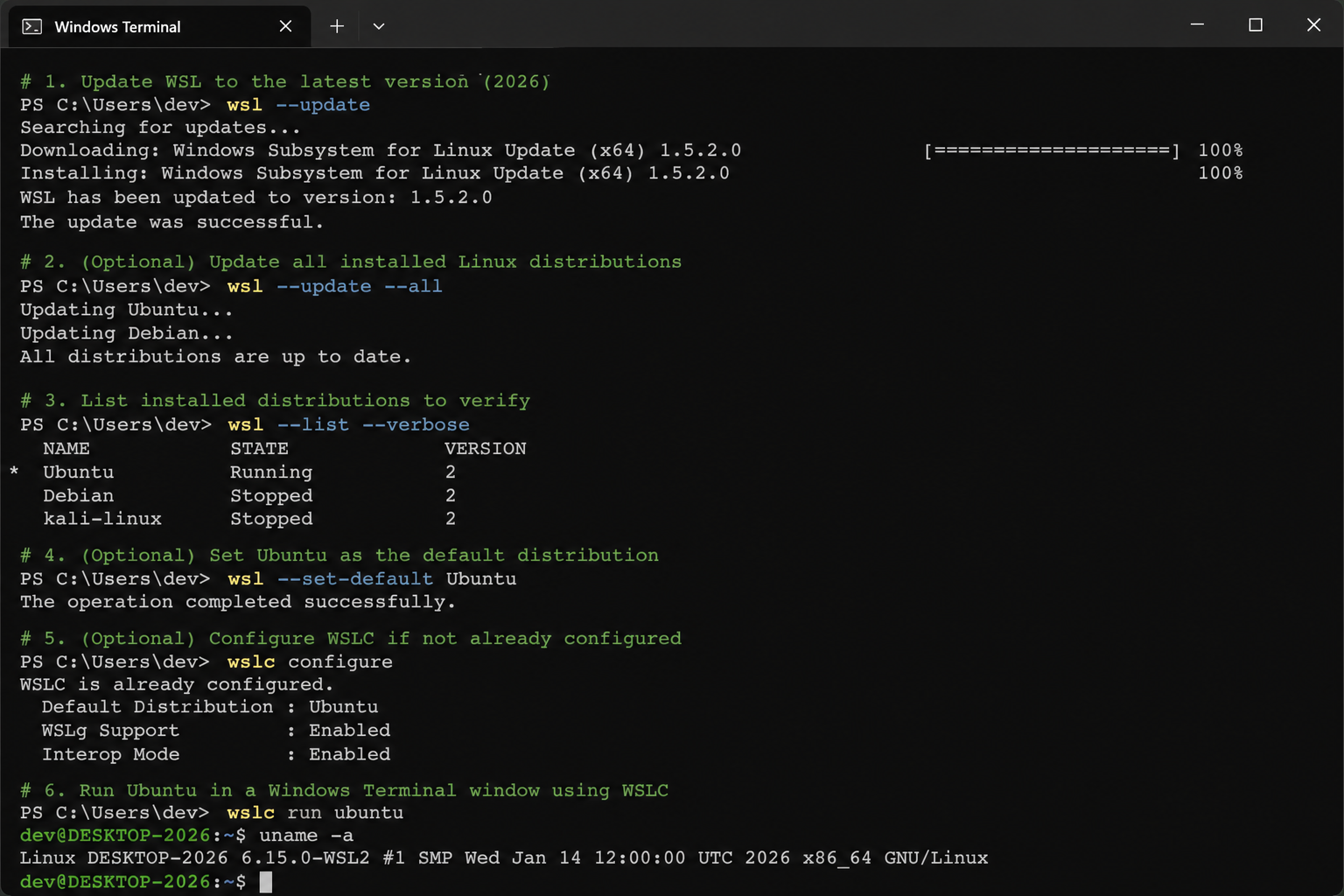
- Windows 11 (the Hyper-V dependency means Windows 10 is not supported)
- WSL installed and updated to the latest version from the Microsoft Store
- Virtualisation enabled in UEFI/BIOS
- A 64-bit CPU with hardware virtualisation support (Intel VT-x or AMD-V)
- At least 4 GB RAM (8 GB recommended for multi-container workloads)
If you are still on Windows 10, this is a concrete, practical reason to upgrade. Windows 10 reaches end of support in October 2025, and WSL containers alone justify moving to Windows 11 for any developer working with Linux containers regularly. Grab a genuine Windows 11 Pro licence to get started — it is currently available at TopKeyShop for €14.70 (Home) or the Pro edition to unlock all virtualisation and Hyper-V features.
WSL Containers Windows 11: Practical Use Cases
Where does this native Docker alternative actually shine in real-world development?
Local Development Environments
Spinning up a PostgreSQL or Redis instance, a Node.js API, and an Nginx reverse proxy in a Compose stack without ever leaving Windows is now seamless. WSL containers mount the Windows file system the same way WSL2 does, so your project files are accessible from both sides without copying or syncing.
AI and ML Workflows
Machine learning toolchains are notoriously painful to install natively on Windows. With Linux containers on Windows via wslc, you can pull a standard PyTorch or TensorFlow container image and have a reproducible, GPU-passthrough-capable environment running in minutes. Microsoft specifically called out AI/ML workflows as a target use case at Build 2026.
CI/CD Testing Locally
Reproducing pipeline failures locally is one of the most time-consuming parts of CI/CD debugging. Because WSL containers use the same OCI-compliant image format as Docker, pulling and running the exact container image your pipeline uses is straightforward — and far lighter than running a full VM snapshot.
Docker Alternative Windows: Replacing Docker Desktop Cleanly
Teams looking to eliminate Docker Desktop — whether for licensing cost reasons or to simplify their developer setup — can migrate incrementally. Existing Dockerfiles and Compose files largely work as-is. The Docker-compatible CLI means scripts and tooling that call docker commands can be aliased or updated with minimal effort.
What WSL Containers Do Not Replace (Yet)
Honest assessment matters here. WSL containers are in public preview, not general availability, which means rough edges exist. A few things Docker Desktop still does better at this stage:
- GUI management: Docker Desktop has a polished dashboard for managing images, volumes, and containers visually. WSL containers are CLI-first for now.
- Windows containers:
wslctargets Linux containers only. If your workflow requires native Windows containers, Docker Desktop remains the only first-party option. - Ecosystem plugins: Docker Desktop’s extensions marketplace offers hundreds of third-party integrations. The WSL containers plugin API is new and the ecosystem will take time to mature.
- Kubernetes integration: Docker Desktop ships with a one-click local Kubernetes cluster. WSL containers do not include this out of the box — you would still need to pair it with a tool like minikube or Kind.
Getting Started With WSL Containers Today
Installing and trying WSL containers during the public preview is straightforward. Microsoft’s official documentation on WSL container on Microsoft Learn is the authoritative starting point, covering installation, the wslc CLI reference, and known preview limitations.
In brief, the steps are:
- Ensure you are running Windows 11 with all updates applied.
- Open PowerShell as administrator and run
wsl --updateto get the latest WSL build. - Install the WSL container feature:
wsl --install-feature wsl-container. - Verify the install:
wslc --version. - Pull your first image:
wslc pull ubuntu:24.04. - Run a container:
wslc run -it ubuntu:24.04 bash.
For developers already running dual-boot setups or experimenting with Linux alongside Windows, our guide on Windows dual boot setup is a helpful companion — especially if you want to benchmark WSL containers against native Linux performance side by side.
Why This Matters Beyond Just Containers
WSL containers are not a standalone feature — they are a signal. Microsoft is steadily eliminating the reasons developers reach for macOS or a dedicated Linux machine. Between WSL2’s near-native Linux performance, the Windows Terminal, GitHub Copilot integration in VS Code, and now first-class Linux container support via wslc, Windows 11 in 2026 is a genuinely competitive developer platform in a way it was not three years ago.
For developers on the fence about upgrading their OS licence, the calculus has shifted. A proper Windows 11 Pro licence unlocks Hyper-V, the virtualisation layer WSL containers depend on — making the upgrade a direct enabler of this workflow, not just a cosmetic improvement. The Windows 11 category at TopKeyShop has options starting from €9.70, with Pro editions available if you need the full Hyper-V and enterprise feature set.
Frequently Asked Questions
Do WSL containers work on Windows 10?
No. WSL containers require Windows 11 due to the Hyper-V dependency that provides container isolation. Windows 10 does not support the kernel-level features that wslc relies on. With Windows 10 support ending in October 2025, upgrading to Windows 11 is the only path forward for WSL containers.
Are WSL containers free to use?
Yes. WSL containers ship as part of WSL, which is a free Windows feature. Unlike Docker Desktop — which requires a paid subscription for organisations with more than 250 employees or over $10 million in revenue — there is no licensing cost attached to wslc.
Is WSL containers the same as WSL 3?
No. Microsoft has explicitly denied that WSL 3 exists as a product. WSL containers are a new feature layer built on top of the existing WSL architecture, not a new major version. Think of it as WSL gaining container superpowers, not a ground-up rewrite.
Can I use Docker Compose files with WSL containers?
Yes. The wslc CLI is designed to be Docker-compatible, and Compose file support is included. Most existing docker-compose.yml files should work with minimal or no modification, which makes migrating existing projects from Docker Desktop much less disruptive.
Do I still need Docker Desktop if I use WSL containers?
Not for Linux container workflows on Windows 11. If your work exclusively involves Linux containers, WSL containers can fully replace Docker Desktop. You may still want Docker Desktop if you need Windows containers, a GUI management interface, or the Kubernetes integration it ships with.
Is WSL containers production-ready?
As of late June 2026, WSL containers are in public preview. Microsoft describes them as enterprise-ready in terms of security posture, but preview software can have rough edges and breaking changes. For production CI/CD pipelines, test thoroughly before committing to a full switch from Docker Desktop.
