

Windows 10 security updates have been extended — for a second time — all the way to October 2027, giving the hundreds of millions of users still running the OS a meaningful reprieve. Rather than facing an immediate security cliff, eligible consumers can now receive free patches for an additional year beyond what was already announced, without paying the Enterprise-grade Extended Security Update (ESU) fees that once applied only to businesses.
What Microsoft Actually Announced
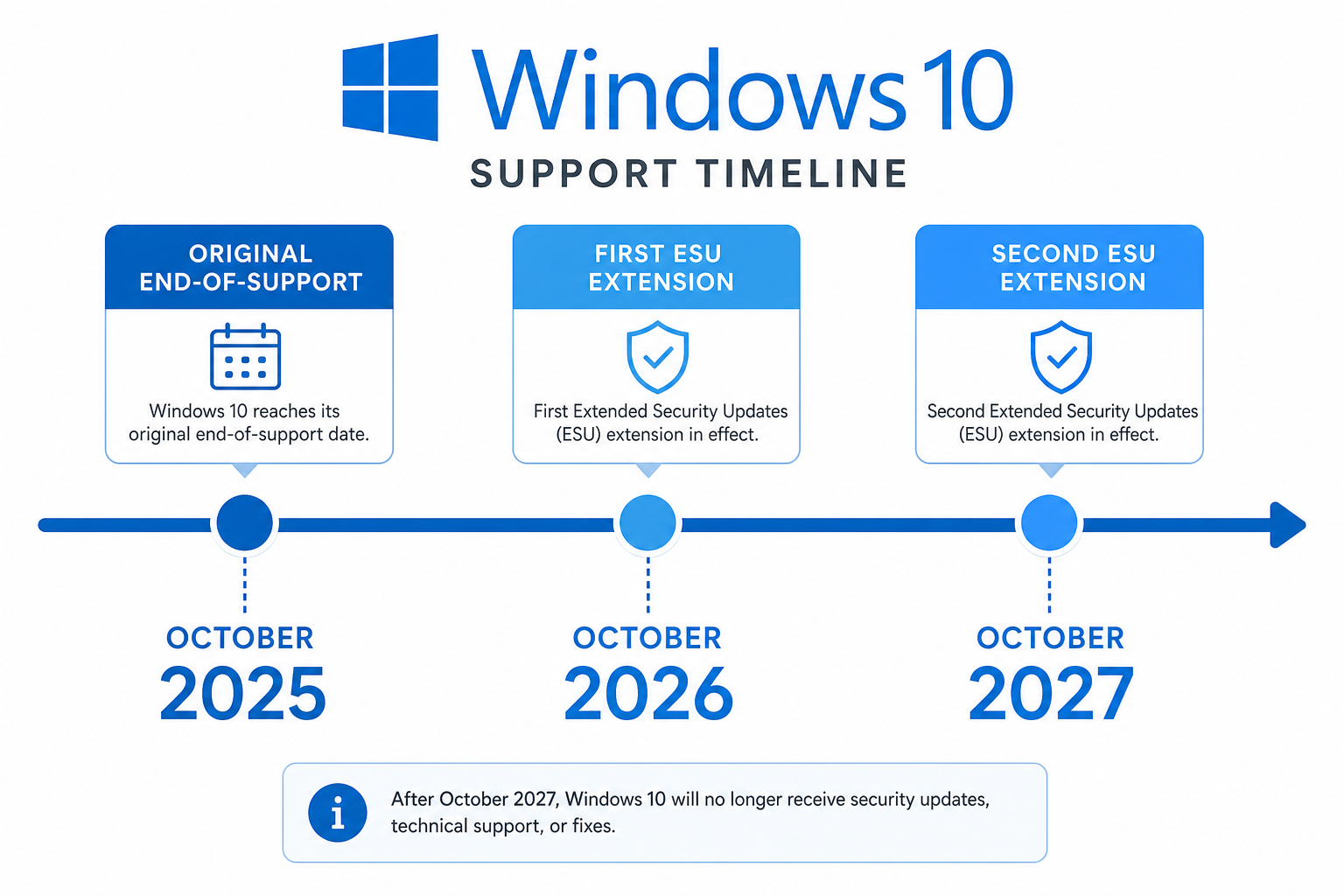
Microsoft’s original Windows 10 end-of-support date was October 14, 2025. After significant pushback — and the reality that roughly 240 million PCs running Windows 10 don’t meet Windows 11’s hardware requirements — Microsoft introduced a consumer ESU programme at no charge. The first free year covered October 2025 to October 2026. Now, in a second extension, Microsoft has quietly extended the free consumer ESU programme to October 12, 2027, giving users an additional year to plan their upgrade.
The key distinction from the paid enterprise ESU programme: eligible consumer devices simply need to be enrolled via a Microsoft account. No subscription fee. No IT department required.
Understanding Windows 10 Extended Support (ESU) Basics
Windows 10 extended support through the ESU programme delivers critical and important security patches only — it does not bring new features, performance improvements, or compatibility updates. Think of it as a security blanket, not a product upgrade.
- Coverage: Critical and important security patches only
- Eligibility: Consumer devices enrolled with a Microsoft account
- Cost (consumer): Free until October 12, 2027
- Cost (business): Paid tiers apply for commercial/enterprise users
- Programme end: October 12, 2027 — no further extensions currently planned
- Enrolment window: You can enrol any time before the programme ends
Microsoft’s official ESU page confirms you can enrol at any time until October 12, 2027, and your existing coverage continues automatically if you are already enrolled.
Windows 10 End of Life: The Real Deadline Is Now Fixed
Windows 10 end of life is genuinely, firmly set for October 12, 2027 for consumers using the free ESU programme. Microsoft has given no signals of a third extension. Industry analysts and the official product lifecycle documentation both treat this as a hard cut-off. After that date, no security patches will arrive — making any device still running Windows 10 an increasing liability for malware, ransomware, and zero-day exploits.
Planning around a fixed date is actually easier than living with uncertainty. If you know the clock stops in October 2027, you can budget and schedule your upgrade now — rather than scrambling when patches dry up overnight.
Why So Many PCs Are Still on Windows 10
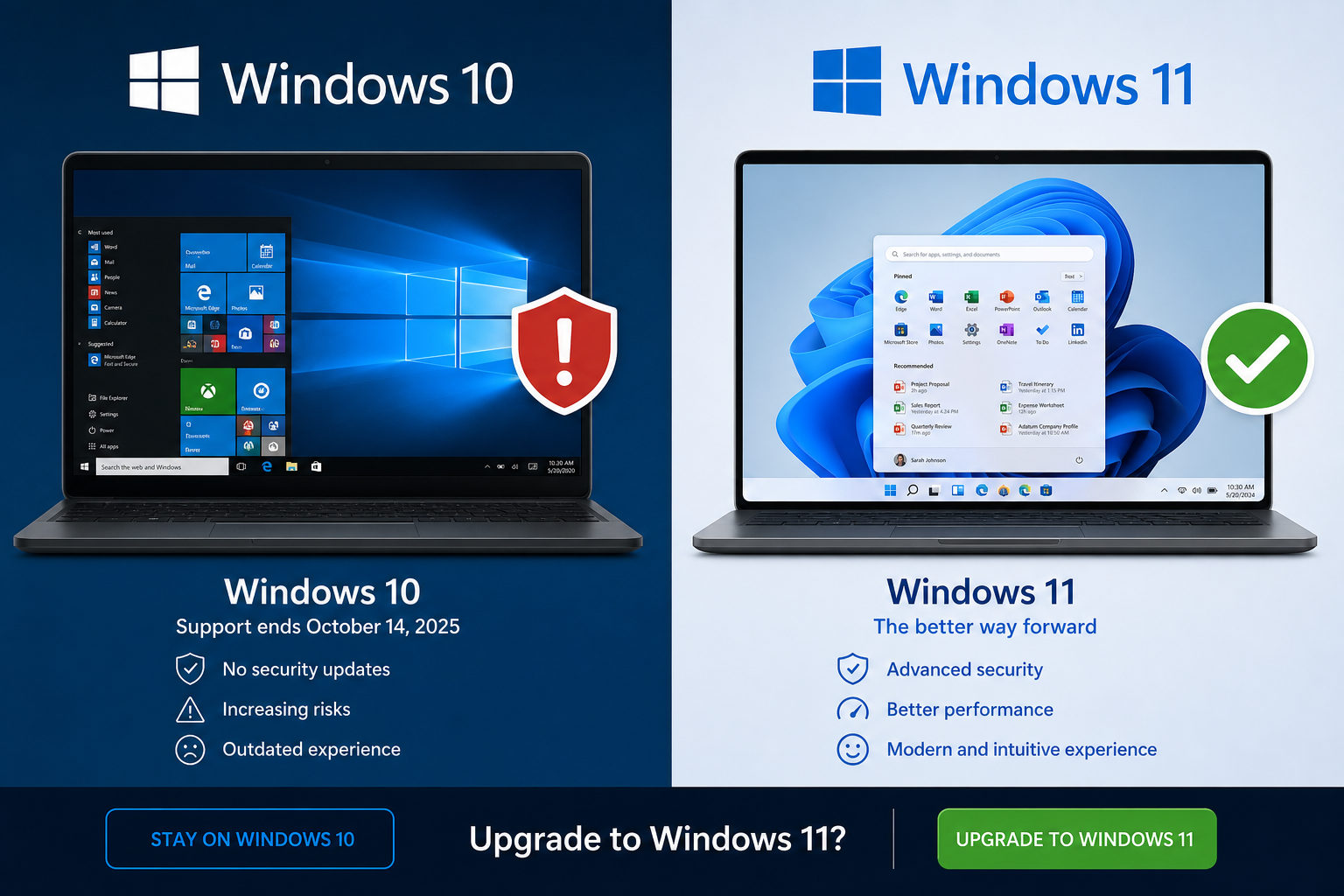
The extension did not happen by accident. Microsoft is acutely aware that a large share of its user base cannot — or will not — upgrade because of hardware limitations. Windows 11 requires a Trusted Platform Module (TPM) 2.0 chip and a compatible 64-bit CPU from Intel’s 8th generation or AMD’s Ryzen 2000 series and newer. Millions of otherwise perfectly functional machines fall outside those criteria.
There is also a human factor. Many home users and small businesses are simply comfortable with Windows 10, wary of learning a new interface, or hesitant to spend money on an upgrade during a period of economic pressure. The free ESU extension acknowledges that reality while still creating a genuine deadline to plan around.
Should You Upgrade to Windows 11 Now or Wait?
Windows 10 ESU buys time — but it does not buy parity with Windows 11. Here is how to think about the decision:
Upgrade Now If…
- Your hardware already meets Windows 11 requirements (check via the PC Health Check app)
- You want access to Copilot AI features, improved security architecture, and better performance on modern CPUs
- You manage multiple devices and want a single, current OS to support
- You run software that is increasingly dropping Windows 10 support
Wait If…
- Your hardware does not meet Windows 11’s requirements and a new PC is not yet in budget
- You rely on legacy software or peripherals that may not work under Windows 11
- Your organisation needs more time to test application compatibility
Either way, waiting beyond mid-2027 to decide is risky. Leave enough lead time for testing, procurement, and migration — especially if you manage more than a handful of devices.
How to Enrol in the Free Windows 10 ESU Programme
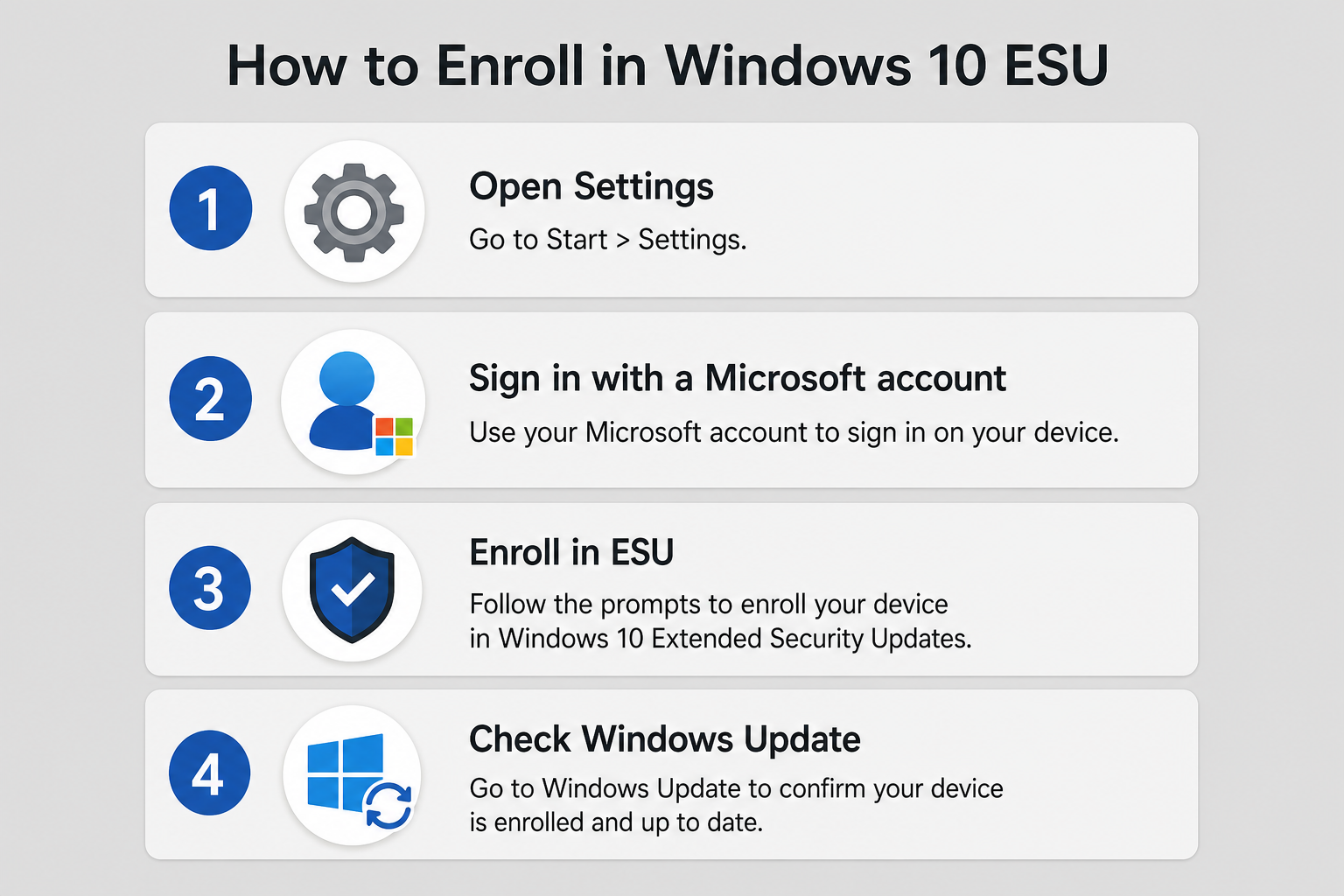
Enrolling your consumer Windows 10 PC in the free extended security update programme is straightforward:
- Ensure you are running Windows 10 version 22H2 — the final feature update for Windows 10 and the version required for ESU eligibility.
- Sign in to — or create — a Microsoft account and link it to your device via Settings > Accounts > Your Info.
- Visit the Microsoft ESU enrolment page and confirm your device’s eligibility.
- Updates will then flow through Windows Update automatically, as they always have — no separate patch process is required.
One important note flagged by security researchers: enrolling requires connecting your device to a Microsoft account, which introduces a degree of telemetry sharing. If privacy is a concern, weigh this against the benefit of continued patches before enrolling.
Planning Your Windows 11 Upgrade Timeline
With a firm October 2027 horizon, a phased transition makes sense. A practical timeline for individuals and small businesses might look like this:
- Now–early 2026: Audit your hardware. Run the PC Health Check tool to identify which devices can upgrade in-place and which need replacement.
- Mid-2026: Budget for new licences or hardware. Factor Windows 11 licences into annual IT spend.
- Late 2026–early 2027: Begin staged migration. Upgrade compatible devices first; replace incompatible hardware on a rolling schedule.
- By July 2027: Complete all migrations at least three months before the October 2027 deadline, leaving a buffer for troubleshooting.
Windows 10 ESU vs. Upgrading to Windows 11: Cost Comparison
The free consumer ESU programme removes the immediate financial argument for upgrading. But factor in the full picture. At TopKeyShop, a genuine Windows 10 Pro licence is available from as little as €7.50, and a Windows 11 Pro + Office 2024 bundle is priced from €19.10 — making the cost of moving to a fully supported, modern OS lower than many users realise.
Compare that with the risk of staying on an unpatched OS after October 2027: a single ransomware incident or data breach costs vastly more than a licence upgrade. The maths strongly favour planning your transition sooner rather than later.
What Changes — and What Doesn’t — Under Extended Support
It is worth being clear about what Windows 10 extended support does and does not deliver, so you can make genuinely informed decisions:
What You Still Get
- Monthly security patches for critical and important vulnerabilities
- Access to Windows Update as normal
- Continued Microsoft Defender antivirus definition updates
What You Lose (Already)
- New features and improvements — Windows 10 is functionally frozen at version 22H2
- Non-security bug fixes and quality updates
- New hardware driver support from Microsoft
- Long-term application support from third-party vendors who are already dropping Windows 10 compatibility
Frequently Asked Questions
Is the Windows 10 extended support extension really free for everyone?
For consumer (home) users, yes — free enrolment is available by signing in with a Microsoft account. Business and enterprise users face a tiered paid structure based on the number of devices. The free tier covers personal PCs, not commercial fleets.
Do I need to do anything to keep getting Windows 10 security updates?
If you were already receiving updates before October 2025, you need to enrol your device via a Microsoft account to participate in the ESU programme. Updates then continue to flow through the standard Windows Update channel automatically. No manual patch downloads are required.
Will Microsoft extend Windows 10 support a third time after 2027?
There are no signals from Microsoft that a further extension is planned. Every official communication and product lifecycle document treats October 12, 2027 as the final end date for the consumer ESU programme. Treat it as a hard deadline when planning.
Can I still upgrade from Windows 10 to Windows 11 for free?
Microsoft’s free upgrade path from Windows 10 to Windows 11 for eligible hardware remains available as of mid-2026. If your PC meets the hardware requirements, the in-place upgrade via Windows Update or the Installation Assistant costs nothing. You only need to purchase a licence if you are doing a clean install on a device without an existing licence.
What happens to my data when Windows 10 security updates end in 2027?
Your data does not disappear — but an unpatched machine becomes progressively more vulnerable to exploits targeting Windows 10 after patches stop. The sensible move is to migrate to Windows 11 (or a newer OS) before October 2027. Back up your data regularly regardless of which OS you run.
Where can I get a genuine Windows 11 licence to upgrade?
TopKeyShop offers genuine, original Windows 11 licences with fast email delivery and official download links. Explore the full Windows 10 and Windows 11 licence range to find the right edition for your needs — Home, Pro, or a bundled option with Office included.
