
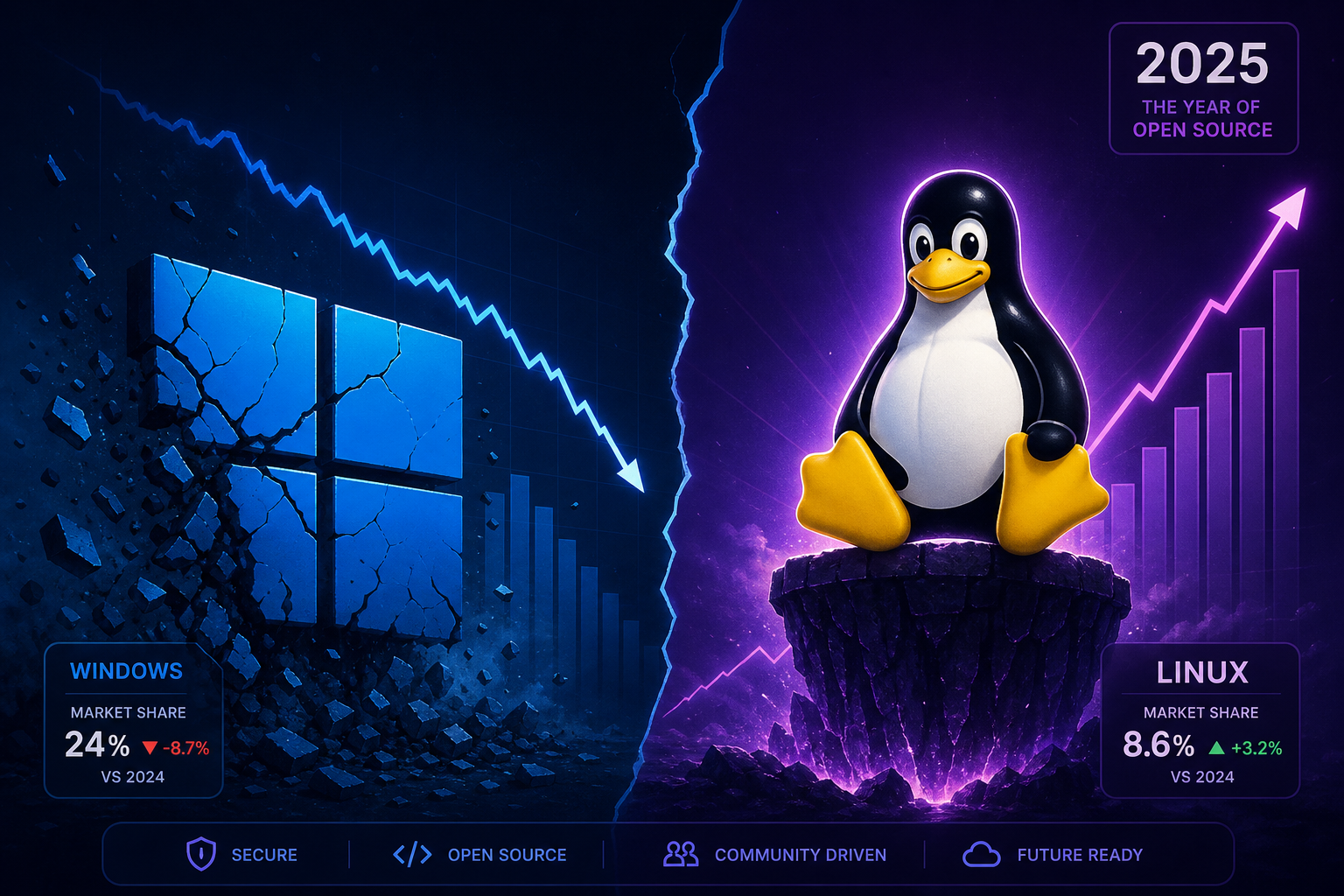
More PC users are switching to Linux than at any point in desktop computing history — and the numbers finally prove it. According to StatCounter data reported by ZDNet, Linux desktop has hit 10.65% market share in North America, a milestone that the open-source community has been chasing for over two decades. Windows’ share in the same region fell from 64.66% to 57.63% over the same period. So what finally broke the dam?
The Linux Desktop Number That Changes Everything
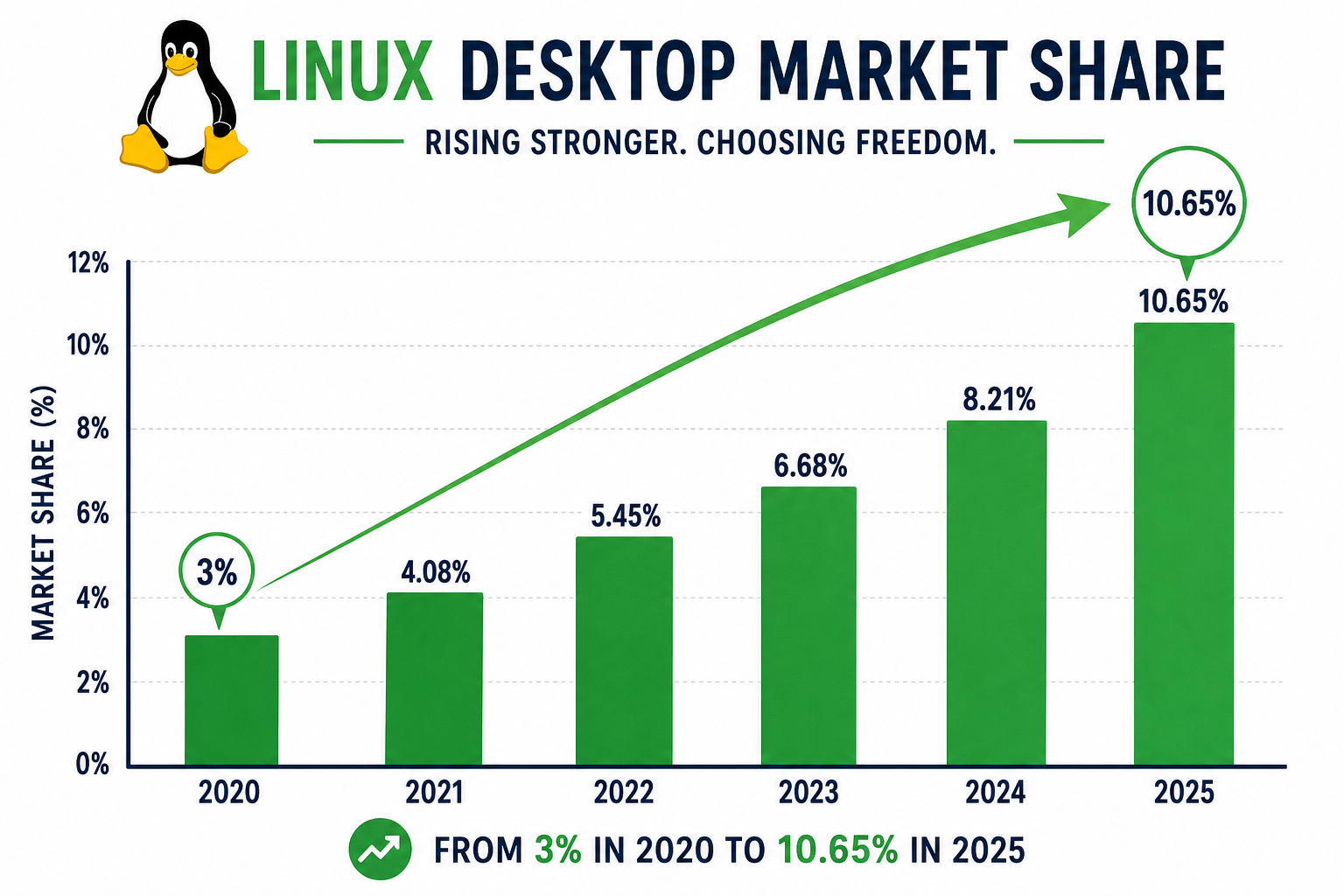
A 10% share might not sound dramatic in isolation, but context matters. For most of the past twenty years, the Linux desktop hovered stubbornly below 3% globally. Reaching double figures in North America — one of the most Windows-entrenched markets on the planet — signals a genuine behavioural shift, not a statistical blip. StatCounter’s global figures still show Linux at around 7.53% worldwide as of mid-2025, but the North American spike is the canary in the coal mine: when mainstream users in a convenience-first market start leaving Windows, something has gone seriously wrong for Microsoft.
Why Windows 11 Is Pushing Users Into Switching to Linux
Ask anyone who has recently tried switching to Linux what pushed them, and the answer is almost always Windows 11. The upgrade that was supposed to modernise Microsoft’s platform instead handed Linux its biggest growth driver in years. Three friction points stand out above all others.
Hardware Requirements That Left Millions Behind
Windows 11’s mandatory TPM 2.0 and CPU compatibility requirements locked out a huge installed base of perfectly functional machines. Millions of PCs that ran Windows 10 without complaint were declared incompatible overnight. Rather than pay for new hardware, a significant portion of those users asked a simple question: what else can I run? Linux was the answer — and it ran beautifully on the same “unsupported” hardware.
Advertising, Bloatware, and Forced Features
Windows 11 shipped with Start Menu ads, a mandatory Microsoft account requirement for Home users, Copilot integration that many found intrusive, and OneDrive nudges that felt relentless. For users who just wanted a desktop that got out of the way, these changes were the last straw. The Linux desktop, by contrast, offers a clean slate — no telemetry by default on most distros, no subscription prompts, no sponsored tiles.
Windows 10 End of Support Triggered the Windows to Linux Wave
Microsoft’s October 2025 end-of-support deadline for Windows 10 created a forced migration moment. Users who weren’t ready to move to Windows 11 — or whose hardware couldn’t — faced a choice: pay for Extended Security Updates, buy a new PC, or explore alternatives. Many chose the third option. The Windows to Linux pipeline accelerated sharply in the months leading up to and following that deadline.
Which Linux Desktop Distros Are Winning New Users?
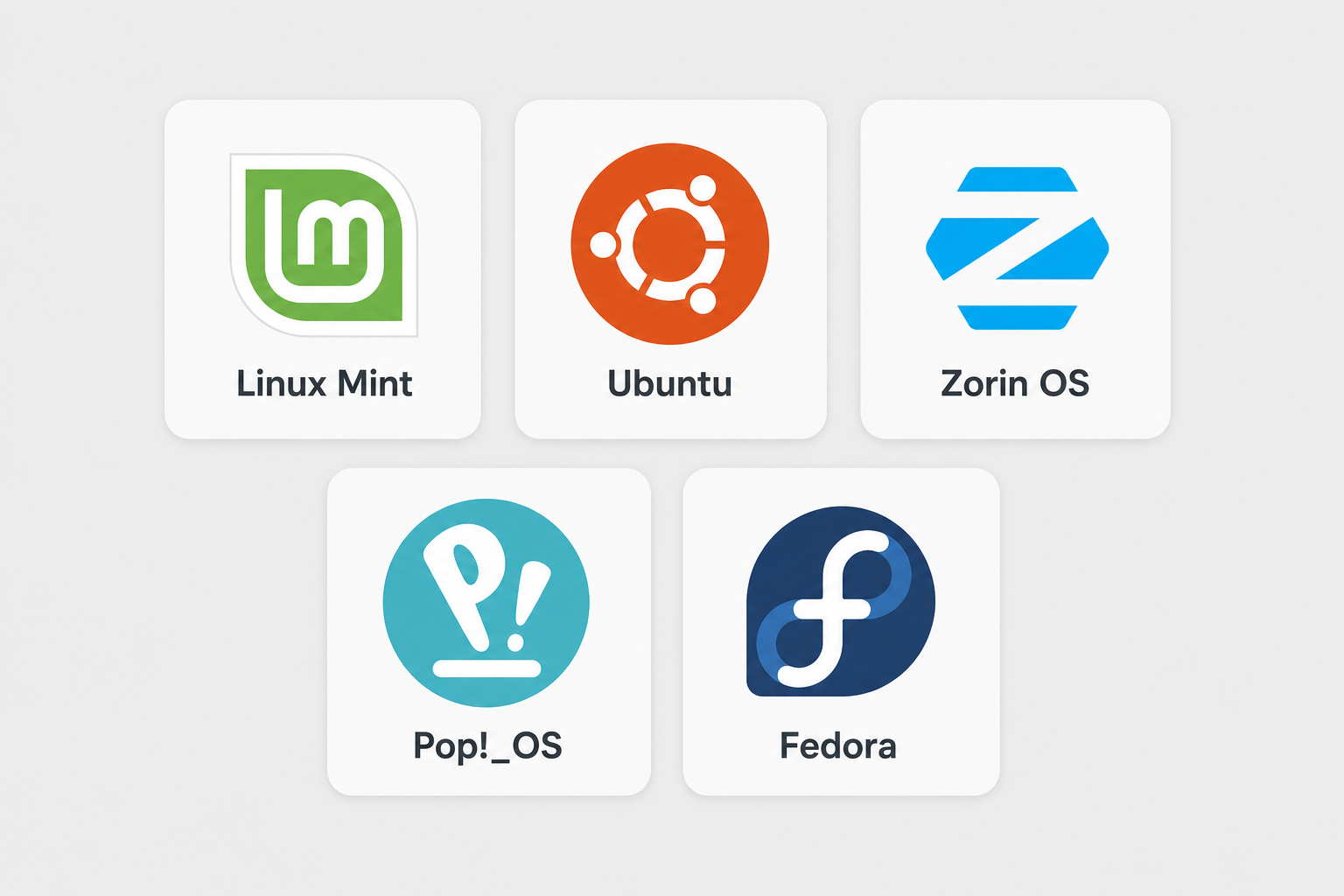
Not all Linux distributions benefit equally from the Windows exodus. The distros gaining the most traction among ex-Windows users share one trait: they minimise the learning curve.
-
Linux Mint — widely regarded as the friendliest entry point, with a familiar taskbar layout and a curated software manager that removes the need to touch a terminal.
-
Ubuntu — Canonical’s flagship remains the most Googled Linux distro, with unmatched driver support and a vast community knowledge base.
-
Zorin OS — specifically designed to look like Windows, making the visual transition almost invisible for new switchers.
-
Pop!_OS — popular with developers and gamers, particularly on NVIDIA hardware, thanks to System76’s driver integration.
-
Fedora — the choice of users who want cutting-edge packages without sacrificing stability.
Each of these distros has seen download spikes correlating directly with Windows 11 controversy cycles — hardware lock-out announcements, forced update rollouts, and AI feature controversies.
Gaming on Linux: The Valve Effect
One of the most powerful accelerants for switching to Linux has been Valve’s Steam Deck and the Proton compatibility layer. Proton allows a vast library of Windows games to run on Linux with minimal configuration, and as of 2025, over 20,000 Steam titles are either fully Proton-compatible or Deck Verified. This shattered the single biggest objection Windows gamers had about leaving Windows: that they would lose access to their game libraries. When gaming — historically Windows’ trump card — no longer requires Windows, the platform loses its most powerful lock-in.
What Switching to Linux Actually Looks Like Day-to-Day
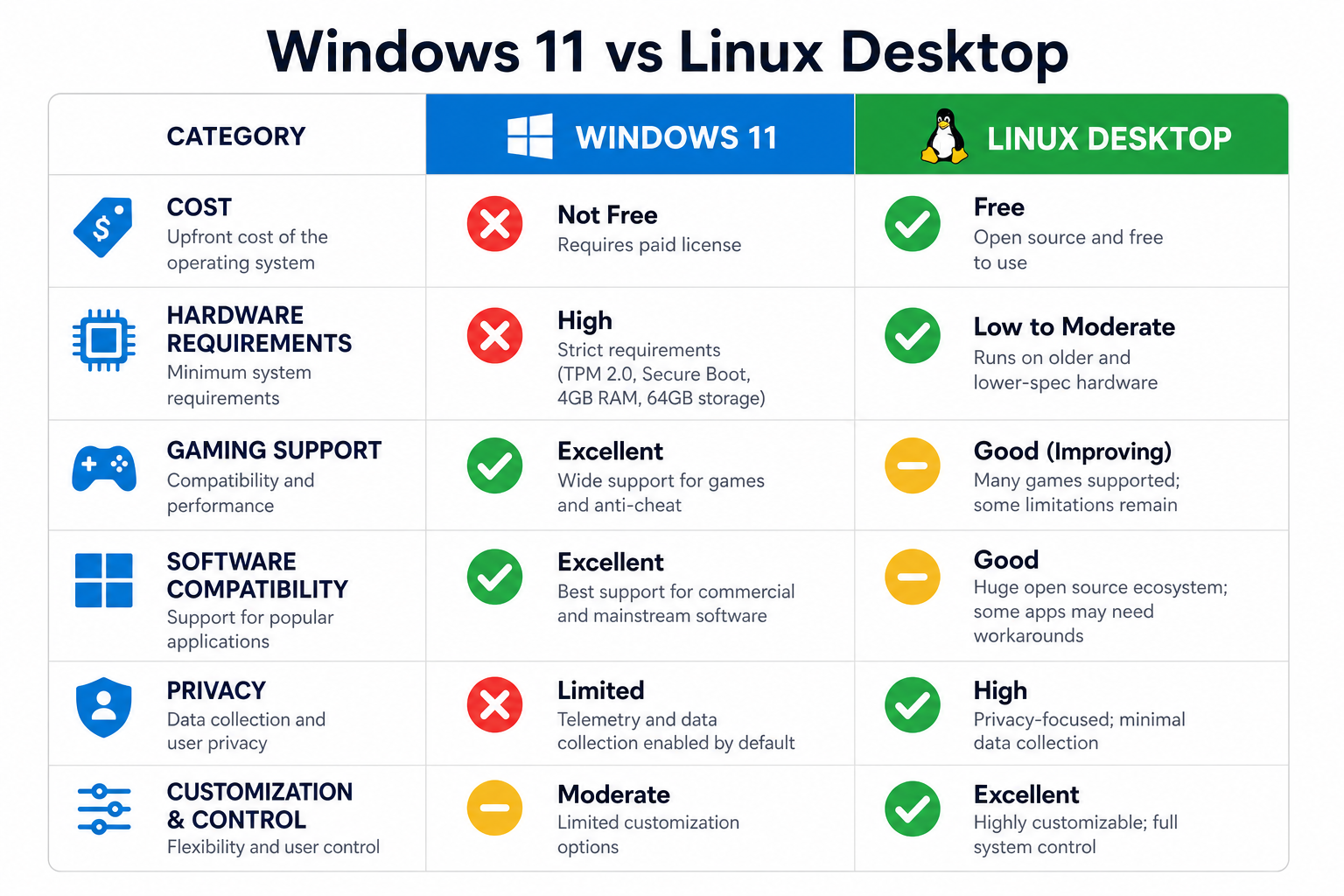
Critics of Windows to Linux migration often overstate the difficulty. The modern Linux desktop is genuinely different from its 2010 incarnation. Here is what the realistic picture looks like for a typical home user in 2025.
What Works Seamlessly
-
Web browsing — Chrome, Firefox, and Brave are all native Linux apps.
-
Email and calendar — Thunderbird, Evolution, and web-based Gmail are solid options.
-
Office productivity — LibreOffice handles most .docx and .xlsx files well; Google Docs removes compatibility concerns entirely.
-
Media playback — VLC and native codec support mean video and audio just work.
-
Photo management — Shotwell, digiKam, and Darktable cover most needs.
Where the Friction Still Exists
-
Adobe Creative Suite — Photoshop, Illustrator, and Premiere Pro have no native Linux versions. GIMP and Kdenlive are capable alternatives, but the workflow gap is real for professionals.
-
Microsoft 365 desktop apps — Word, Excel, and PowerPoint do not run natively. Web versions work, but feature parity is imperfect.
-
Specialist software — industry-specific tools in architecture, engineering, and finance often have no Linux equivalent.
-
Peripheral drivers — printers and scanners remain the most common pain points, though CUPS support has improved significantly.
If you want to explore a hybrid approach — keeping Windows for the software that demands it while running Linux alongside it — our Windows dual boot setup guide walks through the entire process safely, from partitioning to bootloader configuration.
Can Windows Recover?
Microsoft is not standing still. Windows 11 quality updates through 2026 have addressed several of the most-cited grievances — USB4 fixes, File Explorer overhauls, and a quieter Copilot integration. The company has also softened the mandatory Microsoft account requirement for some installation paths. But the damage to trust is structural, not cosmetic. Users who have already made the switch and found the Linux desktop meets their needs are unlikely to return without a compelling reason — and Microsoft has not yet articulated one.
The more significant long-term threat is behavioural: a generation of new PC users discovering Linux first — on school servers, developer laptops, and Steam Decks — will have no Windows muscle memory to overcome. That demographic headwind is hard to reverse with a software patch.
For users who do want to stay in the Windows ecosystem — or who need Windows-specific software — it is worth noting that Windows 11 Home is available from Top Key Shop from just €14.70, with genuine licence keys and fast email delivery. If you are on the fence about upgrading rather than switching, that cost barrier is lower than many assume. And if you are still running Windows 10 and want to compare your options before the end-of-support pressure forces a decision, our Windows 11 vs Linux comparison covers exactly what the real-world differences look like.
The Bigger Picture: Competition Is Good for Everyone
Whatever your platform preference, a world where PC users are switching to Linux in meaningful numbers is ultimately healthy for the entire desktop ecosystem. Microsoft has historically improved Windows most aggressively when it felt competitive pressure — the quality surge that turned Windows XP into a genuinely stable platform came partly because Apple’s OS X was embarrassing it. Linux crossing 10% does not threaten Windows’ dominance, but it does signal to Redmond that users have options and are willing to use them. That pressure, sustained, is the best argument for a better Windows — and a better Linux.
According to ZDNet’s analysis of the StatCounter data, Windows is in decline and both macOS and Linux are gaining ground — a competitive dynamic the desktop market has not seen this clearly in over a decade.
Frequently Asked Questions
Is switching to Linux difficult for a Windows user?
For everyday tasks like web browsing, email, and document editing, modern Linux distributions such as Linux Mint or Zorin OS are genuinely beginner-friendly. The biggest adjustment is the software ecosystem: if you rely on Adobe Creative Suite or specialist Windows-only applications, there will be a learning curve finding alternatives. For general home computing, most users adapt within a week or two.
Will my Windows software run on Linux?
Many Windows applications can run on Linux through compatibility layers like Wine or Proton. Games on Steam have particularly strong support — over 20,000 titles are compatible via Proton. However, demanding professional software like the full Adobe suite or AutoCAD does not have native Linux versions and may not run well through compatibility layers. Check ProtonDB for game-specific compatibility ratings before committing to the switch.
Can I run Windows and Linux on the same PC?
Yes — dual booting lets you install both operating systems on one machine and choose which to load at startup. It is one of the safest ways to try the Linux desktop without abandoning Windows entirely. Our dedicated guide covers the full dual boot setup process, including partitioning and bootloader configuration, so you keep both systems working cleanly.
Why Are PC Users Leaving Windows for Linux?
The primary drivers are Windows 11’s restrictive hardware requirements (particularly TPM 2.0), built-in advertising and bloatware, the forced Microsoft account sign-in, and the end-of-support deadline for Windows 10. Together, these pushed a large cohort of users to explore alternatives — and the improved state of the Linux desktop meant many of those users stayed.
Is Linux really free? Are there hidden costs?
The vast majority of Linux distributions are completely free to download, install, and use, with no licence fees or subscription costs. Some commercial distributions aimed at enterprises charge for support contracts, but home users will never need those. The main “cost” is time: learning a new environment and finding Linux-native alternatives for any Windows-only software you currently use.
