

Choosing the right video editing software in 2026 is no small decision — especially if motion design or vector-heavy creative work sits at the heart of your practice. Whether you’re animating SVG logos, building title sequences, or compositing layered graphic elements into a finished film, the tool you pick shapes every hour of your workflow. This guide cuts through the noise and focuses on what genuinely matters for designers who live between the worlds of illustration and video.
Why Motion Designers Need More Than a Basic Video Editor
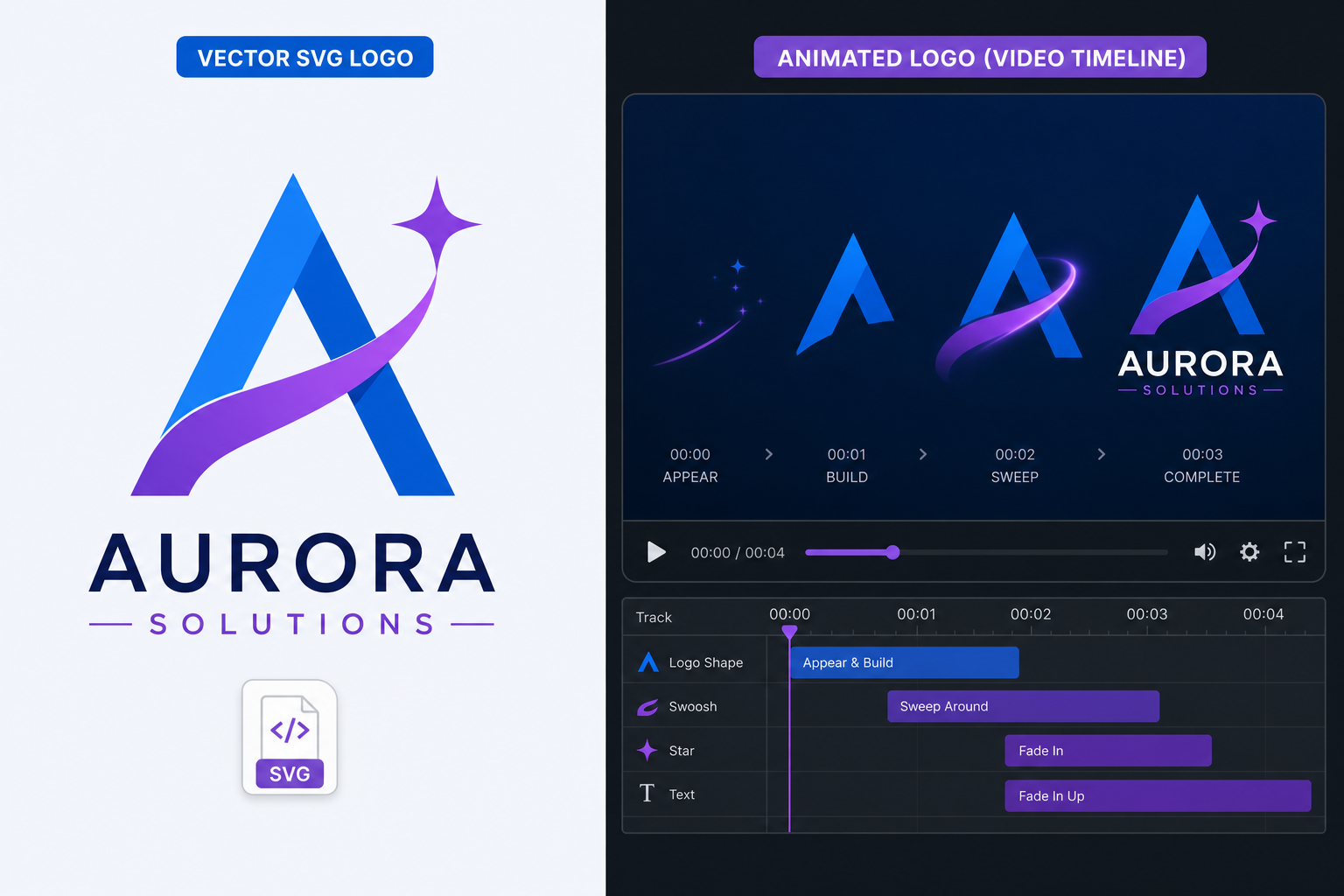
Standard video editing covers cuts, colour grades, and audio. Motion designers need more: native vector support, compositing layers, expression-driven keyframes, and tight interoperability with tools like Adobe Illustrator or CorelDRAW. The best video editor for a motion designer is one that treats graphic assets as first-class objects — not just flattened bitmaps dropped on a timeline.
In 2026 the gap between “video editor” and “motion graphics tool” has narrowed considerably, with AI-assisted keyframing and real-time GPU rendering now standard in the premium tier. That said, the wrong choice still costs weeks of re-learning. Here is what the top contenders offer.
Adobe Premiere Pro + After Effects — The Industry Standard Combo
For professional motion design software, nothing matches the Adobe duo. Premiere Pro handles the edit; After Effects handles every animated graphic, title, and composited element. The two share Dynamic Link, meaning you can open an After Effects composition directly on a Premiere timeline without rendering — a real-world timesaver on deadline.
The vector story is strong. After Effects now imports SVG files as native, editable shape layers — no conversion, no rasterisation. According to Adobe’s official SVG import documentation, you can bring in an SVG and immediately animate each path individually, preserving full vector fidelity at any output resolution. Illustrator files remain the gold standard for handoff: import an .ai file as a composition and every named layer becomes an animatable layer in After Effects.
- Vector support: Native SVG import as shape layers; full Illustrator layer preservation
- Motion graphics: Motion Graphics Templates (.mogrt) for reusable, brand-consistent animated assets
- AI tools: Generative Extend, auto-reframe, and speech-to-text captions built in
- Collaboration: Team Projects with version history for studio teams
- Platform: Windows and macOS
Both apps are available through Adobe Creative Cloud, which TopKeyShop offers from €39.50 for a 1-month licence — a flexible entry point if you want to trial the full suite before committing to an annual plan.
DaVinci Resolve — Best Free Video Editor for 2026
DaVinci Resolve remains the most powerful free video editor 2026 has to offer. Blackmagic Design’s professional-grade NLE bundles colour grading, audio post (Fairlight), visual effects (Fusion), and a cut page in a single download at no cost. The Studio version — a one-time purchase — adds GPU-accelerated noise reduction, more Fusion effects, and collaboration tools.
For motion designers, Fusion is the headline feature. It is a node-based compositor that rivals After Effects for many tasks, with built-in vector paint tools and the ability to import vector graphics from Illustrator-compatible formats. The learning curve is steeper than After Effects’ layer model, but the zero subscription cost makes it an exceptional option for freelancers or small studios watching budgets.
- Price: Free (Studio version is a one-time purchase)
- Vector integration: EPS and AI import via Fusion; vector-quality masking tools
- Colour grading: Hollywood-standard node-based colour science
- Platform: Windows, macOS, Linux
Final Cut Pro — Best Motion Design Software for Mac Users
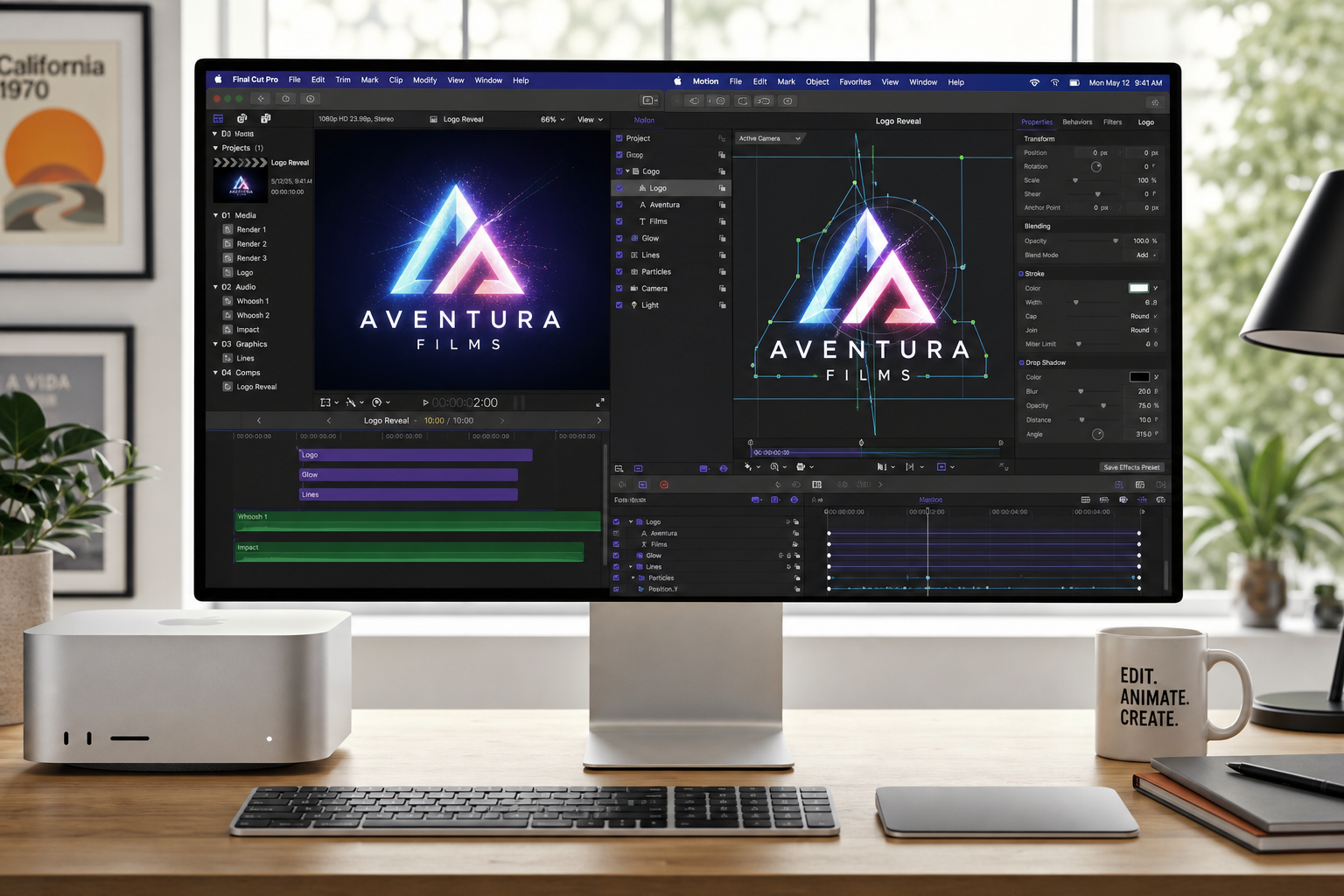
Apple’s Final Cut Pro continues to be the top-rated motion design software choice for Mac-only studios in 2026. Its magnetic timeline speeds up rough cuts dramatically, while Motion — Apple’s companion motion graphics app — brings full GPU-accelerated animation, particle systems, and built-in behaviours that reduce manual keyframing.
Motion imports PDF and SVG vector files and renders them at full resolution regardless of scale — ideal for logo animations. The integration between Final Cut and Motion means publishing a Motion template takes seconds, and editors without a design background can use those templates safely, keeping brand assets consistent.
- Vector support: PDF and SVG import in Motion; resolution-independent output
- Workflow speed: Magnetic timeline and background rendering keep exports moving
- One-time purchase: No subscription — one payment, lifetime use
- Platform: macOS only
Blackmagic HyperDeck and CapCut Pro — Worth a Look?
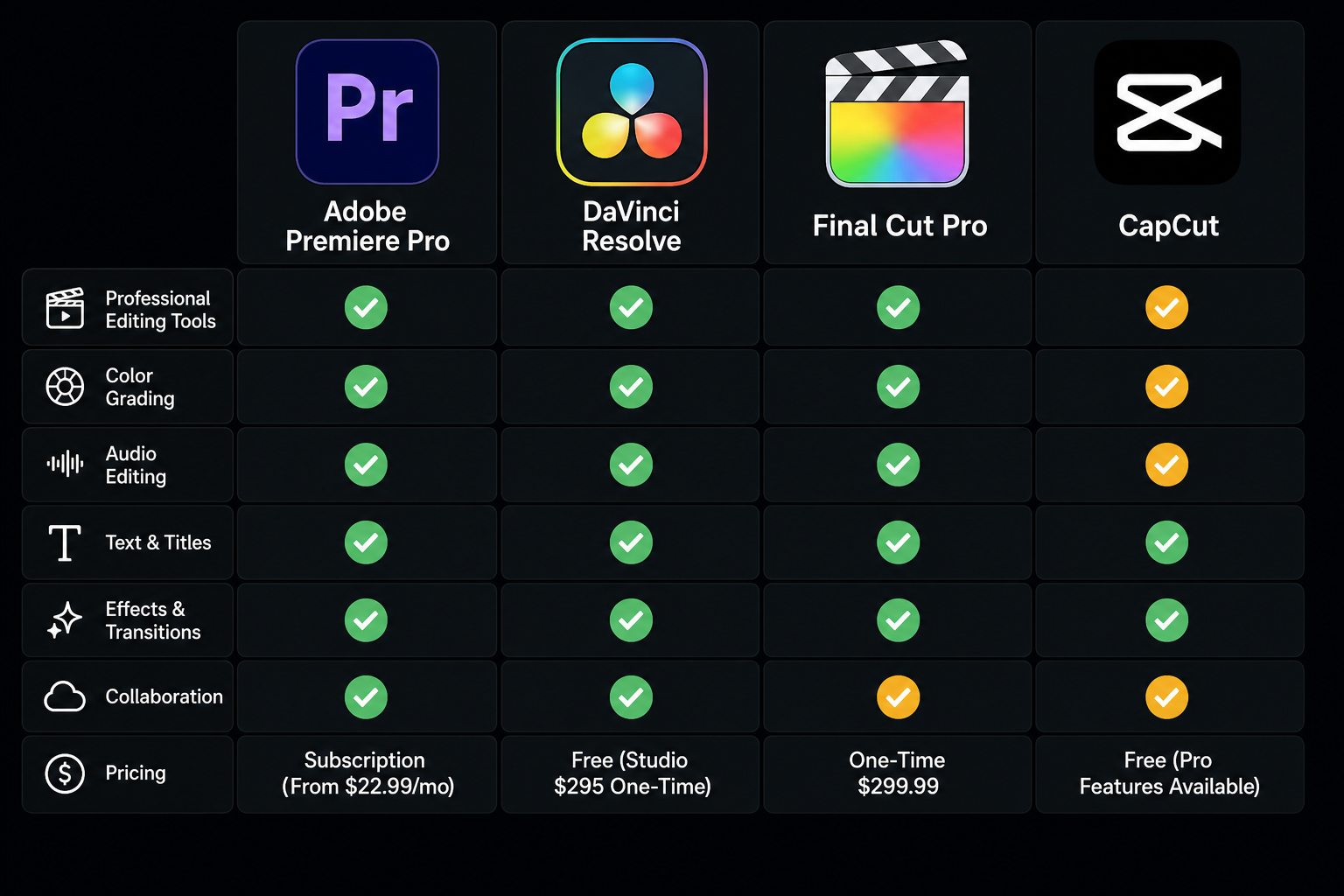
Not every project needs a full NLE. CapCut Pro — originally a mobile app — has matured into a capable desktop best video editor for social-first content, with AI-powered auto-captions, background removal, and template-driven motion graphics that take minutes rather than hours. It does not offer meaningful vector workflow support, so it sits outside the core motion-designer toolkit — but if you need fast turnarounds on short-form video, it competes strongly with more complex tools.
How Vector Graphics Integration Works Across These Tools
Understanding how each app handles vector assets is crucial for any designer moving between illustration and video editing software. Here is a quick comparison:
- Adobe After Effects: Native SVG import to editable shape layers (2024 update). Illustrator CC files retain layer names and group structure. Best-in-class for path-level animation.
- DaVinci Resolve Fusion: Imports EPS; vector paint brushes produce resolution-independent strokes. No direct SVG-to-shape-layer equivalent, but MediaIn nodes handle most formats.
- Apple Motion: PDF and SVG at full fidelity. Ideal for logo reveals and icon animations where crisp edges at any resolution are non-negotiable.
- Premiere Pro: Handles Illustrator files on the timeline as flattened clips; for animated vector work, the asset should be pre-composed in After Effects via Dynamic Link.
If your practice is rooted in vector illustration — particularly if you already work in CorelDRAW — it is worth exploring how your existing files export. CorelDRAW can export to SVG, AI, and PDF, all of which the editors above can read. The CorelDRAW range at TopKeyShop includes lifetime licences from €29.90, making it a cost-effective anchor for the vector end of a motion design workflow.
AI Features Shaping Video Editing Software in 2026
AI has moved from gimmick to genuine timesaver in video editor 2026 releases. The features that actually matter for working designers include:
- Generative fill and extend — Premiere Pro’s Generative Extend fills gaps between clips without visible seams, removing the need to pad b-roll.
- Auto-reframe — Intelligently crops and repositions footage for different aspect ratios (9:16, 1:1, 4:5) in a single click, useful when a single edit needs to live across platforms.
- AI rotoscoping — Isolating subjects from backgrounds used to take hours; in 2026 it takes seconds in both Premiere Pro and DaVinci Resolve.
- Text-based editing — Premiere Pro and CapCut both let you delete spoken words from a transcript to cut video — a workflow borrowed from podcast production that now belongs firmly in motion design too.
Which Video Editing Software Should You Choose in 2026?
The right answer depends on your workflow anchor point. Here is a fast decision framework:
- You animate SVGs and Illustrator files daily → Adobe After Effects + Premiere Pro via Adobe Creative Cloud (1-Year licence at €348.00).
- You want broadcast-grade colour with no subscription → DaVinci Resolve (free) or Resolve Studio (one-time fee).
- You work exclusively on Mac and value speed → Final Cut Pro + Motion.
- You create social-first short-form content quickly → CapCut Pro.
- You need your vector design tool to feed the video pipeline → Pair CorelDRAW (SVG/AI export) with After Effects or Motion for a clean handoff.
No single tool wins every category in 2026 — but for most motion designers the Adobe ecosystem still offers the deepest integration between vector design and animated output, while DaVinci Resolve is the strongest free alternative when budget is the deciding factor.
Frequently Asked Questions
What is the best video editing software in 2026 for beginners?
For beginners, CapCut Pro and Adobe Premiere Elements offer the friendliest on-ramps. Premiere Elements strips away the professional complexity of Premiere Pro while retaining solid auto-editing tools and a guided edit mode. CapCut’s template-driven approach means you can produce polished results within minutes of opening the app.
Is DaVinci Resolve good enough to replace Premiere Pro?
For many editors, yes. DaVinci Resolve handles multi-cam edits, colour grading, audio mixing, and Fusion-based compositing in a single free application. Where it falls short for motion designers specifically is the SVG-to-shape-layer animation workflow — After Effects still leads there. Resolve is the better choice if colour science is your priority.
Can I use CorelDRAW assets in video editing software?
Yes. CorelDRAW exports to SVG, PDF, and Adobe Illustrator (.ai) formats, all of which are compatible with After Effects, Apple Motion, and DaVinci Resolve Fusion. For the cleanest handoff, export individual layers as separate SVG files or as a layered PDF, then import into your chosen video editor.
Does Adobe Creative Cloud include After Effects and Premiere Pro?
Yes. The full Adobe Creative Cloud All Apps plan includes both Premiere Pro and After Effects, along with Illustrator, Photoshop, and over 20 other applications. TopKeyShop offers Creative Cloud licences starting from €39.50 for one month, giving you access to the complete motion design toolkit without a long-term commitment.
What video editing software is best for motion graphics specifically?
Adobe After Effects is the industry benchmark for motion graphics in 2026, used on virtually every broadcast and streaming production. For 3D motion work, Cinema 4D and Blender are the leading complements to After Effects. DaVinci Resolve’s Fusion module is a strong free alternative for node-based compositing and motion design on a budget.
