
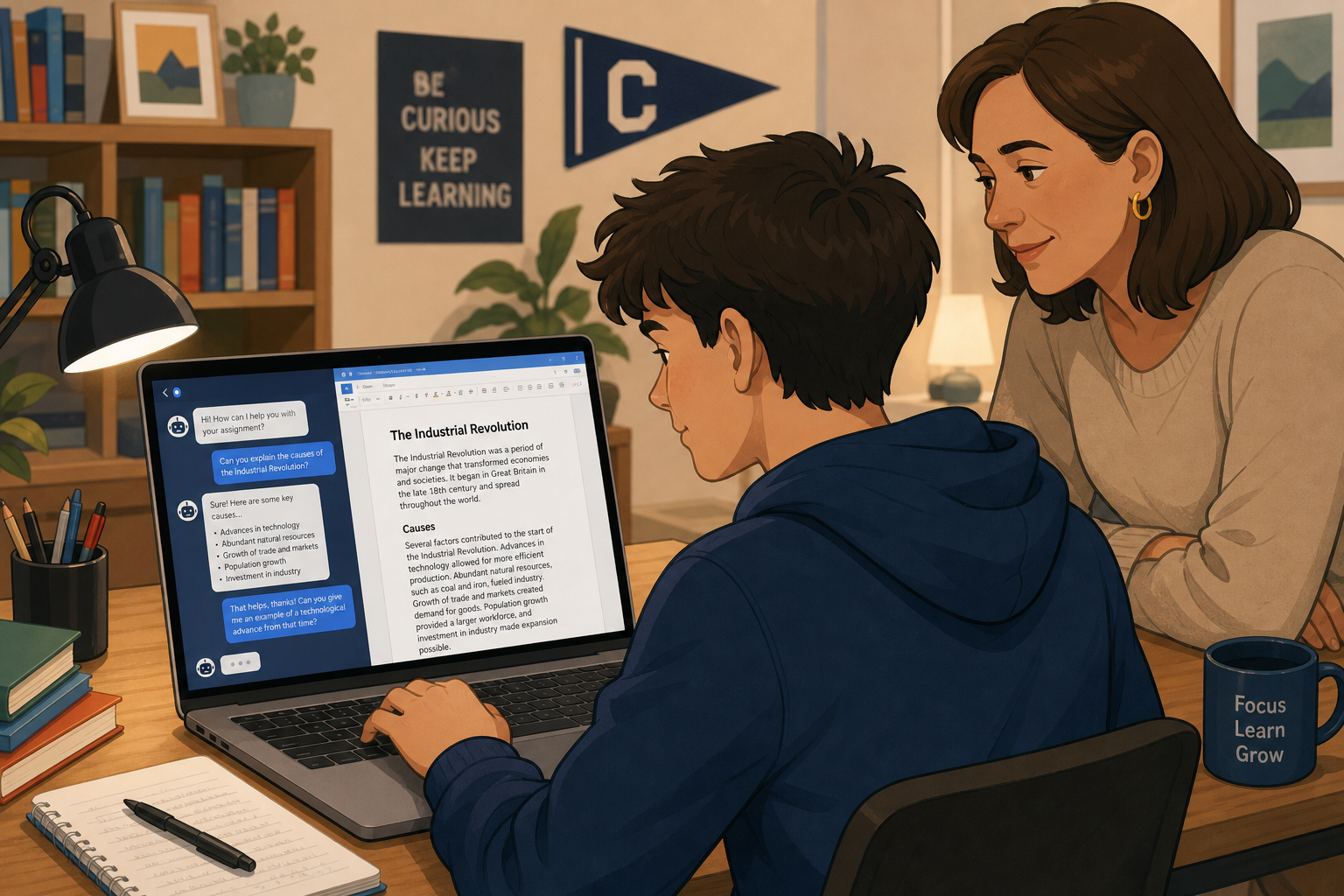
ChatGPT for teens was recently rated an “Unacceptable Risk” by Common Sense Media’s Youth AI Safety Institute, which found that the tool’s parental alerts and safety guardrails frequently fail to protect younger users. If your student uses AI chatbots for homework, that finding matters — but it doesn’t mean AI has no place in schoolwork. It means families and students need a clearer idea of what’s safe, what isn’t, and how to pair AI responsibly with trusted tools like Microsoft Office.
This guide breaks down what the watchdog actually found, why it matters for students specifically, and how to build a study routine where AI assists rather than replaces real learning — without putting a teen’s privacy or wellbeing at risk.
What Common Sense Media Found About ChatGPT for Teens
Common Sense Media’s Youth AI Safety Institute rated ChatGPT for Teens an Unacceptable Risk, concluding that OpenAI’s safety features often don’t work as advertised. The organization previously rated the general ChatGPT product as High Risk, and its mental-health support mode as Unacceptable Risk, so this latest review builds on a pattern of concern rather than a single isolated test.
The core complaints fall into a few buckets:
-
Parental alerts meant to flag dangerous conversations frequently don’t trigger when they should.
-
Age-prediction systems can be bypassed, meaning teens may not always land in the restricted teen experience at all.
-
The chatbot doesn’t reliably support learning outcomes — it can hand over answers rather than build understanding.
-
Sensitive topics, including self-harm and mental health, aren’t consistently routed to safer, more cautious responses.
A Common Sense Media executive put it plainly: parental controls can give families “false confidence” in protections that don’t consistently hold up in practice. That’s the heart of the concern — not that AI itself is unusable, but that the current teen-specific safeguards in ChatGPT for teens are not yet dependable.
Why This Matters for Students Doing Schoolwork
It matters because students are already using chatbots for homework help, research, and essay drafts, often without a parent or teacher in the loop. When a tool marketed specifically as safer for teens still shows gaps in its guardrails, that’s a signal to treat it with the same caution you’d apply to any other unsupervised online tool.
The Learning Risk, Not Just the Content Risk
Beyond the headline-grabbing safety failures, there’s a quieter concern for anyone focused on grades and skill-building: a chatbot that just produces an answer doesn’t teach the reasoning behind it. For students, this is just as important as the content-safety issue. Relying on AI to finish an essay or solve a problem set skips the actual learning the assignment was designed to build.
Is ChatGPT for Teens Actually Safe for Schoolwork?
Used narrowly, under supervision, and for low-risk tasks like brainstorming or checking grammar, AI chatbots can be a reasonable study aid — but they shouldn’t be the default tool for sensitive topics, personal advice, or unsupervised long conversations. The distinction that matters is between using AI as a quick assistant for a bounded task versus treating it as a confidant or a replacement for actual schoolwork.
Tasks Where AI Help Is Lower Risk
-
Explaining a concept in simpler terms after a lesson
-
Generating practice questions for test prep
-
Suggesting an outline structure for an essay
-
Checking grammar or tone on a draft already written by the student
Tasks to Avoid or Keep Supervised
-
Long, open-ended conversations with no clear task or end point
-
Anything touching on mental health, relationships, or personal struggles
-
Having the AI write a full assignment to submit as original work
-
Sharing personal details, school names, or photos in chats
How Parents Can Set Up ChatGPT for Teens More Safely
Parents can reduce risk by actively using the parental control features OpenAI provides, rather than assuming the teen account setting handles everything automatically. OpenAI’s parental controls let a guardian account link to a teen’s account, set usage schedules, restrict certain content types, and receive alerts — but as Common Sense Media’s testing showed, those alerts don’t always fire reliably, so they should be treated as a backup, not a guarantee.
-
Link accounts through the official parental controls so settings and activity are visible.
-
Set clear household rules about what AI can and can’t be used for in homework.
-
Keep AI conversations about schoolwork in shared spaces, not private devices used late at night.
-
Review chat history periodically together, framed as a check-in rather than surveillance.
-
Talk openly about why certain topics (mental health, personal problems) should go to a trusted adult, not a chatbot.
Pairing AI With Microsoft Office Instead of Replacing It
The most practical way for students to benefit from AI without the risks flagged by Common Sense Media is to use it as a starting point, then do the actual work in familiar, stable tools like Word, Excel, and PowerPoint. AI can help brainstorm or outline; Office is where the real writing, editing, citation, and formatting happen — tools a student already needs for school regardless of what’s happening with chatbot safety debates.
A Simple Workflow That Keeps Students in Control
-
Use AI chat briefly to generate an outline or a list of discussion points
-
Move into Word to write the actual draft in the student’s own words
-
Use Excel for any data tables, charts, or calculations the assignment needs
-
Proofread and format the final version before submission
This keeps the heavy lifting — the thinking, the writing, the citations — with the student, while AI stays in a supporting role. It also sidesteps plagiarism and academic-integrity issues that come up when a chatbot’s text gets submitted directly.
Why a Reliable Office Setup Still Matters
Every student doing coursework needs dependable word processing and spreadsheet tools, independent of whatever AI policy their school or household settles on. A licensed copy of Office avoids the sign-in prompts, feature limits, and subscription lapses that can derail an assignment the night before it’s due. For budget-conscious households, an Office 2021 Home and Student license is a one-time purchase that covers the core apps students actually use for homework, without recurring fees.
Setting Household Rules for ChatGPT for Teens and Homework

A short, written set of house rules works better than a one-time conversation, because it gives both the student and parent something concrete to refer back to. Rules should cover what AI can be used for, what must go through Office or a teacher-reviewed process instead, and what topics are off-limits for chatbot conversations entirely.
-
AI can help explain or brainstorm — it doesn’t write final submissions
-
No personal, medical, or emotional topics go into AI chats
-
Schoolwork is drafted and finished in Word or Excel, not pasted from a chatbot
-
Parents periodically review how AI tools are being used, not just the final grades
According to Common Sense Media’s October 2026 findings, which tested more than 4,000 prompts on teen-registered accounts, ChatGPT for Teens missed over 25% of the crisis referrals it should have made, and sent parents zero alerts during hour-long conversations about self-harm. The organization is calling on OpenAI to pause teen access until those protections are fixed, a strong signal that families shouldn’t treat current safeguards as a finished product. Staying cautious now, while still letting students benefit from AI’s useful parts, is the realistic middle ground.
FAQ
Is ChatGPT for teens actually unsafe?
Common Sense Media’s Youth AI Safety Institute rated it an Unacceptable Risk, citing unreliable parental alerts and inconsistent handling of sensitive topics. It’s not that the tool is unusable for every task, but its current teen-specific safety features haven’t tested well.
Can students still use ChatGPT for homework?
Yes, for low-risk tasks like brainstorming, outlining, or explaining a concept, with adult awareness and clear limits. It shouldn’t be used to write full assignments or discuss personal or emotional topics.
Do OpenAI’s parental controls actually work?
They provide real features — account linking, schedules, content restrictions, and alerts — but independent testing found the alerts don’t always trigger reliably. Treat them as one layer of protection, not the only one.
What’s a safer alternative to AI for finishing schoolwork?
Standard Office apps like Word and Excel remain the most reliable place to actually draft, format, and submit assignments, since they don’t carry the same content-safety concerns as open-ended chatbot conversations.
Should younger teens avoid AI chatbots completely?
Common Sense Media specifically recommends against teens using any chatbot for mental health or emotional support, regardless of age. For schoolwork, supervised and task-limited use is a more reasonable middle ground than an outright ban for most families.
How can parents monitor AI use without being invasive?
Framing chat reviews as a regular, shared check-in rather than secret monitoring tends to work better and keeps communication open. Linked parental accounts also give visibility without needing to inspect a teen’s device directly.
