
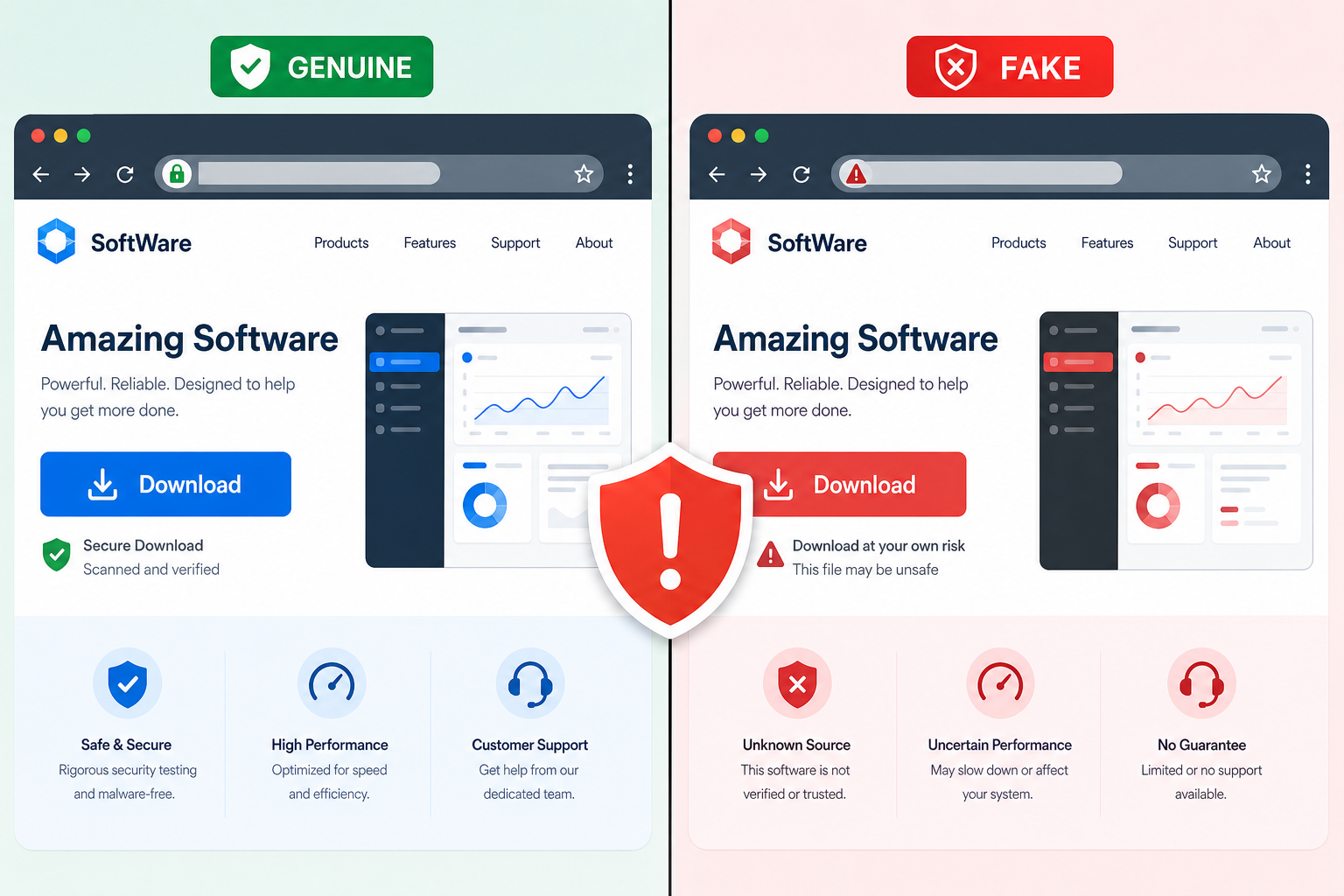
Counterfeit software is one of the fastest-growing ways attackers get a foothold on everyday PCs — and the danger isn’t just a virus, it’s a hidden backdoor installed alongside the program you actually wanted. Recent campaigns show fake download pages impersonating trusted vendors, weakening Windows Update and Microsoft Defender, and quietly opening remote access for attackers before you’ve even noticed anything is wrong.
This isn’t a fringe problem. Search results for popular apps are routinely poisoned with sponsored ads and lookalike domains that mimic the real vendor almost pixel-for-pixel. Once you understand how the attack chain actually works, spotting and avoiding counterfeit software becomes a lot more manageable — and that’s what this guide walks through, step by step.
What Is Counterfeit Software, Exactly?
Counterfeit software is any installer, key, or program that impersonates a legitimate product without being sourced from the official vendor or an authorized reseller. It ranges from cracked versions of paid apps to installers that look identical to the real thing but are hosted on domains that have nothing to do with the actual publisher.
The category includes:
- Pirated or “cracked” versions of paid software distributed on forums and torrent sites
- Fake vendor websites that copy a brand’s design to trick search engines and users
- Malicious ads that redirect “Download Now” clicks to attacker-controlled installers
- Installers bundled with unauthorized keys or activation tools
All of these share one trait: you can’t verify what’s actually inside the file until it’s already running on your machine — which is exactly why attackers favor this method.
Why Counterfeit Software Is a Bigger Risk Than It Looks
A pirated key alone might just be a licensing problem. But when counterfeit software is bundled with a modified installer, the risk becomes technical, not just legal: the installer can execute arbitrary code with the same permissions you granted to install the “real” program.
How the Multi-Stage Attack Actually Spreads
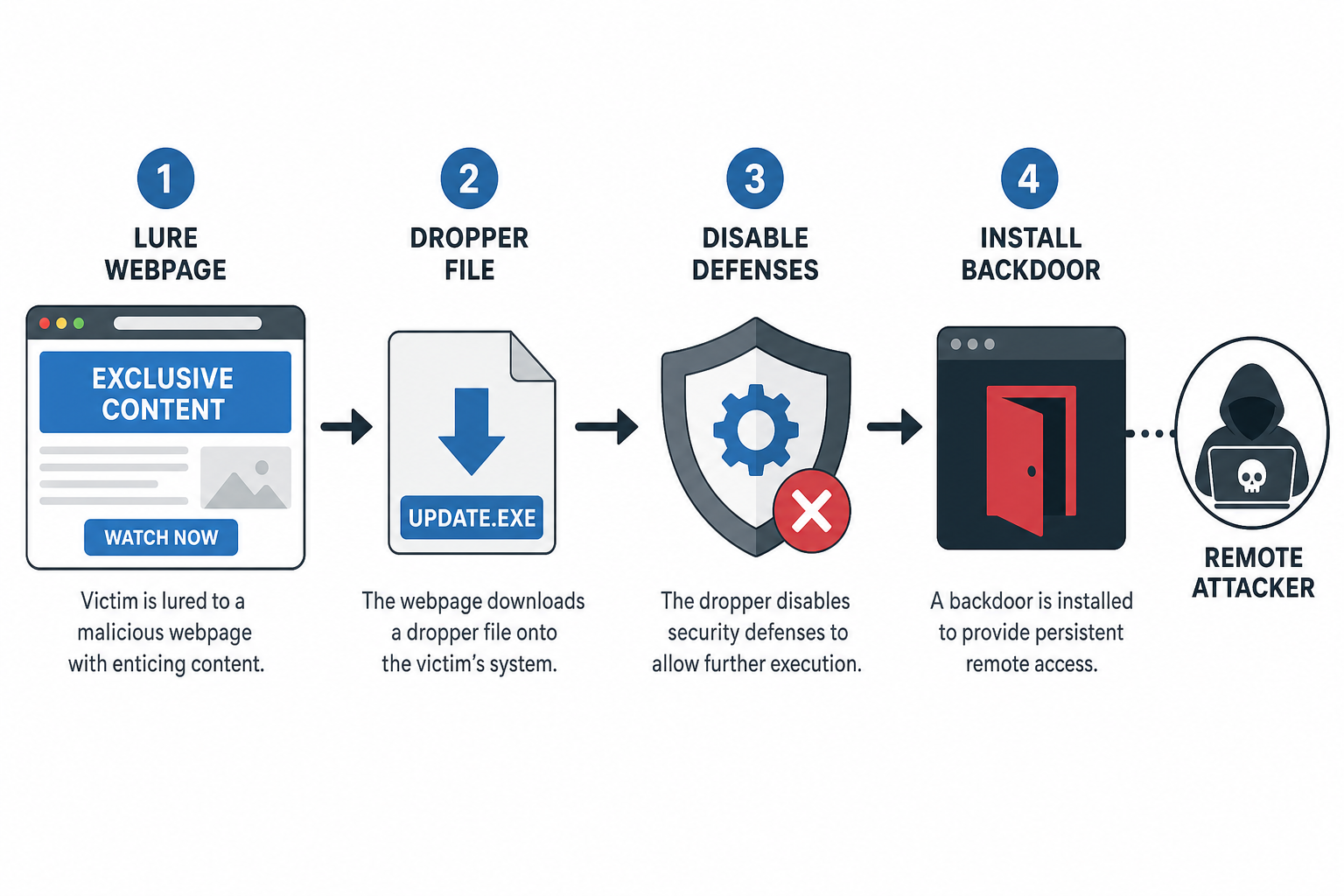
The attack typically unfolds in stages designed to look legitimate at every step, so the victim never sees an obvious red flag. Security researchers tracking an active 2026 campaign found that fake download sites impersonating popular software vendors were used to deploy malware that specifically disables Windows Update and weakens Microsoft Defender before establishing long-term persistence, as detailed in recent reporting on the campaign.
Stage 1: The Lure
Attackers buy search ads or build SEO-optimized fake pages for popular free or trial software — browsers, PDF tools, media converters, even security utilities. The page is often a near-perfect clone of the real vendor’s site, sometimes using a typo-squatted domain (e.g. swapping a letter or adding a hyphen).
Stage 2: The Dropper
The downloaded file is a legitimate-looking installer wrapper. It may even install the real software so nothing seems wrong — while silently dropping a second-stage payload in the background. Some campaigns reuse the same filename across victims but rotate the payload hash on each download, making the file harder for antivirus signatures to catch.
Stage 3: Defense Weakening
Before deploying the final payload, the malware often disables or tampers with built-in protections — turning off real-time monitoring, adding exclusions, or interfering with automatic updates so the system can’t patch itself or detect the intrusion later.
Stage 4: The Backdoor
With defenses down, the attacker installs a remote access tool or backdoor that persists across reboots. This is the actual goal of the campaign: long-term, undetected access to steal data, deploy ransomware later, or pivot to other machines on the same network.
Warning Signs of a Counterfeit Software Download Page
You can usually spot a fake download page before you ever click install, if you know what to check. Look for these signals:
- The URL is close to but not exactly the vendor’s official domain
- The page appeared through a search ad rather than an organic top result
- The download button links to a third-party file host instead of the vendor’s own servers
- There’s no publisher name, or a mismatched one, on the installer’s digital signature
- The site pressures you with urgency — “limited time,” fake virus warnings, or countdown timers
How to Verify You’re Not Installing Counterfeit Software
The safest habit is to always navigate to the vendor’s official domain directly rather than clicking a search ad or a link from an email or forum post. A few extra checks make this much more reliable:
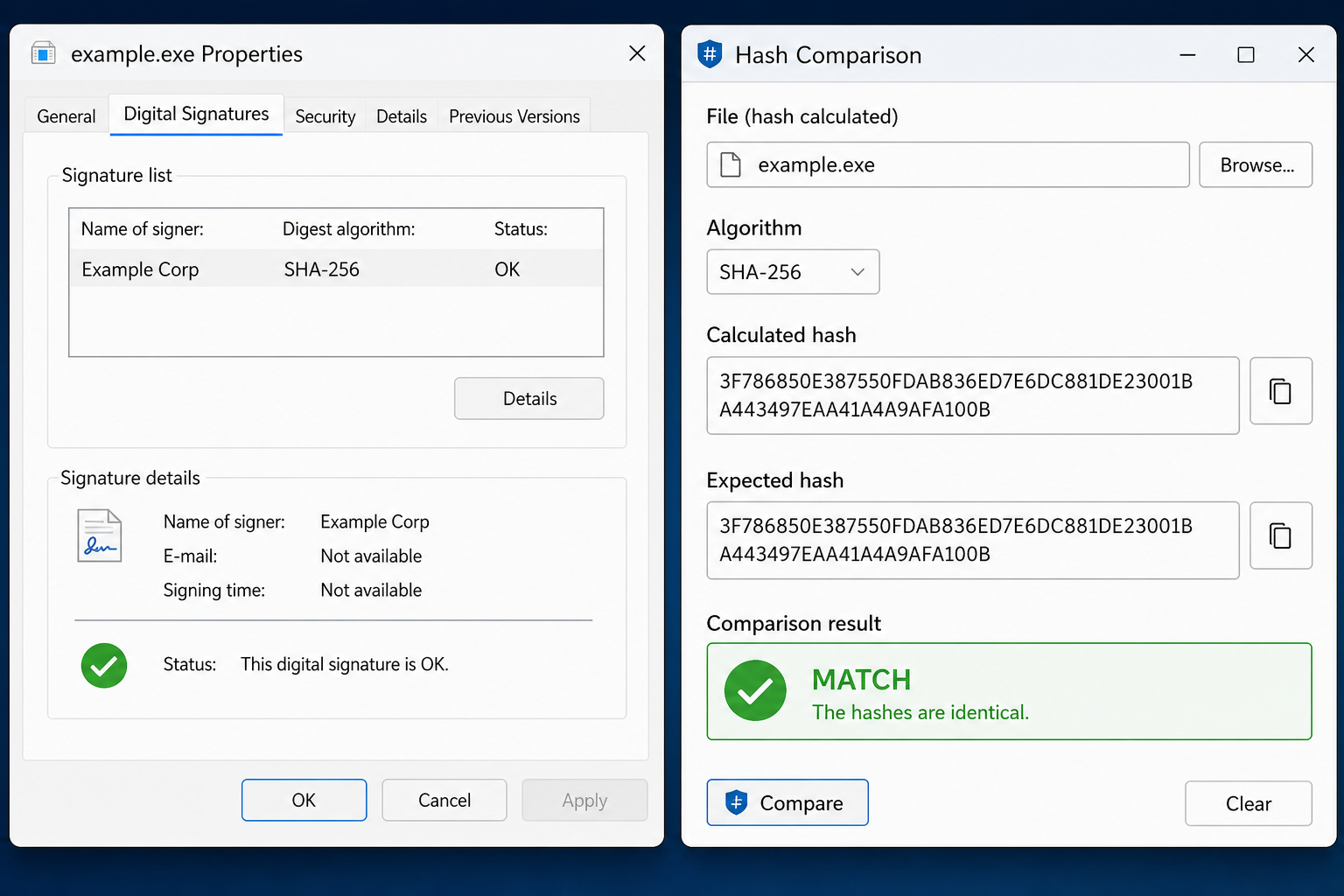
Check the Digital Signature
Right-click the downloaded file, open Properties, and check the Digital Signatures tab on Windows. A legitimate installer from a major vendor will show that vendor’s name as the signer — not a generic or unrelated company.
Compare File Hashes
Where a vendor publishes an official checksum (SHA-256 is standard), compare it against the hash of your downloaded file using a free hashing tool. A mismatch means the file has been altered or isn’t from the real source.
Buy Keys and Software Only From Verified Sellers
Counterfeit software isn’t limited to installers — pirated or resold license keys carry the same risk when they come bundled with modified activation tools. Buying from an authorized reseller that guarantees genuine, traceable keys removes that entire attack surface. Every key sold through Top Key Shop’s antivirus range comes with the original activation key and the official vendor download link, so you’re never relying on a third-party installer of unknown origin.
Why Antivirus Alone Isn’t Enough Against Counterfeit Software
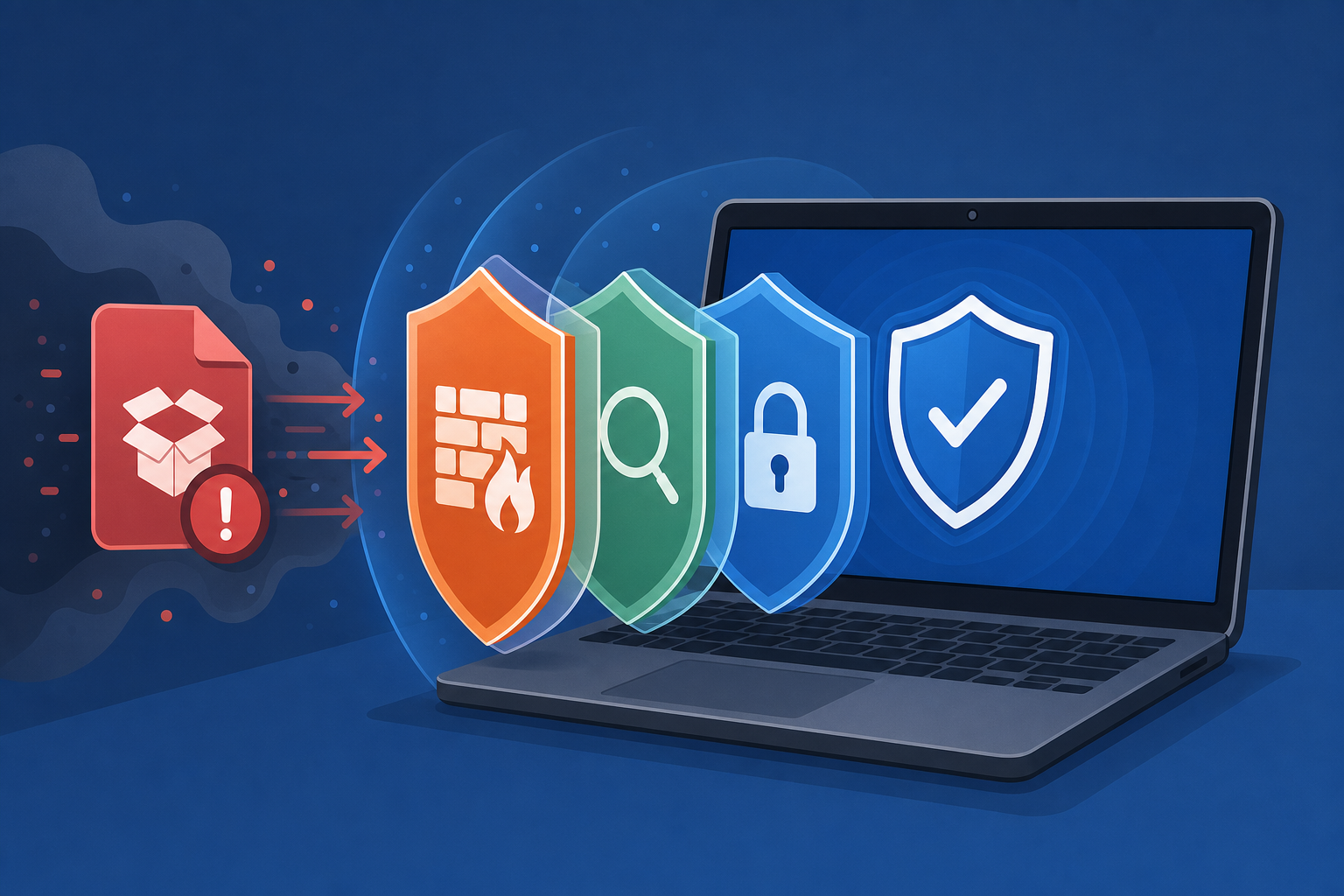
A layered defense matters because counterfeit software attacks are engineered specifically to blind or disable your existing security tools before the real payload runs. Signature-based detection can miss a dropper that rotates its payload hash on every download, which is exactly the technique researchers observed in the 2026 campaign referenced above.
Reputable antivirus products with behavioral detection, tamper protection, and real-time web filtering make it significantly harder for a malicious installer to silently disable protection in the background. Two options worth considering if you want that layered coverage:
- McAfee AntiVirus (1 Device, 1 Year) — real-time protection with web and file scanning, priced at €10.90 for a genuine global key
- Avast Pro Antivirus (1 Device, 1 Year) — includes ransomware shield and behavior monitoring, priced at €11.90
Both are delivered with an original key and the official download link, so the installer itself is never a question mark.
What to Do If You Already Installed Counterfeit Software
If you suspect you’ve already run a fake installer, disconnect the device from the network first, then run a full scan with a reputable, up-to-date antivirus engine — not just a quick scan, since backdoors often hide outside common scan paths. Change passwords for any accounts accessed from that device afterward, ideally from a separate, known-clean machine, since credentials typed on a compromised system should be considered exposed.
If Windows Update or Defender settings look altered — disabled real-time protection, unfamiliar exclusions, or update errors that started suddenly — treat that as a strong indicator of tampering rather than a coincidence, and consider a clean reinstall if the scan can’t fully confirm the system is clear.
FAQ
Is counterfeit software the same as pirated software?
Not exactly. Pirated software is unlicensed but may be an unmodified copy of the real program, while counterfeit software specifically refers to installers or products that impersonate the genuine vendor, often with added malicious code. In practice, both carry real risk, but counterfeit installers are more likely to contain an active backdoor.
Can antivirus software detect a fake installer before I run it?
Good antivirus with real-time web protection can flag known malicious domains and block downloads before execution, but brand-new or rotated payloads sometimes slip past signature detection initially. That’s why checking the source and signature yourself remains an important extra layer.
How do I know if a download link is really from the official vendor?
Type the vendor’s domain directly into your browser instead of clicking a search ad or a link from an email, and confirm the URL matches exactly — no extra words, hyphens, or unusual top-level domains. Official vendor sites also typically publish checksums for their installers that you can verify.
Are cheap license keys from third-party sellers automatically counterfeit software?
Not automatically — but you should only buy from resellers who can confirm the key is a genuine, traceable license paired with the vendor’s own official installer. A trustworthy reseller will never ask you to download the software from a third-party mirror instead of the vendor’s own servers.
What’s the fastest way to check a file’s authenticity on Windows?
Right-click the downloaded file, select Properties, and open the Digital Signatures tab to confirm the publisher name matches the real vendor. If no valid signature is present at all, treat the file as untrustworthy.
