
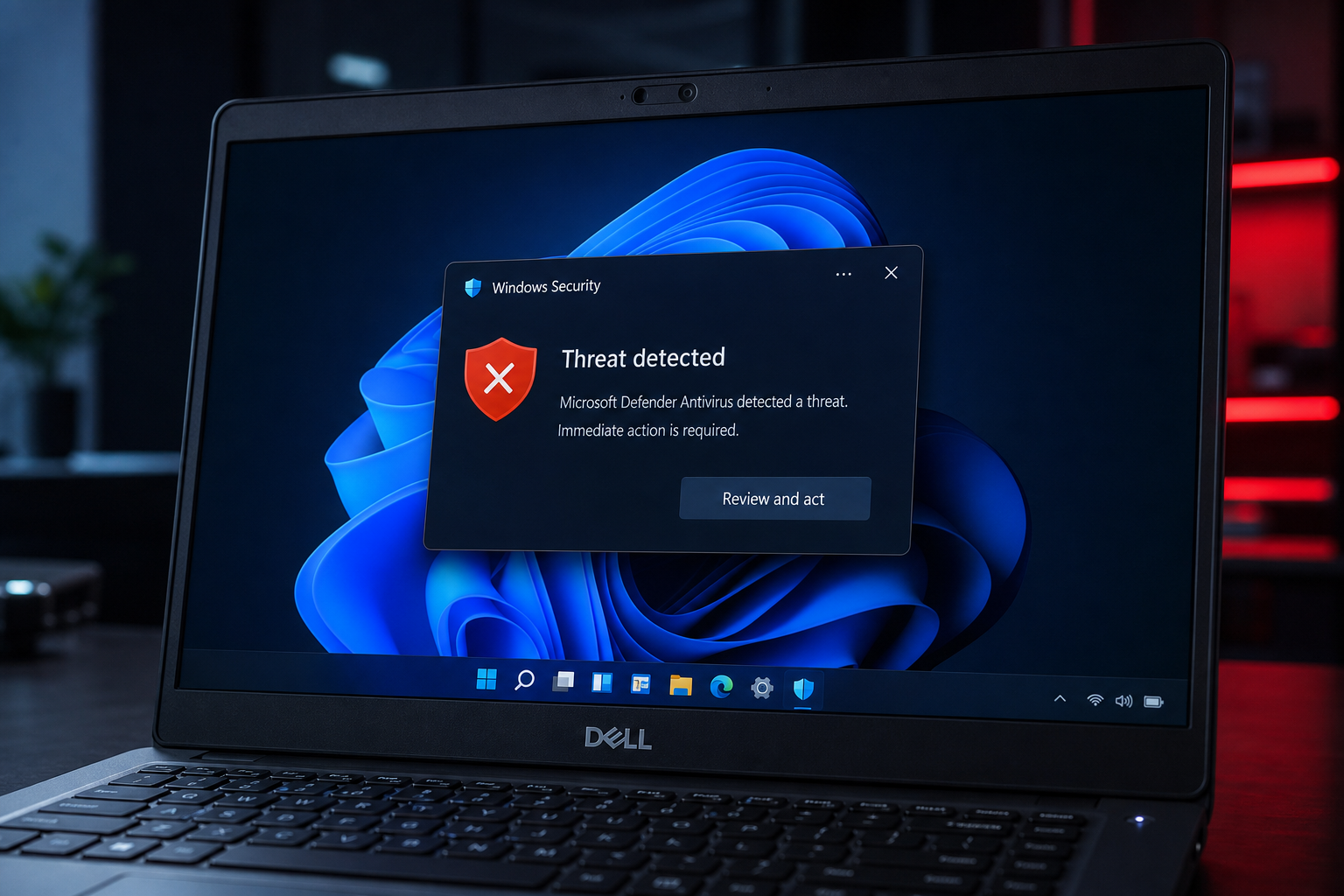
The Windows 11 Dell security update you need is not a standard Windows Update — it’s a firmware-level fix that patches a set of critical flaws known as ReVault, discovered in Dell’s ControlVault3 chip. If you own a Dell laptop built in the last several years, your device is very likely among the more than 100 affected models, and leaving it unpatched means an attacker with physical access could bypass your Windows login entirely and plant undetectable malware. Here’s everything you need to know and exactly how to fix it.
What Is the ReVault Vulnerability?
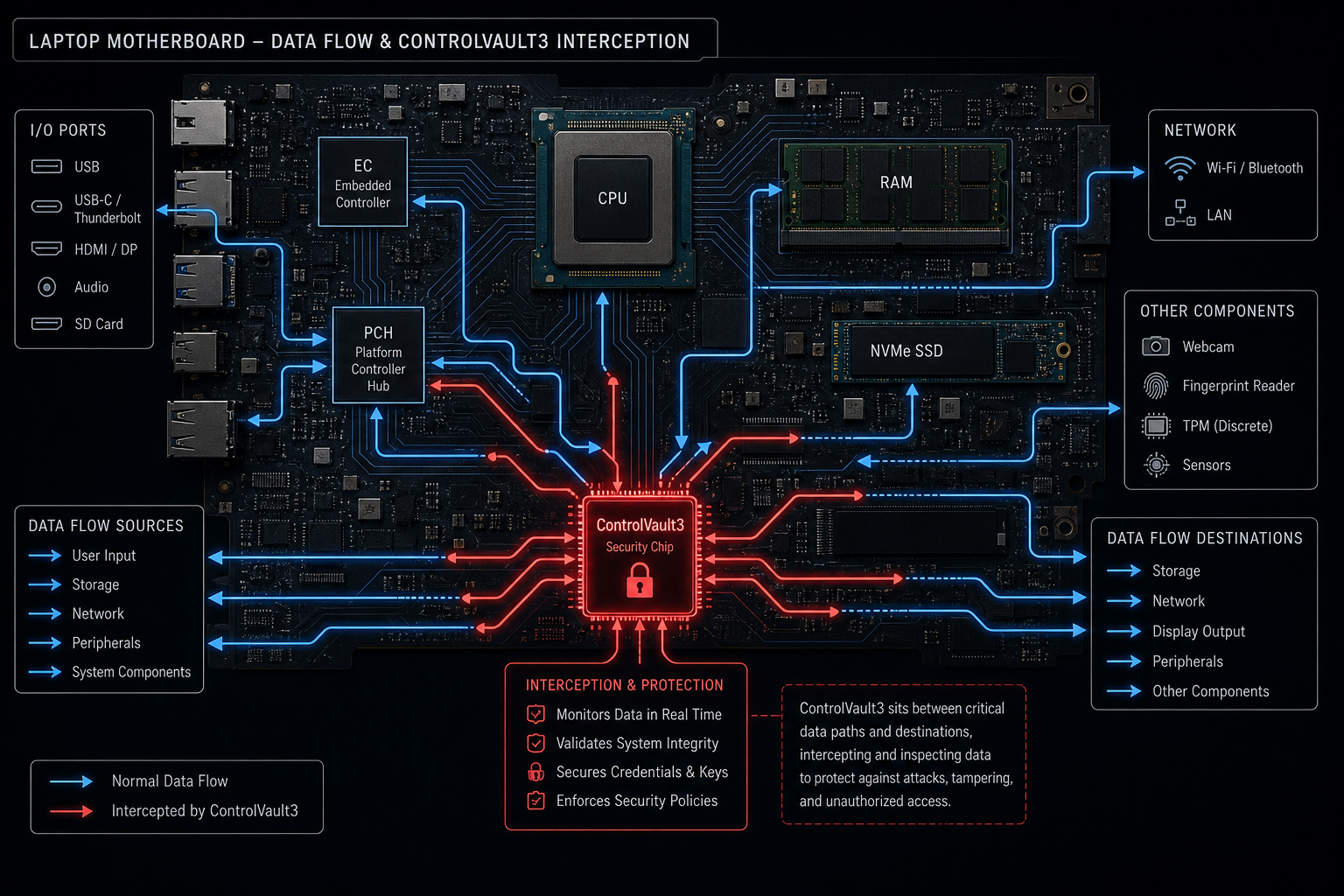
ReVault is the name given to a cluster of five firmware vulnerabilities found in Dell’s ControlVault3 and ControlVault3 Plus hardware security chip — the component responsible for protecting biometric data, cryptographic keys, and pre-boot authentication on millions of Dell business and consumer laptops. Researchers at Cisco Talos Intelligence uncovered the flaws and disclosed them responsibly to Dell before public release.
Dell addressed the issues under advisory DSA-2025-053, covering multiple CVEs including CVE-2025-36553, a buffer overflow vulnerability (CWE-120) inside the CvManager component. The combined CVSS score for the most serious issue reaches 7.0 (High), meaning real, exploitable risk — not theoretical.
-
Bypass Windows login: Attackers can skip authentication entirely on affected systems.
-
Extract cryptographic keys: Private keys stored inside ControlVault3 can be pulled out.
-
Persist through OS reinstalls: Because the flaw lives in firmware, even a clean Windows reinstall leaves the backdoor open.
-
Install undetectable malware: The compromise runs below the operating system layer, invisible to most antivirus tools.
The key takeaway: this is a firmware attack, not a software bug. Standard Windows Update alone will not close it.
Who Is Affected by This Dell Firmware Update?
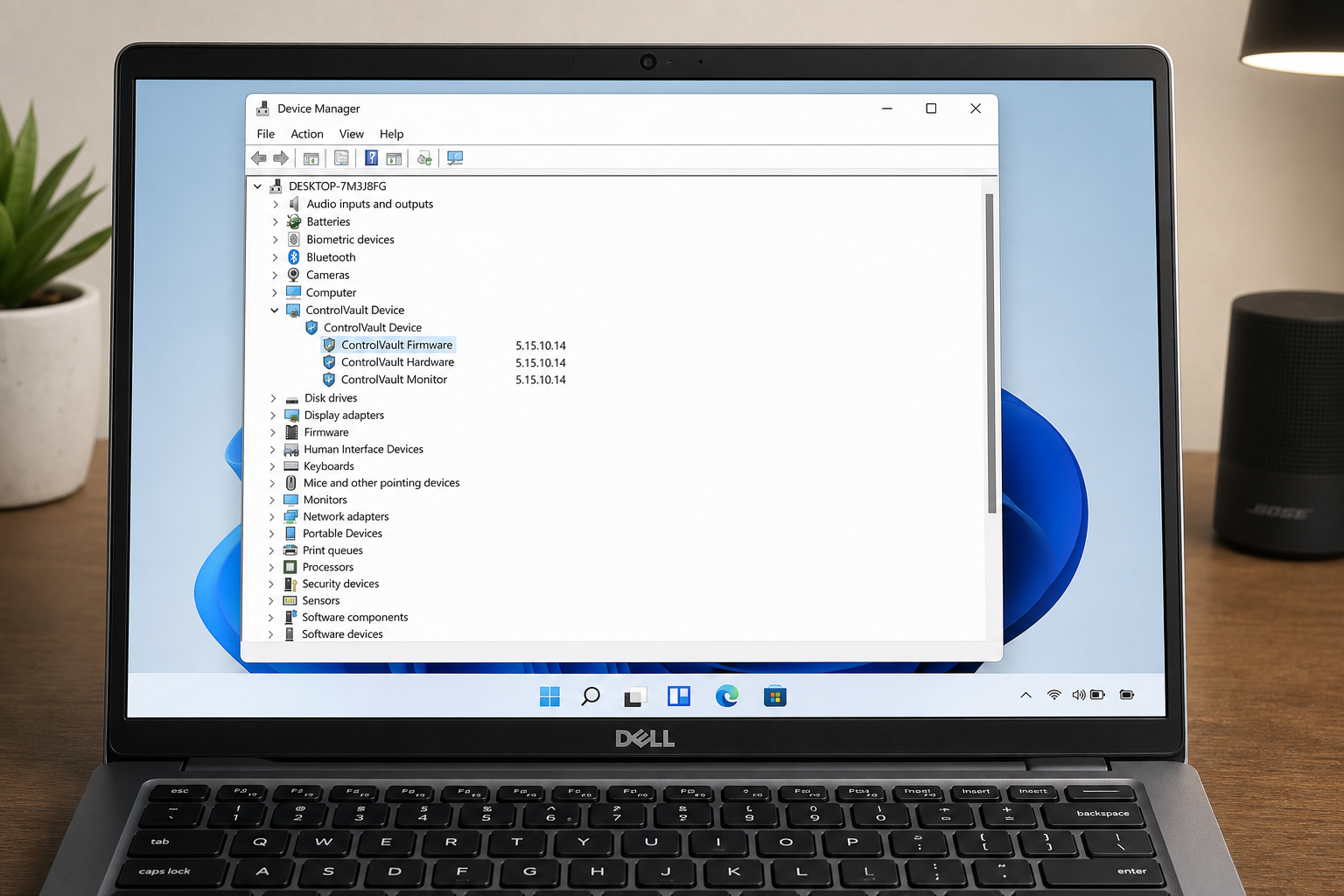
More than 100 Dell laptop models carry ControlVault3 or ControlVault3 Plus hardware, spanning the Latitude, Precision, XPS, and Inspiron product lines. The vulnerability exists in any device running ControlVault3 firmware prior to version 5.15.10.14 or ControlVault3 Plus firmware prior to version 6.2.26.36. Both consumer and enterprise machines are in scope.
Desktop systems without a ControlVault3 chip are not affected. However, if you use a Dell laptop for work — especially in environments handling sensitive credentials, biometric login, or VPN access — you should treat this as a priority-one patch.
How to Check Your ControlVault3 Driver Version
-
Press Win + R, type
devmgmt.msc, and press Enter to open Device Manager. -
Scroll down and expand ControlVault Device.
-
Right-click Dell ControlVault, select Properties, then go to the Driver tab.
-
Note the firmware version shown. If it is below 5.15.10.14 (ControlVault3) or 6.2.26.36 (ControlVault3 Plus), your device needs the Dell security patch immediately.
Applying the Windows 11 Dell Security Fix: Step-by-Step
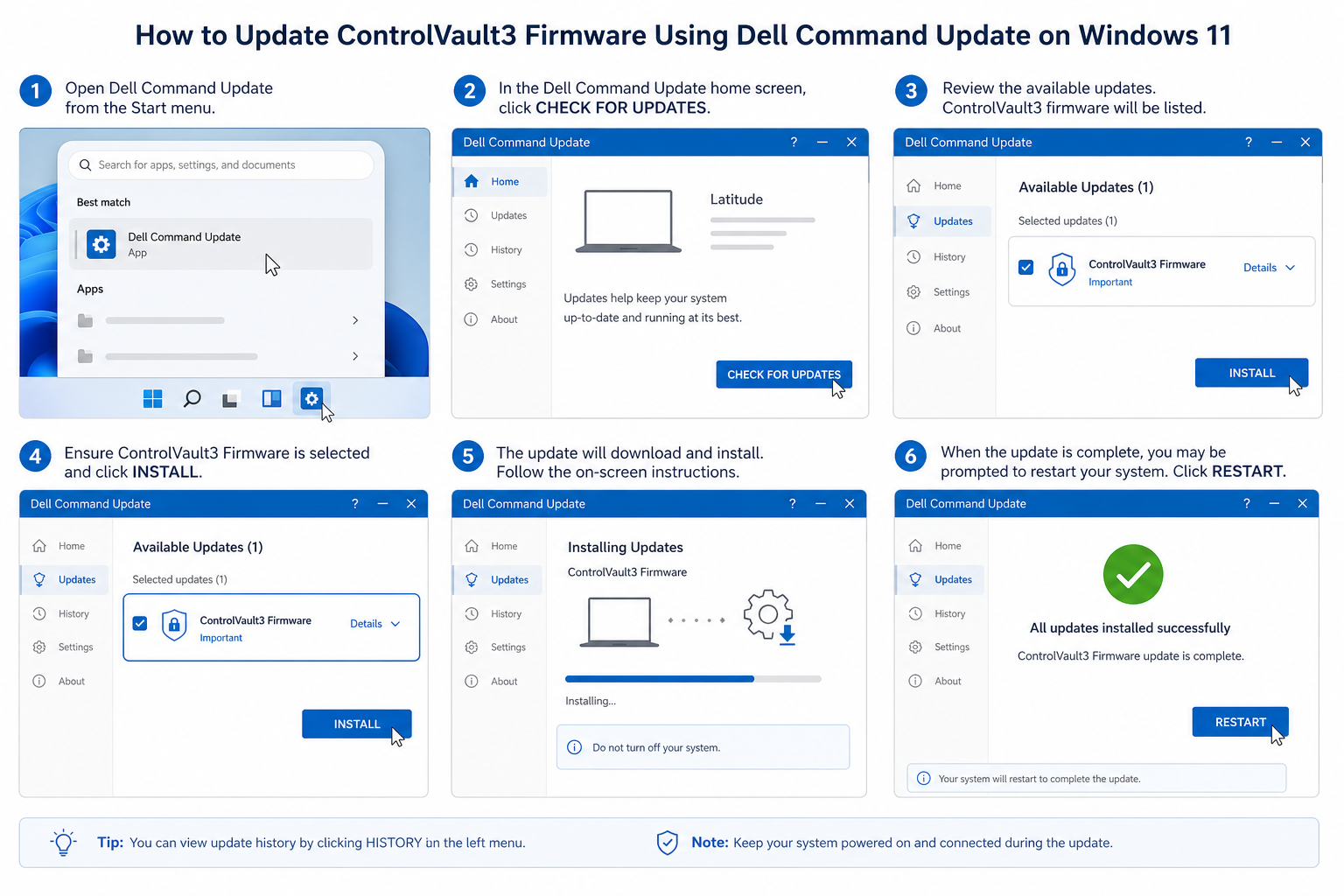
Applying this Windows 11 security fix requires updating the ControlVault3 driver and firmware directly from Dell — not through Windows Update. There are two reliable paths.
Method 1: Dell Support Website (Manual)
-
Go to Dell’s official DSA-2025-053 advisory page to confirm your model is listed.
-
Navigate to dell.com/support, enter your Service Tag or detect your PC automatically.
-
Under Drivers & Downloads, filter by Security category.
-
Download the ControlVault3 Driver and Firmware package (Driver ID: G7K77 for ControlVault3, TWF65 for ControlVault3 Plus).
-
Run the installer as Administrator, follow the on-screen prompts, and restart when asked.
-
Return to Device Manager and verify the firmware version has updated to 5.15.10.14 or higher.
Method 2: Dell Command | Update (Recommended for IT Teams)
Dell Command | Update is Dell’s automated driver management utility and the fastest way to push this Dell firmware update across multiple machines. Note that some users have reported the tool does not always flag the ControlVault3 patch automatically — if it does not appear, use the manual method above as a fallback.
-
Open Dell Command | Update from the Start menu (install it from Dell’s website if not already present).
-
Click Check for Updates.
-
Look for the ControlVault3 firmware entry and select it for installation.
-
Apply and restart.
Why Windows Update Won’t Fix This Alone
Microsoft’s standard Windows Update pipeline delivers OS-level patches, not third-party firmware. The ReVault vulnerabilities live inside Dell’s proprietary security chip, so Microsoft has no mechanism to push the ControlVault3 fix. You must obtain it directly from Dell. Skipping this step and relying solely on Windows Update leaves the firmware exposure open regardless of how current your OS patches are.
The Broader Windows 11 Security Picture
The ReVault disclosure is a reminder that Windows 11 security extends well beyond Microsoft’s monthly Patch Tuesday cycle. In July 2025, Microsoft itself patched 130 vulnerabilities in a single Patch Tuesday release — including critical remote code execution flaws — underscoring that the threat landscape is moving fast. Firmware-level attacks like ReVault are particularly dangerous because they survive operating system reinstalls, defeat antivirus scanning, and are invisible to most enterprise monitoring tools.
Windows 11 does include meaningful hardware-level security features — Secure Boot, TPM 2.0 requirements, and Virtualization-Based Security — but these protections assume the underlying firmware has not itself been compromised. Once an attacker corrupts ControlVault3, those OS-level defences are undermined at their foundation.
For Dell users who have not yet moved to Windows 11, this is another strong reason to make the switch: Windows 10 support ended on 14 October 2025, meaning security updates no longer arrive for that platform. Running an unpatched Windows 10 on a Dell with an unpatched ControlVault3 chip is a double exposure you do not want.
Keep Your Windows 11 Licence Genuine After an Update
In some cases, a firmware update combined with hardware-level changes can trigger Windows licence validation. If you are running a clean, genuine Windows 11 Pro licence, this is rarely an issue — but if you purchased your key from an unverified source, now is a good time to check. At Top Key Shop, all Windows 11 licence keys are 100% genuine, sourced from legitimate channels, and backed by a 30-day money-back guarantee with 24/7 activation support. If you need a fresh genuine licence for your Dell after applying these patches, you can pick up a Windows 11 Pro Retail key or explore the full range of Windows 11 Pro licences available from Top Key Shop.
Best Practices for Dell Security Patch Management Going Forward
The ReVault episode highlights a gap many users and IT teams overlook: firmware patching has its own cadence, separate from OS updates. Building a habit around both is essential for genuine Windows 11 security.
-
Enable Dell Command | Update notifications so firmware patches appear alongside driver updates automatically.
-
Check Dell’s security advisory page (dell.com/support/security) monthly, particularly around Patch Tuesday, when vendors often release coordinated fixes.
-
Keep Windows Update set to automatic so OS-level patches apply within 24 hours of release.
-
Audit devices for genuine Windows licences — non-genuine keys can block security updates silently, leaving you exposed.
-
For IT administrators: use Microsoft Intune or SCCM combined with Dell Command | Update to deploy firmware patches at scale; note that third-party patch management tools may not yet carry the ControlVault3 update, so manual scripting may be required.
-
Physical security matters too: the ReVault attack requires physical access to the device, so lock-screen policies and full-disk encryption (BitLocker) add a meaningful extra layer while firmware patches are pending.
FAQ: Windows 11 Dell Security Update
Does Windows Update automatically apply the Dell security patch for ReVault?
No. The ReVault fix is a firmware update for Dell’s ControlVault3 chip and must be downloaded directly from Dell’s support site or via Dell Command | Update. Microsoft’s Windows Update pipeline does not distribute third-party firmware patches for Dell hardware components.
How do I know if my Dell laptop is one of the affected models?
Check Dell’s advisory DSA-2025-053 at dell.com/support for the complete list of affected models. Any Dell laptop with a ControlVault3 or ControlVault3 Plus chip running firmware below version 5.15.10.14 or 6.2.26.36 respectively is vulnerable. You can verify which version you have via Device Manager as described above.
Can an attacker exploit this remotely?
The ReVault vulnerabilities primarily require physical access to the device to exploit in their most dangerous forms — bypassing the login screen and installing persistent firmware-level malware. However, some elements of the attack chain may be triggerable post-compromise, meaning malware already on a system could leverage the flaws to escalate. Physical security controls remain important while patches are pending.
What if Dell Command | Update doesn’t show the ControlVault3 patch?
This is a known issue reported by IT administrators. If the patch does not appear in Dell Command | Update, download it manually from Dell’s Drivers & Downloads page using your device’s Service Tag. Search for Driver IDs G7K77 (ControlVault3) or TWF65 (ControlVault3 Plus) to find the correct package for your system.
Will applying the Dell firmware update affect my Windows 11 licence?
In the vast majority of cases, applying a firmware update does not affect Windows licence activation. If you do encounter a licence issue after hardware changes, contact your licence provider. Top Key Shop offers 24/7 activation support for all keys purchased through the store, so help is available if needed.
