

Windows 10 extended support has just been granted a second lifeline — and it’s bigger than most people expected. Microsoft has quietly confirmed that its Extended Security Updates (ESU) programme for Windows 10 will now run until October 12, 2027, a full year beyond the October 2026 deadline that was previously in place. For the hundreds of millions of PCs still running Windows 10 worldwide, this is a significant — and welcome — development.
What Is Windows 10 Extended Support and Why Does It Matter?
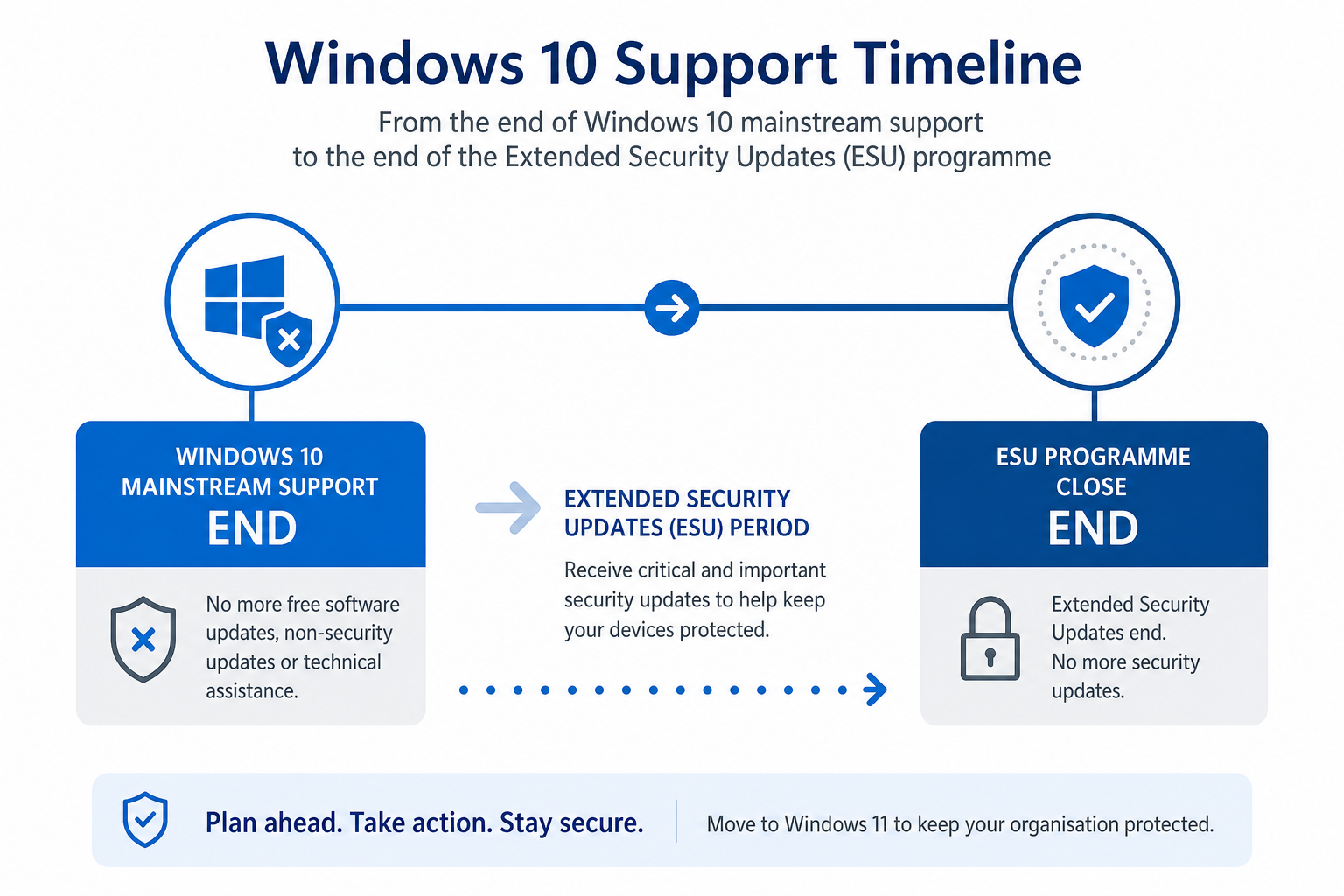
When Microsoft ended mainstream support for Windows 10 on October 14, 2025, the operating system didn’t immediately become unsafe. The company introduced its Extended Security Updates (ESU) programme to keep security patches flowing for users who weren’t ready to move on. Originally, that programme was only scheduled to cover one extra year — taking Windows 10 to October 2026. Microsoft has now silently extended it a second time, pushing Windows 10 end of support out to October 12, 2027.
This matters because security patches are the last line of defence for an operating system past its mainstream support date. Without them, every unpatched vulnerability becomes a potential entry point for malware, ransomware, and zero-day exploits. The ESU extension means Windows 10 users — paying or otherwise — continue to receive critical security fixes, keeping their machines meaningfully protected for at least another year.
According to Microsoft’s official Extended Security Updates page, users can enrol in the ESU programme at any time until the programme closes on October 12, 2027.
Why Did Microsoft Extend Windows 10 Support to 2027?
The short answer: market pressure. Windows 11 adoption has been slower than Microsoft anticipated, and the reasons are straightforward. Windows 11 requires a TPM 2.0 chip, a compatible 64-bit processor, and at least 4 GB of RAM with 64 GB of storage — hardware specifications that rule out a substantial portion of the existing PC install base. Many organisations running older fleets simply cannot upgrade without significant capital expenditure on new hardware.
Reports indicate that a large share of Windows 10 users are actively rejecting the Windows 11 migration path rather than being unaware of it. Compatibility concerns — particularly around legacy business software, peripheral drivers, and workflow disruption — have made IT departments cautious. Microsoft’s response has been pragmatic: extend the safety net rather than force millions of users onto an unsupported OS.
- TPM 2.0 requirement: Many PCs manufactured before 2018 lack this chip, making them ineligible for a free Windows 11 upgrade.
- Legacy software: Older line-of-business applications may not be certified for Windows 11.
- Hardware refresh budgets: Small businesses and public-sector organisations often have multi-year hardware cycles that don’t align with Microsoft’s upgrade timeline.
- User preference: A meaningful segment of home users simply prefer the Windows 10 interface and workflow.
Windows 10 ESU: Free or Paid — What’s the Difference?
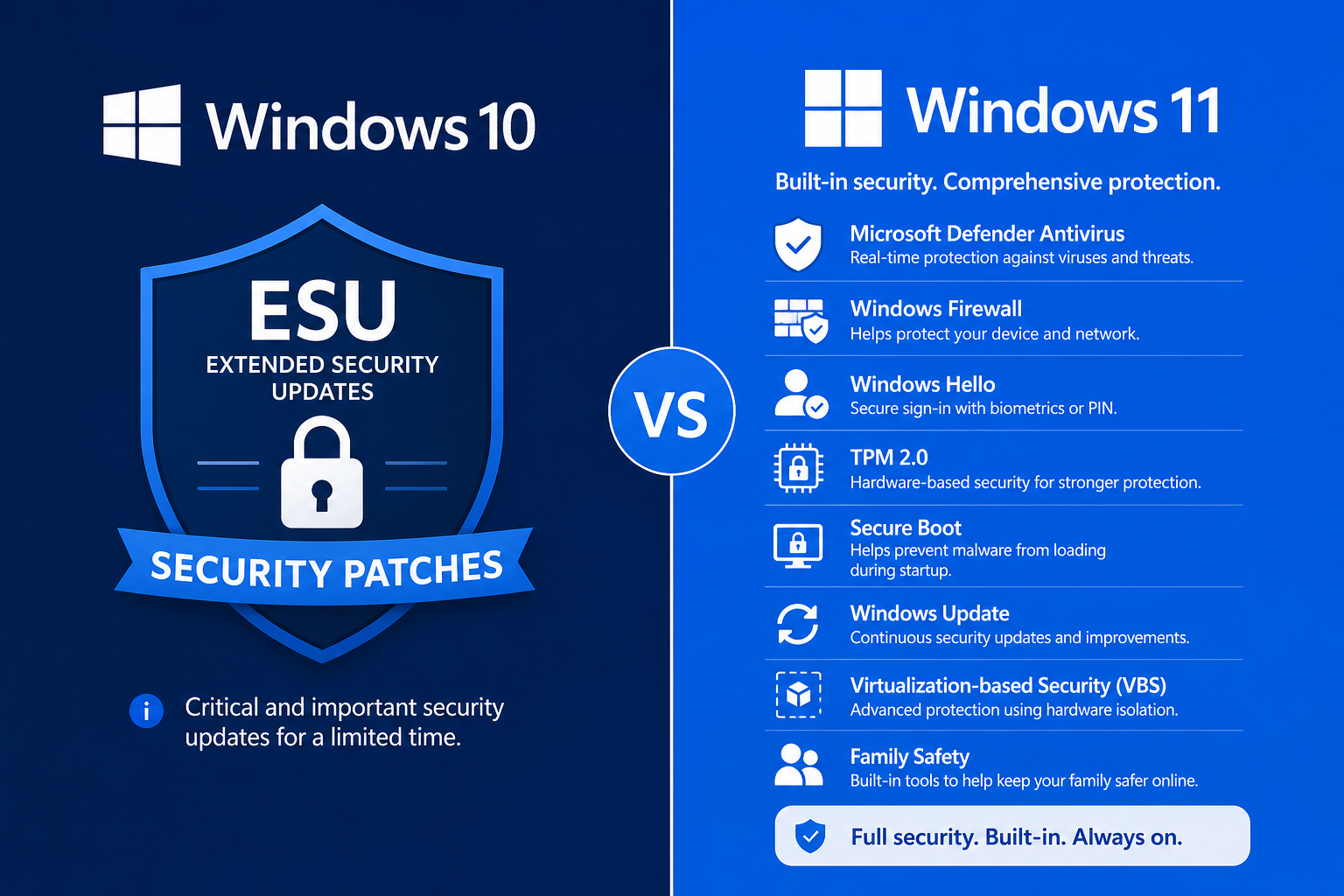
This is where Windows 10 support 2027 gets interesting. The consumer ESU extension announced by Microsoft applies free of charge to home users who enrol through Windows Update. That’s a notable departure from how Microsoft has handled end-of-support scenarios in the past — Windows 7 ESU, for example, cost businesses hundreds of dollars per device per year.
For business users, the picture is slightly different. Enterprise and commercial customers may need to enrol separately through volume licensing channels and should check with their Microsoft account representative or IT administrator for specifics. Home users on Windows 10 Home and Windows 10 Pro should ensure their device is enrolled and receiving updates via Windows Update settings.
Key facts about the ESU programme:
- Security patches only — no new features, no interface updates.
- Enrolment available until October 12, 2027 (the programme’s closing date).
- Consumer enrolment is currently free through Windows Update.
- After October 12, 2027, no further security updates will be issued for Windows 10 under any programme.
What Happens After October 2027? Planning for Windows 10 End of Support
October 12, 2027 is a firm deadline. When the Windows 10 ESU programme closes, Microsoft will stop issuing security patches entirely — meaning any vulnerability discovered after that date will remain permanently unpatched on Windows 10 machines. That is a genuine security risk, and organisations should treat 2027 as a hard migration deadline rather than another negotiable waypoint.
The practical question is: what do you do between now and then? There are three realistic paths.
Option 1 — Stay on Windows 10 and Use the ESU Time Wisely
If your hardware is incompatible with Windows 11, the ESU extension buys you real time — roughly 15 months from mid-2026 — to plan a hardware refresh without rushing. Use it to audit your PC fleet, identify upgrade candidates, and budget accordingly. Don’t treat it as an excuse to delay indefinitely.
Option 2 — Upgrade to Windows 11 on Compatible Hardware
If your machine meets Windows 11’s hardware requirements, upgrading now makes sense. Windows 11 is mainstream-supported until at least October 2031, gives you access to Microsoft’s Copilot AI features, and receives regular feature updates. Mainstream support is a long runway compared to the shrinking Windows 10 window. You can grab a genuine Windows 10 Pro licence if you need to keep an older machine running legally while you plan the transition.
Option 3 — Replace Hardware and Get a Fresh Windows Licence
For machines too old to upgrade, a new PC with a new Windows licence is often the most cost-effective long-term solution. If you’re buying a new device or rebuilding a system, a Windows 11 Pro + Office 2024 bundle from TopKeyShop gives you both the OS and a full productivity suite at a competitive price — currently from just €19.10.
Is Your PC Compatible with Windows 11? Quick Checklist
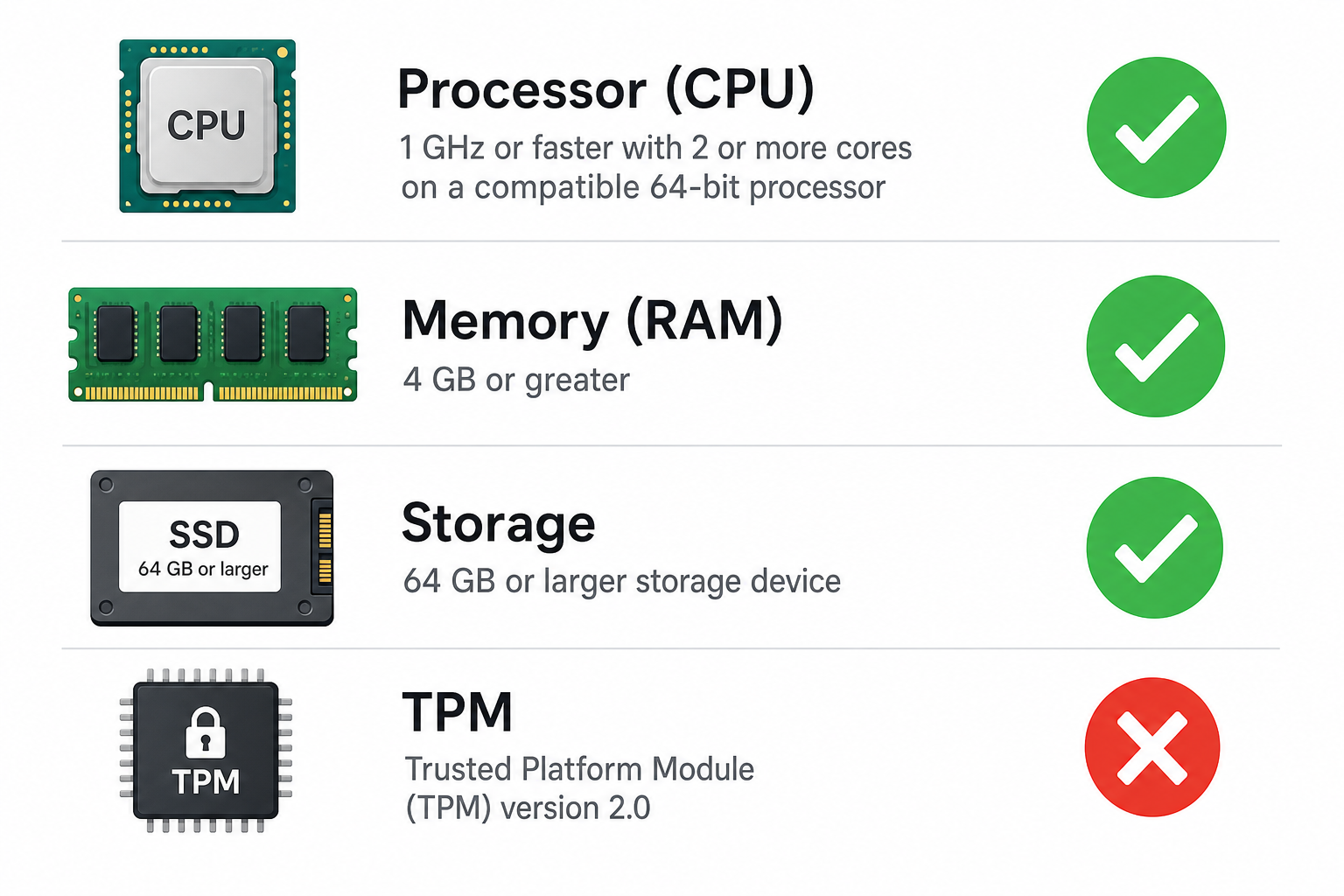
Before making any decision, it’s worth knowing whether your current hardware can actually run Windows 11. Microsoft provides a free PC Health Check tool (downloadable from its support pages) that scans your system automatically. Manually, the minimum requirements are:
- Processor: 1 GHz or faster, 2+ cores, on the approved CPU list
- RAM: 4 GB minimum
- Storage: 64 GB minimum
- TPM: Version 2.0
- Display: 720p resolution or higher, 9-inch diagonal or larger
- Firmware: UEFI, Secure Boot capable
Many machines from 2019 and later will pass these checks. Machines from 2017 or earlier are more likely to fall short on TPM 2.0 or processor compatibility.
Windows 10 Extended Support vs. Windows 11: Security Compared
Staying on Windows 10 ESU through 2027 keeps you protected against known vulnerabilities — but it’s not the same as being on a fully supported OS. Windows 11 receives both security updates and feature improvements, including enhanced phishing protection, hardware-enforced security through TPM 2.0, and Microsoft Pluton support on newer chips. These are architectural security advantages that Windows 10 simply cannot replicate, regardless of patch status.
For home users with basic needs — web browsing, Office apps, email — Windows 10 under ESU is perfectly reasonable through 2027. For users handling sensitive data, financial transactions, or business-critical workloads, the stronger security posture of Windows 11 is worth prioritising sooner rather than later.
Should You Buy a Windows 10 Licence Now?
This is a question TopKeyShop customers ask regularly. The answer depends on your situation. If you have a working PC that runs Windows 10 but lacks a genuine licence — for example, a machine rebuilt after a hardware failure — buying a genuine Windows 10 Pro key is still a sensible and cost-effective choice. You get a legally activated OS with ESU coverage until October 2027, which is a reasonable operational window, especially when Windows 10 Pro licences are available from as little as €7.50 for multi-device orders.
That said, if you’re building a new machine or the hardware is new enough to support Windows 11, go straight to Windows 11 — it’s the forward-looking choice and Microsoft’s mainstream-supported platform going into the 2030s.
FAQ
What exactly is Windows 10 ESU?
ESU stands for Extended Security Updates. It’s a programme Microsoft runs after an operating system’s mainstream support ends, providing only security patches — no new features or non-security fixes. For Windows 10, the consumer ESU programme runs until October 12, 2027, and is currently free for home users enrolling through Windows Update.
Does the Windows 10 support 2027 extension mean I get new features?
No. The ESU programme delivers security patches only. You will not receive any new Windows 10 features, interface changes, or non-security bug fixes. If you want ongoing feature development, upgrading to Windows 11 is the only path forward.
Is Windows 10 extended support really free for home users?
Yes — Microsoft has made the consumer ESU programme free for home users, which is unusual compared to previous end-of-support transitions like Windows 7. Business and enterprise customers should check their licensing agreements separately, as commercial enrolment terms may differ.
What happens if I’m still on Windows 10 after October 2027?
After October 12, 2027, Microsoft will no longer issue any security updates for Windows 10 under any programme. Your PC will continue to function, but any security vulnerabilities discovered after that date will remain permanently unpatched, making the system progressively more exposed to threats over time. Microsoft strongly recommends migrating to Windows 11 before that deadline.
Can I upgrade from Windows 10 to Windows 11 for free?
If your hardware meets Windows 11’s requirements — including TPM 2.0 — the upgrade from Windows 10 to Windows 11 is available free of charge through Windows Update. Machines that don’t meet the hardware requirements cannot use the free upgrade path and would need either a hardware update or a new device.
Where can I get a genuine Windows 10 or Windows 11 licence?
TopKeyShop stocks genuine Windows 10 and Windows 11 licence keys at competitive prices, with fast email delivery and official activation. You can browse the full range in the Windows 10 product category to find the right licence for your needs.
