

KB5099539 is Microsoft’s cumulative update for Windows 10, released on 14 July 2026 as part of the July 2026 Patch Tuesday cycle. It brings OS Build 19045.7548 (and 19044.7548 for Windows 10 21H2 ESU devices), delivering a sweeping set of security patches, reliability improvements, and targeted bug fixes — all with no new known issues at launch. If you’re still running Windows 10, installing this update is strongly recommended.
What Is the Windows 10 July Update KB5099539?
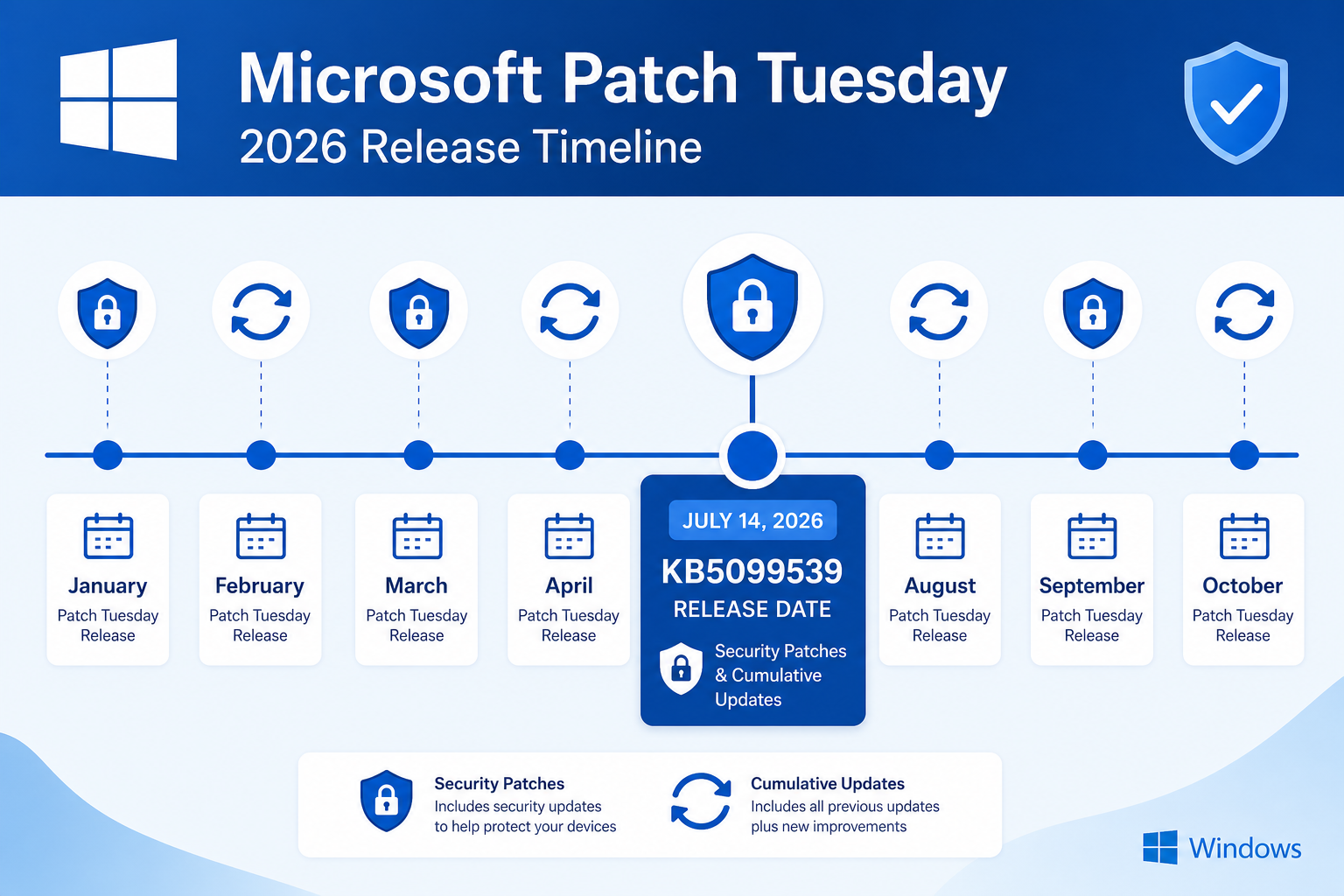
The Windows 10 July update is a mandatory cumulative security update delivered through Windows Update on Patch Tuesday, 14 July 2026. It supersedes all previously released cumulative updates and rolls them into a single package, meaning you only need to install KB5099539 to bring your system fully current. Microsoft confirmed the update applies to Windows 10 version 22H2 (mainstream) and to Windows 10 21H2 devices enrolled in the Extended Security Update (ESU) programme.
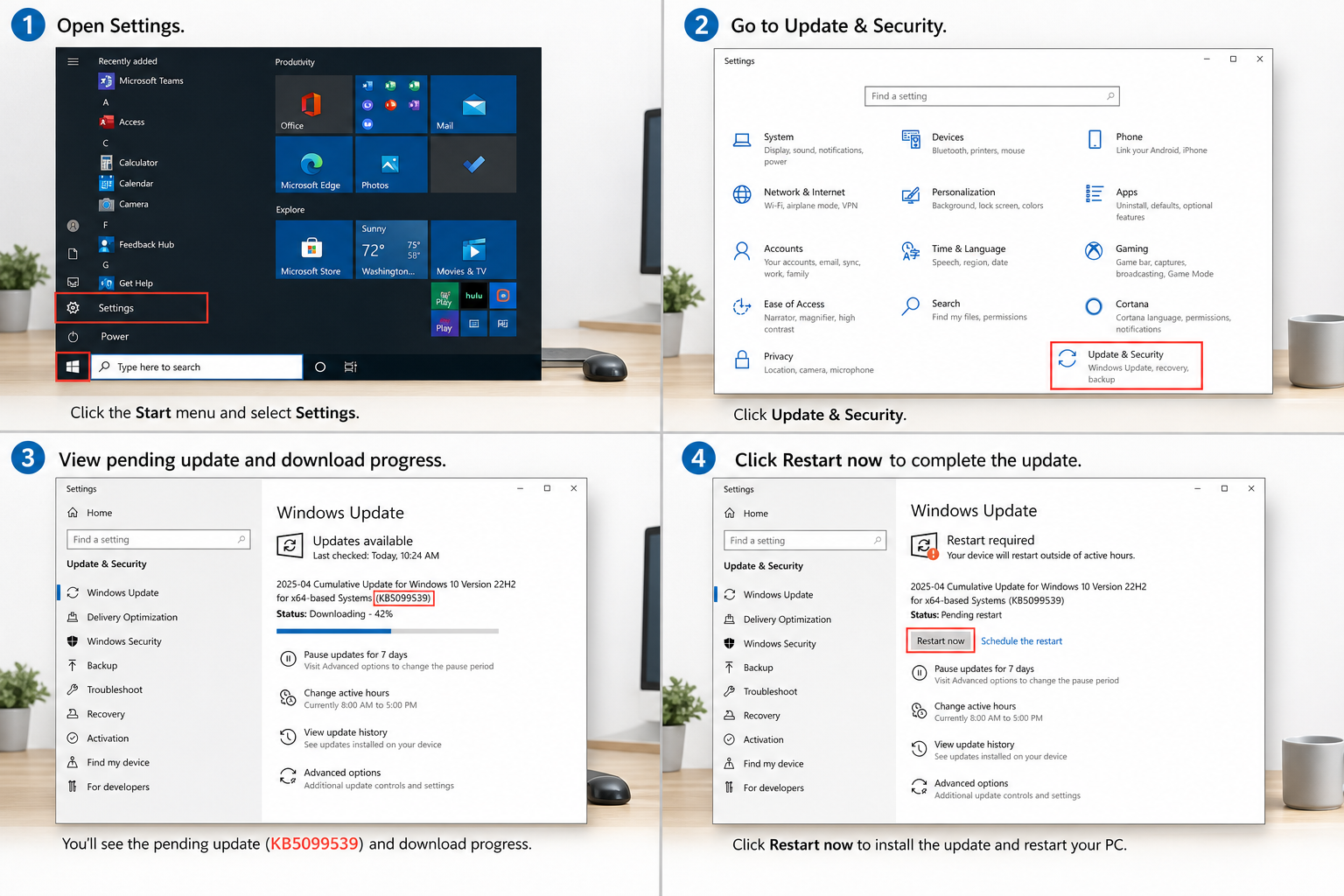
This month’s Patch Tuesday was notably large: Microsoft patched a record-breaking 570 vulnerabilities across its entire product portfolio, making July 2026 one of the most significant security release cycles in recent history. KB5099539 carries the Windows 10 portion of those fixes.
Key Security Fixes in KB5099539
Security hardening is the heart of every Patch Tuesday update, and this Patch Tuesday July 2026 release is no exception. The highlights include:
- RDP SHA-2 certificate support: KB5099539 adds SHA-2 certificate support for Remote Desktop Protocol (RDP) connections, strengthening encryption and trust validation for remote sessions. Systems that rely on older SHA-1 certificates for RDP should plan for the transition.
- Secure Boot 2023 certificate rollout continues: Microsoft is advancing the staged rollout of updated Secure Boot certificates, improving firmware-level integrity checks against bootkits and pre-OS malware.
- 570+ vulnerability mitigations: Across Windows 10 specifically, patches address a wide range of CVEs covering privilege escalation, remote code execution, information disclosure, and spoofing attack vectors.
- RDP trust hardening: Beyond certificate upgrades, the update further tightens RDP trust chain validation, reducing the attack surface for man-in-the-middle scenarios on enterprise networks.
Bug Fixes and Quality Improvements
Alongside its security payload, the Windows 10 cumulative update KB5099539 resolves several quality issues that have affected users since earlier in 2026:
- File Explorer OneDrive shortcut: Fixed an issue where the OneDrive shortcut in File Explorer would stop working when File Explorer was launched with administrative privileges. This affected IT administrators and power users who routinely run Explorer elevated.
- OLE Automation compatibility: Resolved a bug in OLE (Object Linking and Embedding) Automation that caused compatibility failures in certain legacy business applications. This is particularly relevant for enterprises still dependent on older COM-based workflows.
- Recycle Bin naming issue: A cosmetic but confusing bug that caused the Recycle Bin to display an incorrect name in some localised Windows deployments has been corrected.
- Application compatibility improvements: General fixes targeting app stability and compatibility regressions introduced in earlier 2026 cumulative updates.
Notably, Microsoft confirmed there are no new known issues with KB5099539 at the time of release — a reassuring contrast to some earlier updates in the year that shipped with rollback advisories.
Who Should Install the Windows 10 July Update?
The short answer is: everyone still running Windows 10. The Windows 10 July update is classed as a security update, which means it will be offered as a recommended (and in many configurations, automatic) update to all supported Windows 10 devices. Specifically:
- Windows 10 22H2 users on the mainstream support track receive this update automatically via Windows Update.
- Windows 10 21H2 ESU subscribers — businesses that paid for Extended Security Updates after mainstream support ended — also receive KB5099539 via Windows Update or WSUS.
- Home users who have not yet migrated to Windows 11 should allow automatic updates to run, or trigger the update manually (see the installation guide below).
It is worth remembering that Windows 10’s end of life for free mainstream security updates was October 2025. If your device is not enrolled in the ESU programme, you may be receiving only limited or no further security patches beyond that date. If you’re still on Windows 10 and haven’t considered upgrading, now is a good time to explore your options — including picking up a genuine Windows 10 Pro licence to keep your current machine fully activated and supported while you plan your path forward.
How to Install KB5099539 on Windows 10
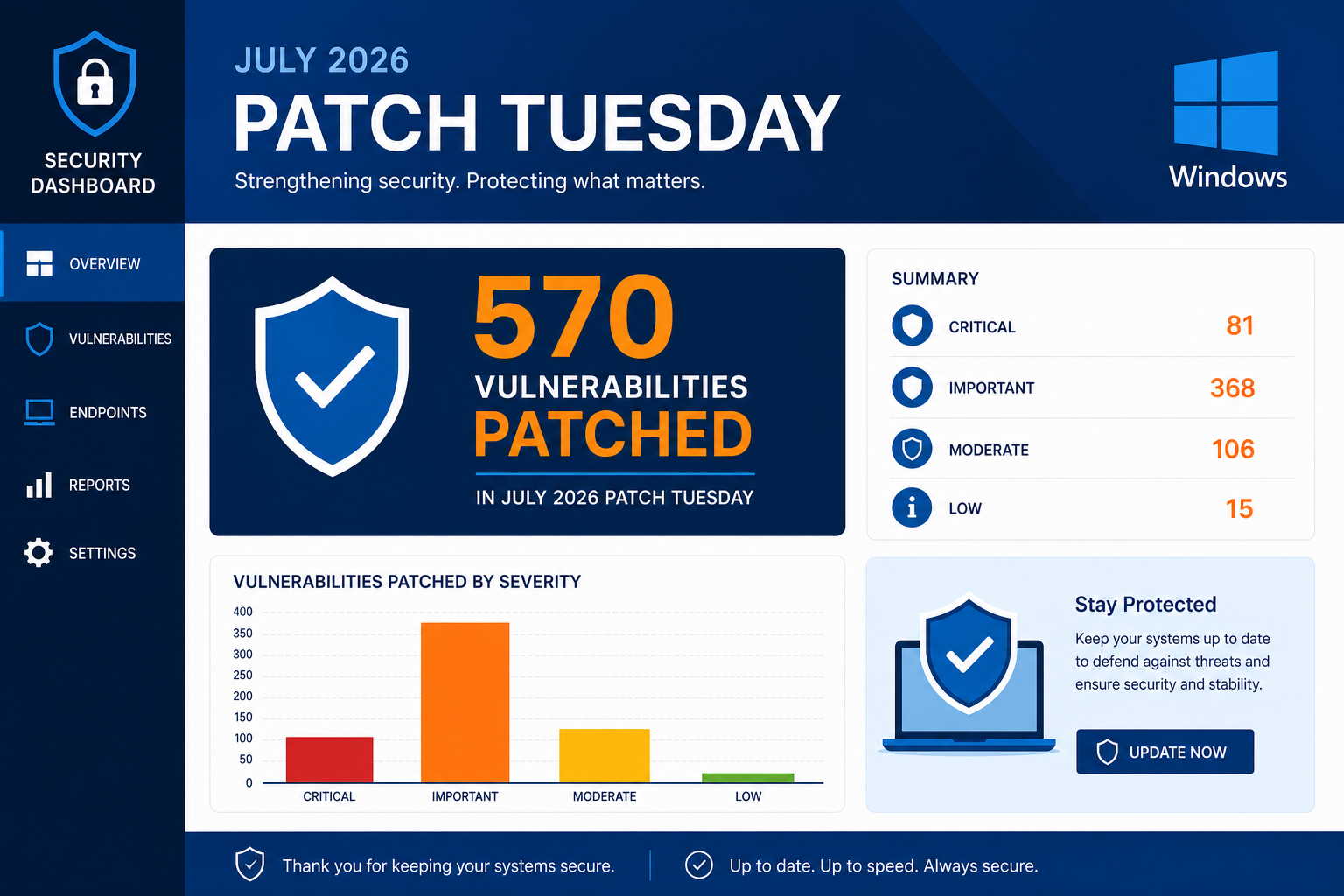
Installing this Windows 10 cumulative update is straightforward. Follow these steps to apply KB5099539 safely:
- Back up your data first. Although KB5099539 has no known issues, it is always good practice to create a restore point or back up critical files before applying any cumulative update.
- Open Windows Update. Go to Start > Settings > Update & Security > Windows Update and click Check for updates.
- Download and install. If your device is eligible, KB5099539 will appear as a pending update. Click Download and install and wait for the download to complete.
- Restart your PC. The update requires a restart to finalise installation. Save all open work before rebooting.
- Verify the build number. After restart, go to Settings > System > About and confirm the OS Build shows 19045.7548 (or 19044.7548 for 21H2 ESU). This confirms successful installation.
Installing KB5099539 Offline (Direct MSU Download)
If your device does not have internet access or you are managing multiple machines, you can download the standalone .msu installer directly from the Microsoft Update Catalog. Search for KB5099539 at the Microsoft Update Catalog, download the appropriate package for your architecture (x64 or ARM64), and run it manually. You will still need a restart to complete the installation.
Deploying via WSUS or Intune
Enterprise administrators managing fleets of Windows 10 devices through Windows Server Update Services (WSUS) or Microsoft Intune will find KB5099539 available for approval in their management consoles. Because this is a security classification update, it will surface under the Security Updates category. Approve it for your target device groups and monitor the compliance dashboard for rollout progress.
Patch Tuesday July 2026: The Bigger Picture
KB5099539 does not exist in isolation — it is part of a historically large Patch Tuesday July 2026 release cycle. The 570 vulnerabilities patched across Microsoft’s product line span Windows 10, Windows 11, Windows Server, Microsoft Office, Azure services, and the .NET framework. Security researchers at BleepingComputer noted that this broke records for the number of CVEs addressed in a single Patch Tuesday. For Windows 10 administrators, this reinforces the urgency of applying KB5099539 without delay.
For context on the ongoing security landscape around Windows 10, our earlier article on Microsoft’s extended Windows 10 security update programme covers the ESU pricing, eligibility, and what it means for users who have not yet moved to Windows 11.
Should You Upgrade to Windows 11 Instead?
With every new KB5099539-style update, the question resurfaces: is it time to move to Windows 11? If your hardware meets the Windows 11 requirements (TPM 2.0, 64-bit CPU, 4 GB RAM, 64 GB storage), upgrading offers a more sustainable long-term security posture, since Windows 11 is still in mainstream support with a later end-of-life horizon. That said, there is no shame in staying on Windows 10 if your hardware or software dependencies require it — just make sure you keep installing every cumulative update like KB5099539 to stay as protected as possible.
If you do decide to upgrade, TopKeyShop carries genuine digital licence keys for both platforms. You can browse affordable options across our Windows 10 licence collection or explore Windows 11 keys to make the jump at minimal cost.
Frequently Asked Questions
What OS build does KB5099539 install on Windows 10?
KB5099539 updates Windows 10 22H2 to OS Build 19045.7548. Devices running Windows 10 21H2 under the Extended Security Update programme are taken to Build 19044.7548. You can verify your build number in Settings > System > About after restarting.
Is the Windows 10 July update KB5099539 safe to install?
Yes. Microsoft confirmed at release that there are no new known issues with KB5099539. It has been through pre-release testing via the Windows Insider programme and carries standard quality assurance checks. As with any cumulative update, creating a restore point before installation is a sensible precaution.
Why is this Patch Tuesday July 2026 update so large?
Microsoft patched a record 570 vulnerabilities across its entire product portfolio in the July 2026 Patch Tuesday cycle. The sheer volume reflects both the expanding attack surface of modern Windows environments and Microsoft’s commitment to addressing a backlog of CVEs before they are actively exploited in the wild.
What happens if I skip KB5099539?
Skipping a cumulative security update leaves your system exposed to all the vulnerabilities patched within it. Because KB5099539 addresses privilege escalation, remote code execution, and RDP attack surface issues, delaying installation is a meaningful security risk — especially for devices connected to corporate networks or exposed to the internet.
Can I uninstall KB5099539 if it causes problems?
Yes. Go to Settings > Update & Security > Windows Update > View update history > Uninstall updates, find KB5099539 in the list, and click Uninstall. Alternatively, boot into the Windows Recovery Environment and use System Restore to roll back. Since Microsoft confirmed no known issues, this should rarely be necessary.
Does KB5099539 affect the Windows 10 ESU programme?
Yes — Windows 10 21H2 ESU subscribers receive KB5099539 as part of their Extended Security Update entitlement. The update takes those devices to Build 19044.7548. ESU access requires enrolment through Microsoft’s Volume Licensing or Microsoft 365 portal, or through eligible devices running Windows 10 ESU via Intune.
