

Active directory penetration testing exists to answer one question: if an attacker got a single foothold in your network, how fast could they reach Domain Admin? In almost every engagement, the answer runs through three predictable attack paths — Kerberoasting, lateral movement, and privilege escalation — and each one maps to a specific, doable fix you can apply this week without buying new tools.
This isn’t a theoretical exercise for red teamers. If you run a Windows Server domain, these are the exact techniques testers (and real attackers) use against your environment, and the hardening steps below are things a small IT team can realistically schedule into a single sprint.
What Does Active Directory Penetration Testing Actually Cover?
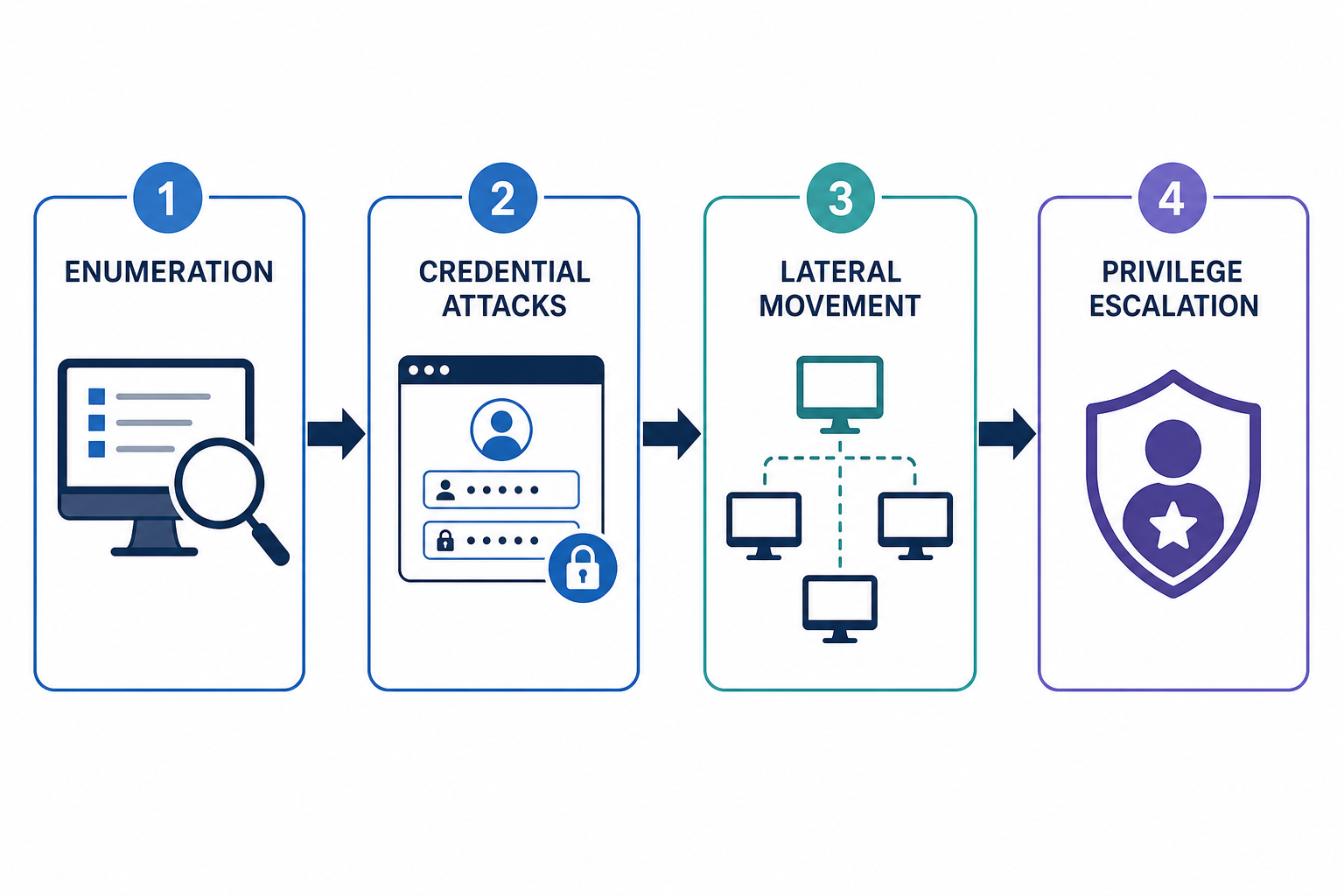
Active directory penetration testing simulates what a low-privileged attacker — a phished user, a compromised laptop, a rogue contractor account — could do once they’re inside your domain. Testers typically work from an assumed-breach starting point rather than trying to break through the perimeter first, because that’s how most real intrusions actually begin.
A typical engagement walks through four phases:
- Enumeration — mapping users, groups, service accounts, trusts, and group policy objects with tools like BloodHound or PowerView.
- Credential attacks — Kerberoasting, AS-REP roasting, and password spraying against exposed accounts.
- Lateral movement — pivoting from the first compromised host to systems holding higher-value credentials.
- Privilege escalation — exploiting misconfigurations in ACLs, GPOs, or delegation settings to reach Domain Admin or Enterprise Admin.
Understanding this flow matters because each phase has its own, narrow hardening fix — you don’t need to solve all of Active Directory security at once.
Kerberoasting: The Easiest Active Directory Penetration Finding to Fix
Kerberoasting is almost always the first credential-theft technique a tester tries, because it requires no elevated access and is nearly impossible to detect with default logging. Any authenticated domain user can request a Kerberos service ticket for an account with a Service Principal Name (SPN), then crack that ticket offline at leisure.
How Kerberoasting Works
Service accounts tied to SPNs — think SQL Server, IIS application pools, or legacy line-of-business software — authenticate using Kerberos tickets encrypted with the account’s password hash. If that password is short, reused, or hasn’t changed in years, an attacker can crack it offline with no interaction with the domain controller after the initial ticket request. Weak RC4 encryption made this especially easy for years, which is one reason Microsoft moved to retire RC4 fallback entirely; the Kerberos RC4 rollback patch closed a related rollback vulnerability that let attackers force domains back into using the weaker cipher.
Hardening Step: Shut Down Kerberoasting This Week
- Inventory every account with an SPN and move service accounts to Group Managed Service Accounts (gMSA), which use 240-character, automatically rotated passwords.
- Where gMSA isn’t possible, set service account passwords to at least 25 random characters stored in a password manager — not a sticky note or shared spreadsheet.
- Enforce AES-only Kerberos encryption and confirm RC4 is disabled domain-wide, not just on individual accounts.
- Alert on Event ID 4769 ticket requests with RC4 encryption type, which almost always indicates a Kerberoasting attempt in a modern domain.
Microsoft’s own guidance on this exact issue is worth reading in full — see Microsoft’s Kerberoasting mitigation guidance for the detailed detection queries.
Lateral Movement: How Attackers Spread After the Initial Foothold
Lateral movement is how a tester turns one compromised workstation into access across your entire server fleet, and it almost always relies on credential reuse rather than new exploits. Once a tester has local admin on one machine, they harvest cached credentials and reuse them everywhere those credentials also have rights.
Common Lateral Movement Techniques
- Pass-the-Hash — reusing an NTLM hash without ever knowing the plaintext password.
- Pass-the-Ticket — stealing and replaying Kerberos tickets, including forged Golden and Silver Tickets.
- Overpass-the-Hash — converting a stolen hash into a usable Kerberos ticket.
- Remote service abuse — using WMI, PsExec, or scheduled tasks with stolen credentials to execute code on remote hosts.
Legacy protocols make this worse. Unpatched Netlogon configurations, for instance, have historically given attackers a direct path to domain controller impersonation — the Netlogon RCE vulnerability is a recent example of how a single unpatched protocol flaw can turn routine lateral movement into full domain compromise.
Hardening Step: Limit Lateral Movement This Week
- Enable Local Administrator Password Solution (LAPS) so every workstation has a unique, rotated local admin password — this alone kills most Pass-the-Hash chains.
- Apply Windows Firewall rules to block lateral SMB and RDP traffic between workstations (allow only server-to-workstation, not peer-to-peer).
- Segment admin credentials by tier: domain admins should never log into standard workstations, only hardened admin jump boxes.
- Confirm Netlogon secure channel enforcement is fully enabled, not left in compatibility mode.
Privilege Escalation: The Path from Domain User to Domain Admin

Privilege escalation is usually the fastest phase of an active directory penetration test once lateral movement gets a tester near the right systems, because AD environments accumulate small misconfigurations for years that no one ever audits. A single overly-permissive ACL on a Group Policy Object can be worth more to an attacker than any zero-day.
Privilege Escalation Techniques Pentesters Rely On
- Unconstrained or unsafe constrained delegation — allowing a compromised service to impersonate any user, including domain admins.
- ACL abuse — exploiting write permissions on user objects, group memberships, or GPOs that were never cleaned up after a project ended.
- AdminSDHolder misconfigurations — a frequently-forgotten object that can grant persistent rights over protected accounts.
- Nested group sprawl — users inheriting privileged rights through groups several layers removed from anything labeled “admin.”
Hardening Step: Close Privilege Escalation Gaps This Week
- Run BloodHound (or an equivalent AD attack-path tool) internally and fix the shortest paths to Domain Admin first — most environments have two or three that account for nearly all the risk.
- Audit delegation settings quarterly; disable unconstrained delegation everywhere it isn’t explicitly required.
- Review AdminSDHolder ACLs and the membership of built-in privileged groups (Domain Admins, Enterprise Admins, Schema Admins) for stale accounts.
- Apply the tiered administration model so Tier 0 credentials (domain controllers, PKI, AD-integrated DNS) never touch Tier 1 or Tier 2 systems.
Turning Active Directory Penetration Testing Results Into a Fix List
A pentest report is only useful if it becomes a prioritized action list, not a PDF that sits unread. The findings above — Kerberoastable accounts, lateral movement paths, privilege escalation chains — should be triaged by how many steps they take an attacker to reach Domain Admin, not by CVSS score alone.
- Fix anything that gives one-step access to Domain Admin first, regardless of how “minor” it looks in the report.
- Patch and harden anything tied to a known CVE, especially in core services like Kerberos and Netlogon.
- Roll out LAPS and gMSA broadly — these two changes alone eliminate a large share of common findings.
- Schedule a re-test after remediation; a one-time active directory penetration test without follow-up verification is only half the job.
How Often Should You Run an Active Directory Penetration Test?
Most IT teams should schedule a full active directory penetration test annually, with lighter internal reviews — group membership audits, SPN inventories, delegation checks — done quarterly. Environments that undergo major changes, such as a merger, a new domain trust, or a large application rollout, should test again after that change rather than waiting for the annual cycle.
Between formal tests, internal IT staff can run much of the same enumeration testers use. Reviewing cybersecurity hardening resources for your Windows Server estate on a regular cadence closes the gap between annual assessments.
FAQ
What is the difference between a vulnerability scan and active directory penetration testing?
A vulnerability scan checks systems against known CVE databases and misconfiguration signatures automatically. Active directory penetration testing goes further by chaining findings together the way a real attacker would — for example, combining a weak service account password with a delegation flaw to reach Domain Admin, something a scanner alone won’t demonstrate.
How long does an Active Directory penetration test take?
A typical engagement for a mid-sized domain runs one to two weeks, including reconnaissance, exploitation, and reporting. Larger, multi-domain forests or environments with extensive trust relationships can take longer, particularly if testers need to map lateral movement across several business units.
Can small businesses benefit from active directory penetration testing?
Yes — smaller environments often have fewer compensating controls, so a single Kerberoastable service account or an over-permissioned group can represent a much larger share of total risk. A scoped, lower-cost engagement focused on the three attack paths covered here still delivers meaningful, actionable findings.
What tools do penetration testers use against Active Directory?
Common tools include BloodHound for attack-path mapping, Mimikatz for credential extraction, Rubeus for Kerberos ticket manipulation, and PowerView for enumeration. Defensive teams can run several of these same tools internally to find and fix issues before an external tester — or an attacker — does.
Does patching alone prevent Kerberoasting and lateral movement?
No. Patching closes known CVEs, but Kerberoasting and most lateral movement techniques exploit normal Kerberos and Windows functionality rather than a specific software bug. Preventing them requires configuration changes — gMSA adoption, LAPS, tiered administration, delegation audits — on top of a current patch baseline.
