Office 2019 Home and Student for Windows

€45.90


  • Original activation key and official download links
  • Fast email delivery usually within a few minutes
  • 100% Money-back Guaranteed


You will receive:

Activation Key – ( Original License Key )

Download Link for the Office 2019 Home and Student. (You can choose which language you want to install after you register the key.)

Instructions how to Install and activate your Office.

One key can be used only one time for one activation on one installation.

Once you activate the Office 2019 Home and Student it is for a lifetime.

If you want to reinstall the Office in the future for a second time on the same or a new machine you need to buy a second key.

Secure Payment and Safe Checkout โ€” Buyer Protection Guaranteed

๐Ÿ›ก๏ธ Genuine keys ยท Money-back guarantee ยท 24/7 support. Learn how you're protected โ†’

Microsoft Office 2019 Home and Student: The Classic Productivity Suite

Microsoft Office 2019 Home and Student is the perfect productivity suite for students and families who want classic Office apps including Word, Excel, and PowerPoint for a one-time purchase. This means you pay once and own it forever, with no need for a subscription. This one-time purchase installs on 1 PC or Mac for use at home or school. Unlike Office 365, Office 2019 will never need renewing.
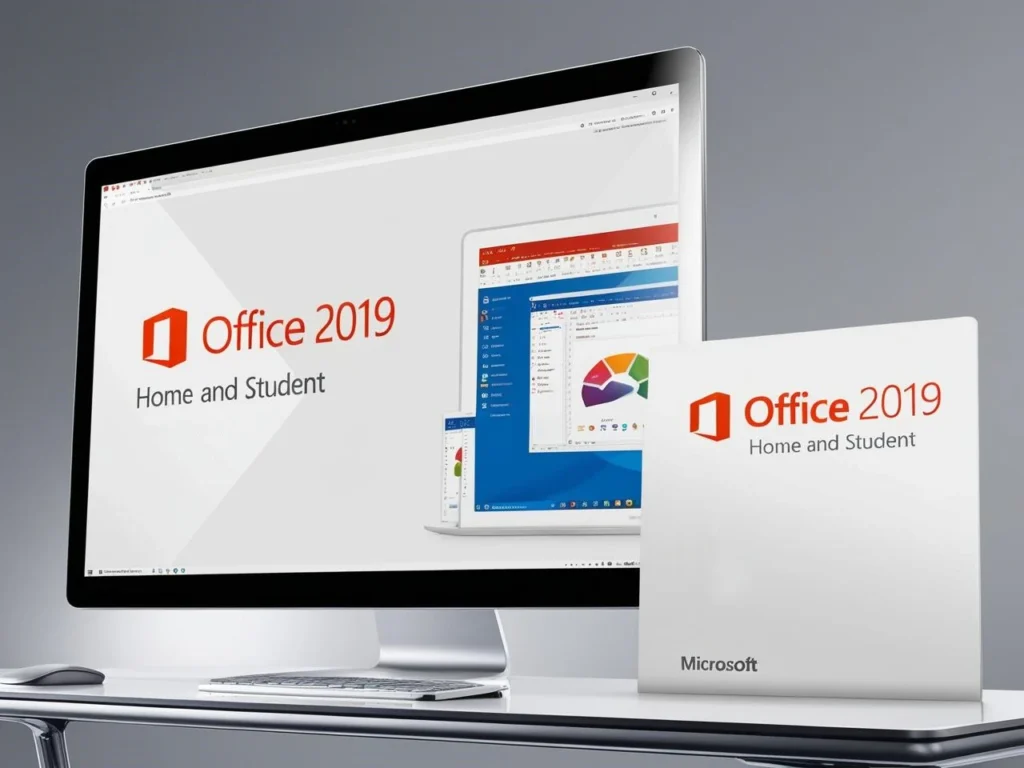
A sleek computer monitor showing the Microsoft Office 2019 Home and Student interface, with a corresponding retail box labeled โ€œOffice 2019 Home and Studentโ€ in the foreground.

Key Features

  • Classic Office apps: Includes the 2019 versions of Word, Excel, and PowerPoint.

  • OneNote: Take notes, organize ideas, and collaborate with others.

  • One-time purchase: No subscription required.

  • Lifetime license: Use the software for as long as you want. 

  • Install on 1 PC or Mac: Perfect for students and families. 

  • Microsoft support: Includes 60 days of support at no extra cost.

Benefits of Choosing Us

When you purchase Office 2019 Home and Student from us, you enjoy these exclusive benefits:

  • 100% Money-Back Guarantee: We are confident in the quality and value of our product. If you are not completely satisfied with your purchase, we offer a hassle-free money-back guarantee.

  • Fast Digital Delivery: Receive your product key instantly via email after your purchase, allowing you to get started with Office 2019 right away.

  • Excellent Customer Reviews: See what our satisfied customers are saying about their experience with Office 2019 Home and Student and our service on Google and Trustpilot

Posted on Google Google
Erni Vald profile picture
Erni Vald
Google star 1Google star 2Google star 3Google star 4Google star 5Trustindex verifies that the original source of the review is Google.
I bought a key for Office 2024 Professional Plus. I received the key 5 minutes after payment. Installation, following the instructions, took 15 minutes. The price of 15 Euros made me a bit skeptical, but everything works.
Posted on Google Google
vladimir omahna profile picture
vladimir omahna
Google star 1Google star 2Google star 3Google star 4Google star 5Trustindex verifies that the original source of the review is Google.


Owner's reply
Thank you, Vladimir! We deeply appreciate your feedback and your support is invaluable to us. Should you have any comments or suggestions, feel free to let us know. We're always here to assist you. Best regards, Top Key Shop
Posted on Google Google
ืžื™ื›ื” ื•ื™ื™ืก profile picture
ืžื™ื›ื” ื•ื™ื™ืก
Google star 1Google star 2Google star 3Google star 4Google star 5Trustindex verifies that the original source of the review is Google.
Satisfide

Owner's reply
Thank you for your review! We're so pleased to hear that you had a satisfactory experience with us. If there's anything more we can do for you, feel free to reach out. Best regards, Top Key Shop
Posted on Google Google
Marko โ€œPankiโ€ Preloznjak profile picture
Marko โ€œPankiโ€ Preloznjak
Google star 1Google star 2Google star 3Google star 4Google star 5Trustindex verifies that the original source of the review is Google.
odlicno

Owner's reply
Hvala ti, Marko! Drago nam je da si zadovoljan naลกom uslugom i proizvodima. Ako ikada budeลก imao bilo kakvih pitanja, slobodno nam se javi. Radujemo se da ฤ‡emo te ponovno vidjeti! Best regards, Top Key Shop
Posted on Google Google
Goran Kapic profile picture
Goran Kapic
Google star 1Google star 2Google star 3Google star 4Google star 5Trustindex verifies that the original source of the review is Google.


Owner's reply
Thank you, Goran, for your review! We're glad you had a great experience. We appreciate your support. Best regards, Top Key Shop
Posted on Google Google
ฮšฯŽฯƒฯ„ฮฑฯ‚ ฮœฯ€ฮฑฯฮฌฮบฮฟฯ‚ profile picture
ฮšฯŽฯƒฯ„ฮฑฯ‚ ฮœฯ€ฮฑฯฮฌฮบฮฟฯ‚
Google star 1Google star 2Google star 3Google star 4Google star 5Trustindex verifies that the original source of the review is Google.


Owner's reply
Thank you very much for your support, ฮšฯŽฯƒฯ„ฮฑฯ‚! We're grateful for your feedback and appreciation. It motivates us to continue providing great service. Best regards, Top Key Shop
Posted on Google Google
Maid Neziriฤ‡ profile picture
Maid Neziriฤ‡
Google star 1Google star 2Google star 3Google star 4Google star 5Trustindex verifies that the original source of the review is Google.


Owner's reply
Thank you, Maid, for leaving us such a positive review! Your support means a lot to us, and weโ€™re thrilled to see you satisfied. If you ever have any further feedback or questions, donโ€™t hesitate to let us know, as we're always here to assist. Best regards, Top Key Shop
Posted on Google Google
Damir profile picture
Damir
Google star 1Google star 2Google star 3Google star 4Google star 5Trustindex verifies that the original source of the review is Google.


Owner's reply
Thank you, Damir, for your rating! We truly value your feedback and strive to provide excellent service. If you have any suggestions or further thoughts to share, feel free to let us know. Best regards, Top Key Shop
Posted on Google Google
Marko Pritrลพnik profile picture
Marko Pritrลพnik
Google star 1Google star 2Google star 3Google star 4Google star 5Trustindex verifies that the original source of the review is Google.


Owner's reply
Thank you for your amazing feedback, Marko! We're thrilled to know you had a great experience with us. If you ever need assistance or have questions, feel free to reach out. Best regards, Top Key Shop
Posted on Google Google
Leonard Inkret profile picture
Leonard Inkret
Google star 1Google star 2Google star 3Google star 4Google star 5Trustindex verifies that the original source of the review is Google.
Good, fast, cheap. Keys work

Owner's reply
Thank you, Leonard, for your concise and positive feedback! We're delighted to hear our service met your expectations in terms of quality, speed, and affordability. Should you need any assistance or additional keys in the future, please don't hesitate to reach out. We appreciate your support and look forward to serving you again! Best regards, Top Key Shop
Verified by Trustindex
Trustindex verified that these reviews were published on Top Key Shop's Google Business Profile. Learn more

Why Choose Office 2019 Home and Student?
Microsoft Office 2019 Home and Student edition logo with icons for PowerPoint, Word, Excel, and OneNote on an orange gradient background.

  • Increased productivity: Office 2019 helps you get your work done more efficiently with its powerful features and intuitive interface.

  • Improved creativity: Create professional-looking documents, presentations, and spreadsheets.

  • Enhanced collaboration: Work with others on documents and projects.

  • Better learning: OneNote helps students take notes, organize ideas, and collaborate with classmates.

  • Cost-effective: A one-time purchase that provides lifetime access to classic Office apps.

  • Ideal for one-time purchase preference: If you prefer to own your software outright and avoid recurring subscription fees, Office 2019 is the perfect choice.

  • Offline functionality: You donโ€™t need an internet connection to use Office 2019. This is a major advantage for users with limited or unreliable internet access.

Complete Your Setup

To ensure you have the optimal environment for Office 2021 Home and Student, we offer compatible Windows operating systems:

  • Windows 10 Pro Retail: A reliable and robust operating system with all the essential features for business and personal use.

  • Windows 10 Home OEM: A budget-friendly option for home users, Windows 10 Home OEM provides a solid foundation for everyday computing tasks.

Contact our support team to check if your device is compatible with Windows 11 and meets the requirements .

Explore Other Office Options

If Office 2021 Home and Student isnโ€™t the perfect fit for your needs, we offer a range of other Microsoft Office suites:

  • Office Home 2024: The latest version of the classic Office suite, with updated features and a refreshed interface.

  • Office 2021 Pro Plus: For businesses and professionals seeking a comprehensive suite of applications, including Outlook, Access, and Publisher.

  • Office 2019 Pro Plus: The previous perpetual version of Office, with a familiar interface and robust features.

  • Office 2016 Pro Plus: An earlier version of Office, offering a reliable and stable experience.

Whatโ€™s New in Office 2019?

Office 2019 includes a variety of new features and enhancements, designed to boost your productivity and creativity. Here are some of the highlights:

Word

  • Black theme: A new dark mode for Word, reducing eye strain and providing a more comfortable reading experience.

  • Learning Tools: Improve reading comprehension with features like Read Aloud, which reads your documents aloud, and Immersive Reader, which optimizes text layout for better focus.

  • Text-to-speech: Have Word read your documents aloud, freeing your hands for other tasks or making content accessible to those with visual impairments.

  • Improved inking functionality: Use a digital pen to write, draw, and highlight text directly within your documents. This feature is perfect for taking notes, annotating documents, or adding a personal touch to your work.

  • Accessibility improvements: Make your documents more accessible to people with disabilities.

Excel

  • Funnel charts, 2D maps, and timelines: New chart types to visualize your data in a clear and engaging way.

  • New Excel functions and connectors: Get more done with new formulas and data connections.

  • Ability to publish Excel to Power BI: Share your data with others in an interactive format.

  • PowerPivot enhancements: Analyze large datasets with ease.

  • PowerQuery enhancements: Connect to and transform data from various sources.

  • New functions: Excel 2019 introduces new functions like TEXTJOIN and CONCAT, making it easier to combine text from multiple cells, and IFS and SWITCH, simplifying complex logical comparisons.

  • Insert 3D models: Add visual interest to your spreadsheets by inserting 3D models and rotating them 360 degrees.

  • Precision selecting: Easily select or deselect specific cells without having to start over, saving time and reducing frustration.

PowerPoint

  • Zoom capabilities: Create dynamic presentations with new zoom features that allow you to seamlessly jump between sections or zoom in on specific details.

  • Morph transition feature: Create smooth animations and transitions between slides, adding a professional and polished look to your presentations.

  • Ability to insert and manage Icons, SVG, and 3D models: Add visual interest to your presentations by incorporating icons, scalable vector graphics, and 3D models.

  • Improved roaming pencil case: Access your favorite pens and highlighters across devices, ensuring consistency and personalization in your presentations.

  • Add live-action video: Enhance your presentations by embedding online videos directly into your slides.

System Requirements

Feature

Windows

Operating System

Windows 10

Processor

1.6 GHz, 2-core processor

RAM

4 GB (64-bit), 2 GB (32-bit)

Hard Drive Space

4 GB

Display

1280 x 768 resolution

Conclusion

Microsoft Office 2019 Home and Student is the ideal productivity suite for students and families who need the power of classic Office applications without the ongoing cost of a subscription. With its user-friendly interface, enhanced features, and one-time purchase option.

Whether youโ€™re a student working on assignments, a family managing household tasks, or anyone who values the reliability and familiarity of classic Office apps, Office 2019 Home and Student provides the essential tools you need to succeed.

Frequently Asked Questions โ€” Office 2019 Home and Student

What is Office 2019 Home and Student?

Office 2019 Home and Student is a one-time purchase version of Microsoft Office designed for students and families. It includes Word, Excel, PowerPoint, and OneNote โ€” all the classic Office apps you need for schoolwork, assignments, and everyday home tasks. You pay once and own the software outright, with no recurring subscription fees.

What’s included in Office 2019 Home and Student?

The suite includes four core applications:

  • Word โ€” Create and edit documents, essays, and reports.
  • Excel โ€” Build spreadsheets, analyse data, and create charts.
  • PowerPoint โ€” Design professional presentations and slideshows.
  • OneNote โ€” Take notes, organise ideas, and keep everything in one place.

Is Office 2019 Home and Student a one-time purchase or a subscription?

It is a one-time purchase. Unlike Microsoft 365, there are no monthly or annual fees. You pay once and the licence is yours for life โ€” it will never expire or require renewal.

How many devices can I install Office 2019 Home and Student on?

The licence covers one installation on a single PC or Mac. Each product key can only be activated once. If you need to reinstall on the same device in the future, you can do so by signing in to your Microsoft account at account.microsoft.com. If you need to install on a different device, a new licence key will be required.

Is this compatible with Windows 11?

Office 2019 Home and Student is officially supported on Windows 10. Microsoft’s minimum system requirements for this version are Windows 10, so we recommend using it on a Windows 10 device for the best experience.

How do I activate Office 2019 Home and Student?

Activating your copy is straightforward:

  1. Visit office.com/setup and sign in with your Microsoft account (or create a free one).
  2. Enter the 25-character product key you received by email.
  3. Follow the on-screen instructions to download and install Office.
  4. Open any Office application โ€” it will activate automatically once connected to the internet.

If you run into any issues during installation or activation, our customer support team is happy to help.

How will I receive my product key?

After completing your purchase, your product key and download instructions will be sent to your email address โ€” typically within a few minutes. You do not need to wait for a physical delivery; everything is delivered digitally.

Is this a genuine Microsoft licence?

Yes. We only sell genuine, authentic Microsoft licences sourced from authorised distributors. Every key sold at Top Key Shop is legitimate and will activate successfully through Microsoft’s official servers.

What does the 100% money-back guarantee cover?

If you are not satisfied with your purchase, we offer a hassle-free money-back guarantee. Please contact our support team and we will resolve the issue promptly โ€” whether that means replacing your key or issuing a full refund.

Will Office 2019 stop working after Microsoft ends support?

Microsoft ended mainstream support for Office 2019 in October 2025. This means the software will no longer receive feature updates or security patches from Microsoft. However, the applications themselves โ€” Word, Excel, PowerPoint, and OneNote โ€” will continue to function on your device. If you want the latest features and ongoing security updates, you may want to consider upgrading to a newer perpetual version such as Office 2021 Home and Student.

Can I use Office 2019 Home and Student offline?

Yes. Once installed and activated, Office 2019 Home and Student works fully offline. An internet connection is only required during the initial download and activation process.

What are the system requirements for Office 2019 Home and Student?

  • Operating System: Windows 10
  • Processor: 1.6 GHz, dual-core or higher
  • RAM: 4 GB (64-bit) or 2 GB (32-bit)
  • Storage: 4 GB of available disk space
  • Display: 1280 ร— 768 resolution

What if I need help installing or activating my Office 2019 Home and Student key?

Our customer support team is available to assist you. Simply get in touch and we will guide you through the installation and activation process step by step. You can also find detailed guidance on Microsoft’s official support page.

Reviews

There are no reviews yet.

Only logged in customers who have purchased this product may leave a review.

You may also like…